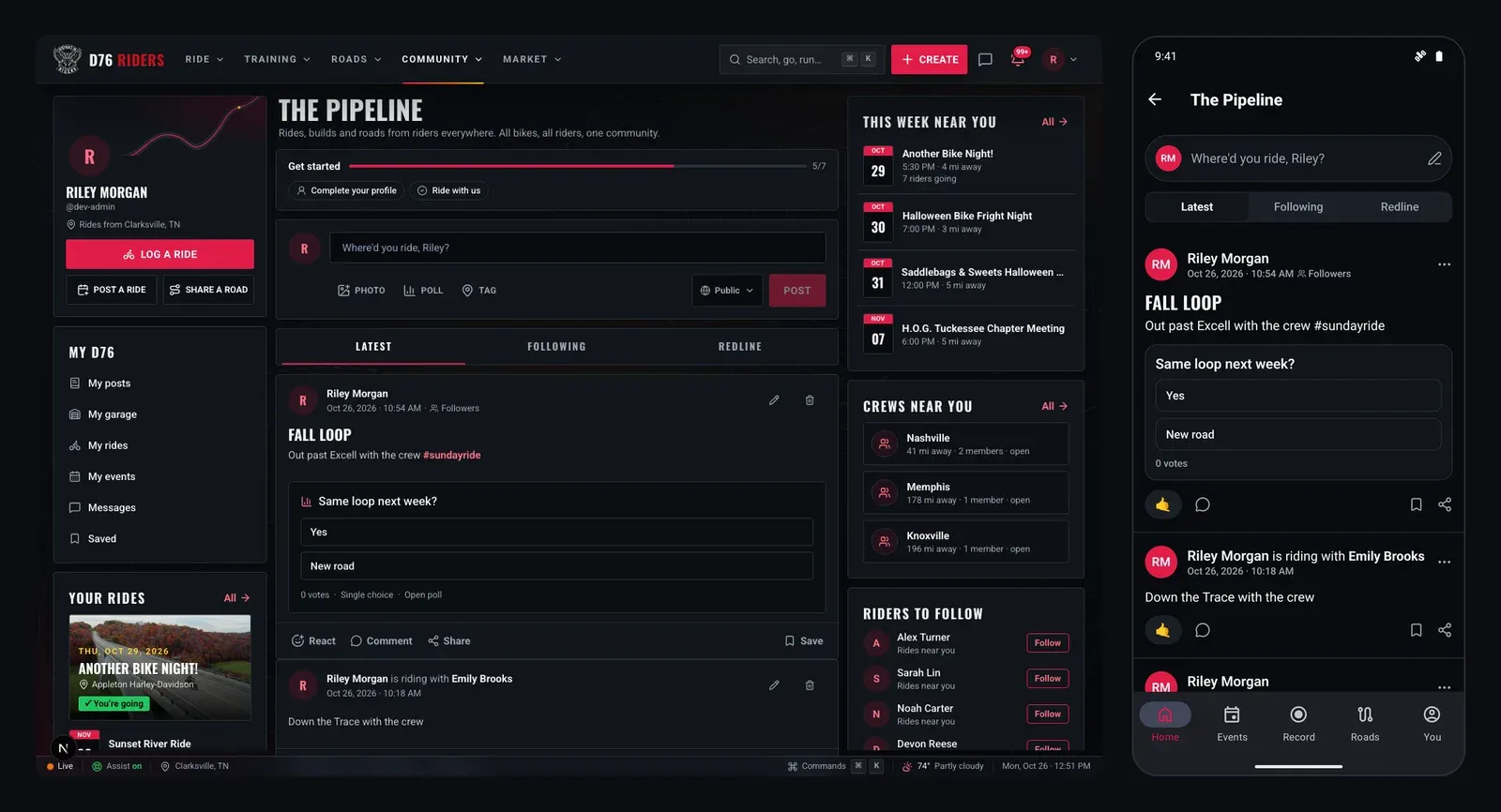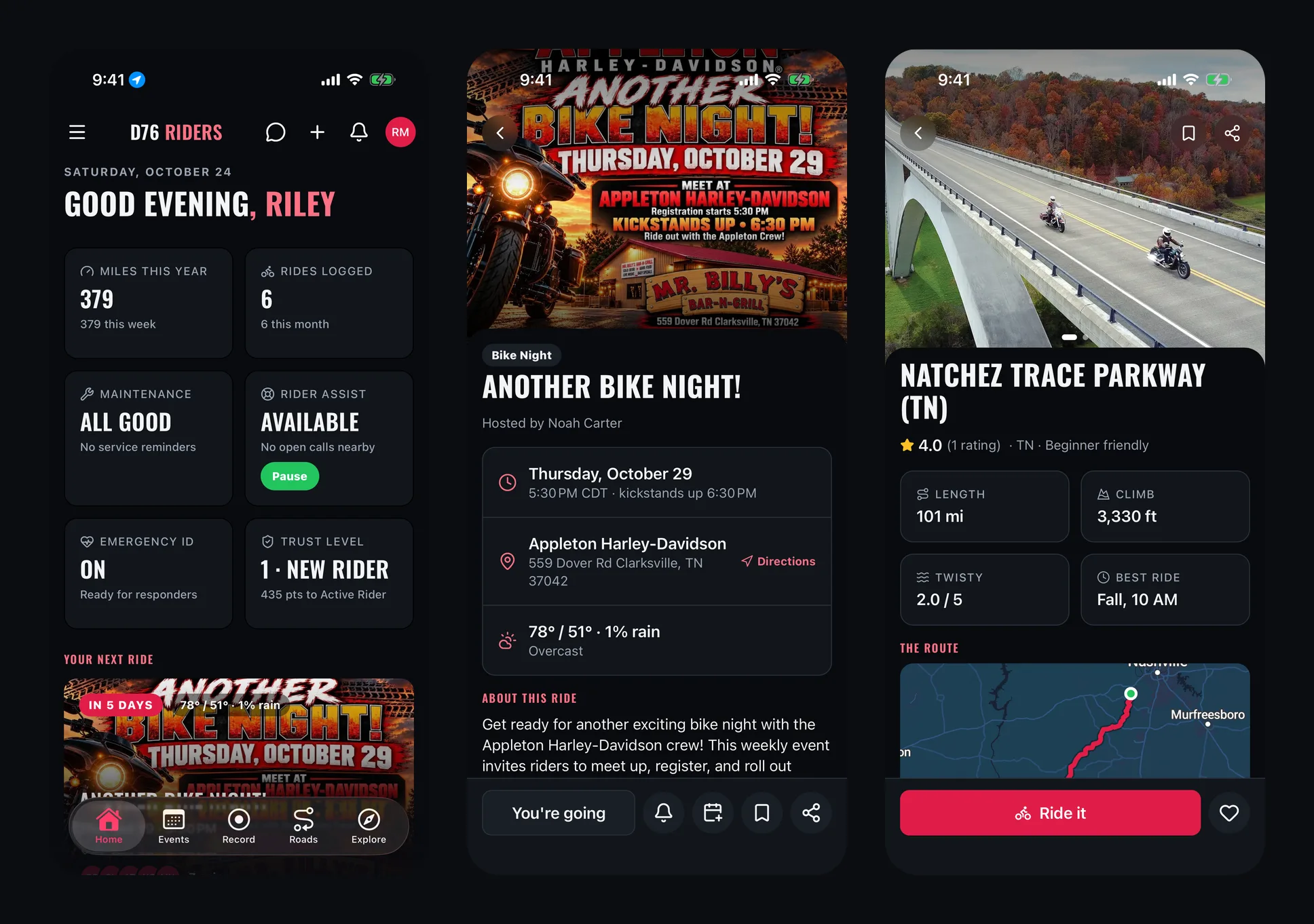
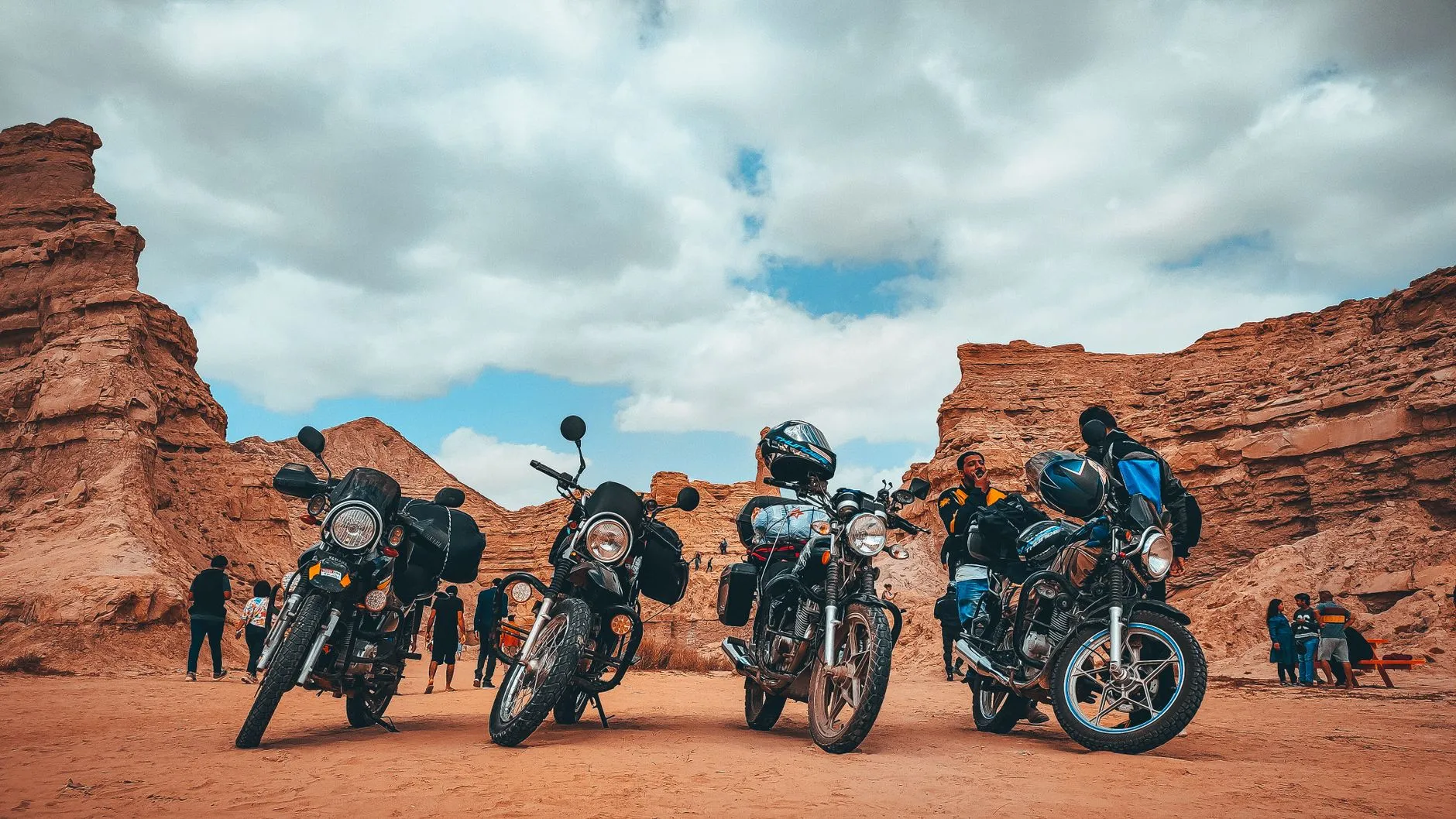
Your People, Your Roads
Every rider eventually finds their people. Sometimes it starts at a bike night, when the same five bikes keep parking next to yours. Sometimes it is a text thread that started with "anyone riding Saturday?" and never stopped. Sometimes it is the group that waited for you at every turn on your first real ride, and you have been riding with them ever since.
Crews are where those people live on District 76. A crew is a group of riders within D76: a town, a riding style, a weeknight bunch, a Saturday breakfast run, whatever brings you together. It gives that group a home with a calendar, a wall, a chat, ride ideas and a place for new riders to find you.
Here is the full rundown: what a crew is (and is not), how to find one, how to start one, and everything a crew page can do once you are in.
A Crew Is Not a Club
Let us get this out of the way first, because it matters. D76 is a community, not a club, and crews follow the same rule. There are no prospects, no ranks to climb, no mandatory meetings and nothing to earn your way into. Nobody owns a town and nobody runs a territory.
A crew has a Lead, who started it or was handed it, and the Lead can name Co-leads to help run things. Everyone else is a member, and every member can post, plan rides and pitch ideas. That is the whole structure. It exists so somebody can approve new riders and keep the wall friendly, not to put anyone above anyone else.
You can also belong to more than one crew. Ride with your hometown crew on weeknights and an adventure crew on long weekends. If you already ride with an MC or RC, you can keep doing that and still join a D76 crew. Ride what you ride. Rep who you rep.
Finding Your Crew
Crews lists every public crew on D76. Each card shows the crew's banner and logo, how many members it has, its home state, what it is about, how many rides it has put on the calendar, and whether it is open to join or takes requests.
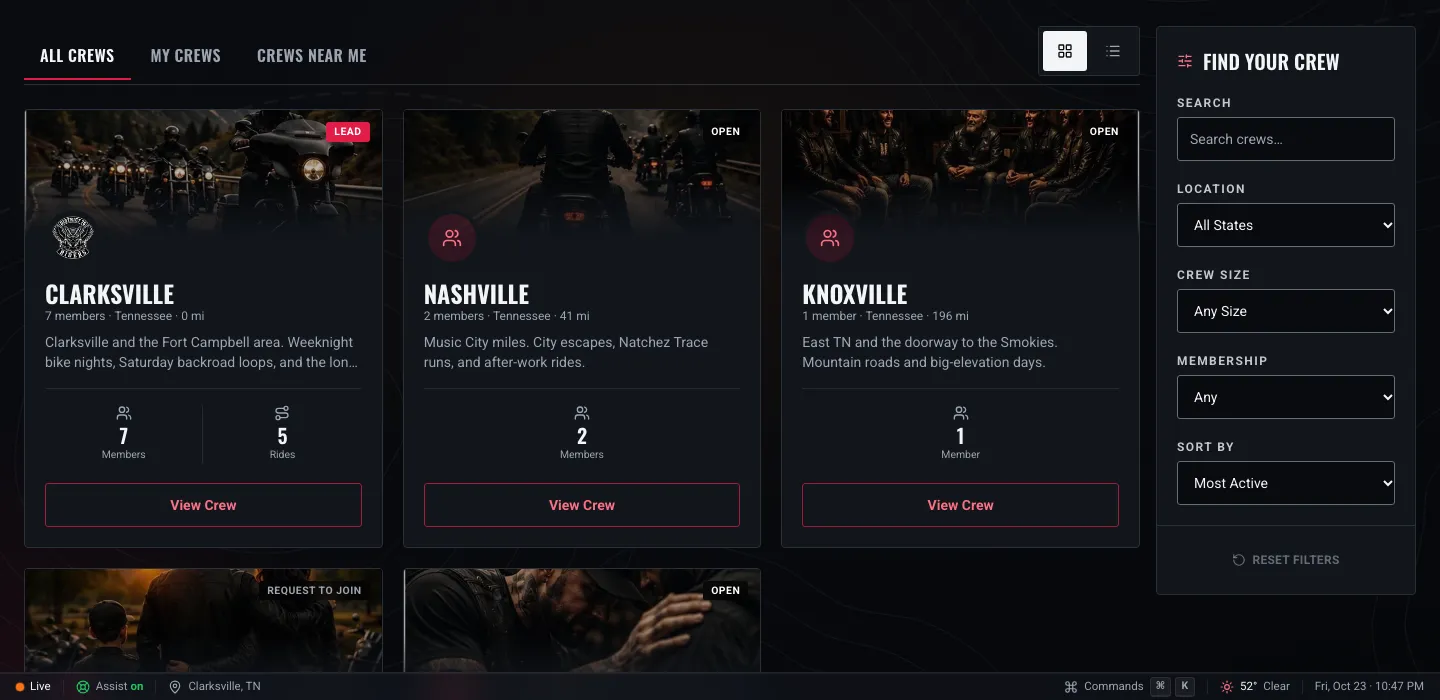
The Crews page, with the Find Your Crew filters on the right. Shown with example crews.
The Find Your Crew panel narrows things down:
- Search matches a crew's name and its description, so searching a town, a road or a riding style finds crews that talk about it.
- Location filters by home state.
- Crew size picks small (1 to 9 members), medium (10 to 29) or large (30 and up).
- Membership shows only crews that are open to join.
- Sort by most active (the crews putting the most rides on the calendar), most members, newest, or nearest.
Across the top are three tabs. All Crews is everything. My Crews is the ones you belong to, including any private crew you are in. Crews Near Me sorts by distance from your riding area, so if you have not set one yet, it is worth the thirty seconds.
One honest note: a crew's location on D76 is its home state, so distances on cards are measured to the state rather than to a city. That is why a good crew name and description matter. "Clarksville and the Fort Campbell area" tells a rider far more than a pin ever could.
Joining In
Every public crew is one of two kinds:
- Open to join. Tap Join the crew and you are in.
- Request to join. Tap Request to join and the crew's Lead or a Co-lead approves you. You get a notification either way, and you can withdraw a request any time before they answer.
Not ready to join? If you are signed in, you can follow a public crew instead. Followers hear about the crew's new rides and wall posts without being a member, which is a good way to get a feel for a group before you show up to a ride.
Leaving is just as easy. Tap the Joined button, then tap again to confirm. The only rider who cannot simply walk away is the last Lead, who needs to hand the crew to someone else first so it is not left without anyone to run it.
Starting a Crew
If the crew you are looking for does not exist yet, start it. Any D76 member can, right from the Start a Crew button on the Crews page, and you can lead up to three crews at a time.
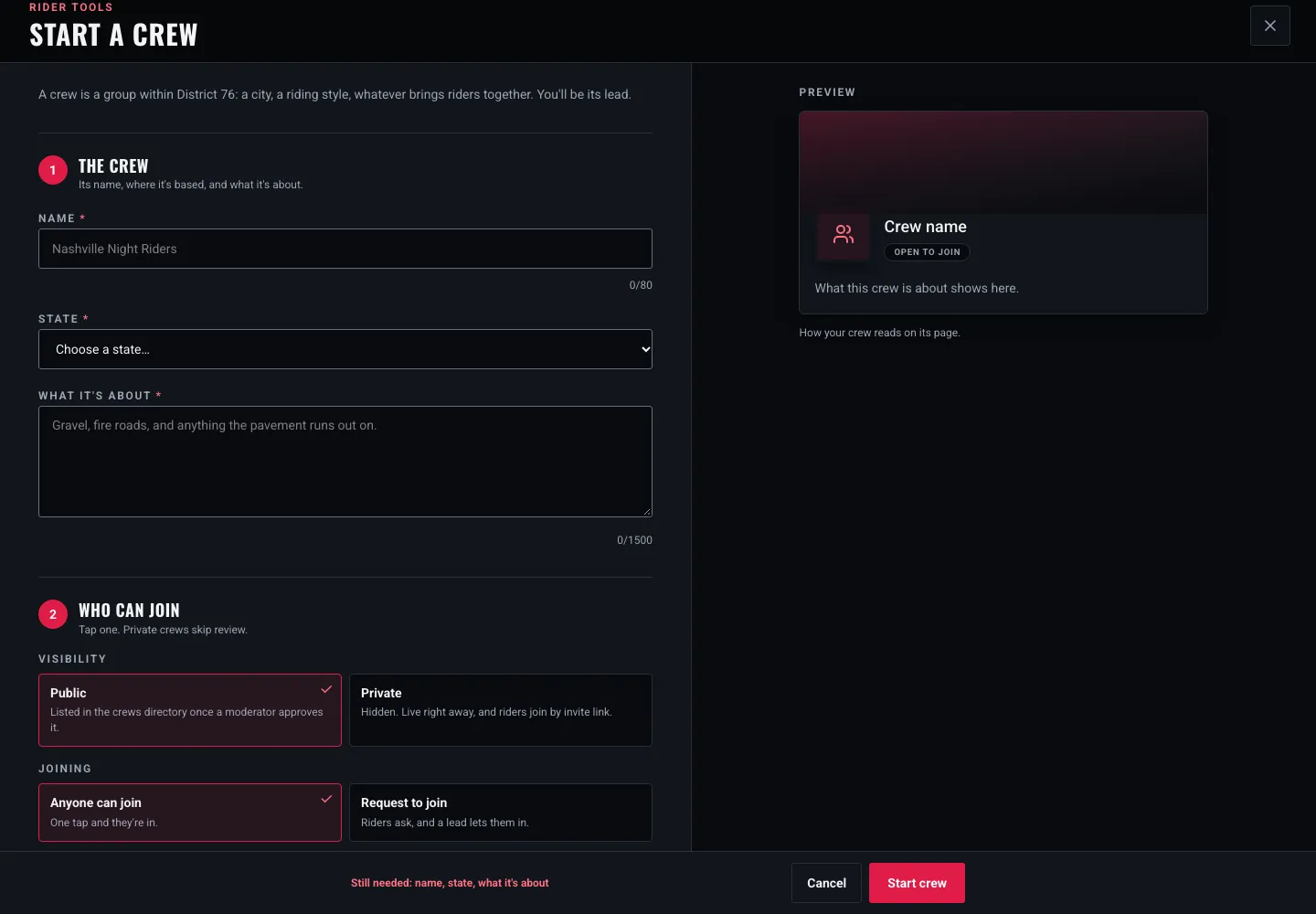
Starting a crew: name it, pick its home state, say what it is about, and choose who can join. The preview updates as you type.
The form asks for three things up front:
- A name. Make it say who you are. "Nashville Night Riders" tells people more than "The Crew."
- A home state. This is where the crew shows up in the directory and in Crews Near Me.
- What it is about. Your town, your style, your pace, when you ride. This is what riders read when deciding whether you are their people, and it is what search looks at.
Then you decide who can join. A public crew is listed in the directory once a D76 moderator has had a look at it, and it can be open (anyone can join) or request to join (riders ask, and a lead lets them in). A private crew is hidden from the directory entirely, goes live right away, and riders join only through an invite link. Choose carefully, because public or private is set when you start the crew.
Last, add a banner and a logo if you have them. Both are optional, but a crew with a real photo of real bikes on its banner gets a lot more attention than an empty one. You can drag the banner to frame it just right once the crew is live.
A few things to know after you hit Start crew:
- Public crews wait for a moderator. Your crew page is up right away for you, with a note that it is awaiting approval. You get a notification the moment it is approved and listed.
- Private crews get an invite link. Only the Lead sees it. Share it with the riders you want in, and anyone with the link can join. If it ends up somewhere it should not, rotate it and the old link stops working.
- Changes to a public crew are reviewed too. New names, descriptions, images and join settings go back to a moderator before they show. Your crew rules are the exception and apply the moment you save them. A crew can change its name once every 28 days.
Inside a Crew
A crew page has a handful of tabs across the top: Home, Wall, Rides, Standings, Members and Rules, plus Insights for the people running it.
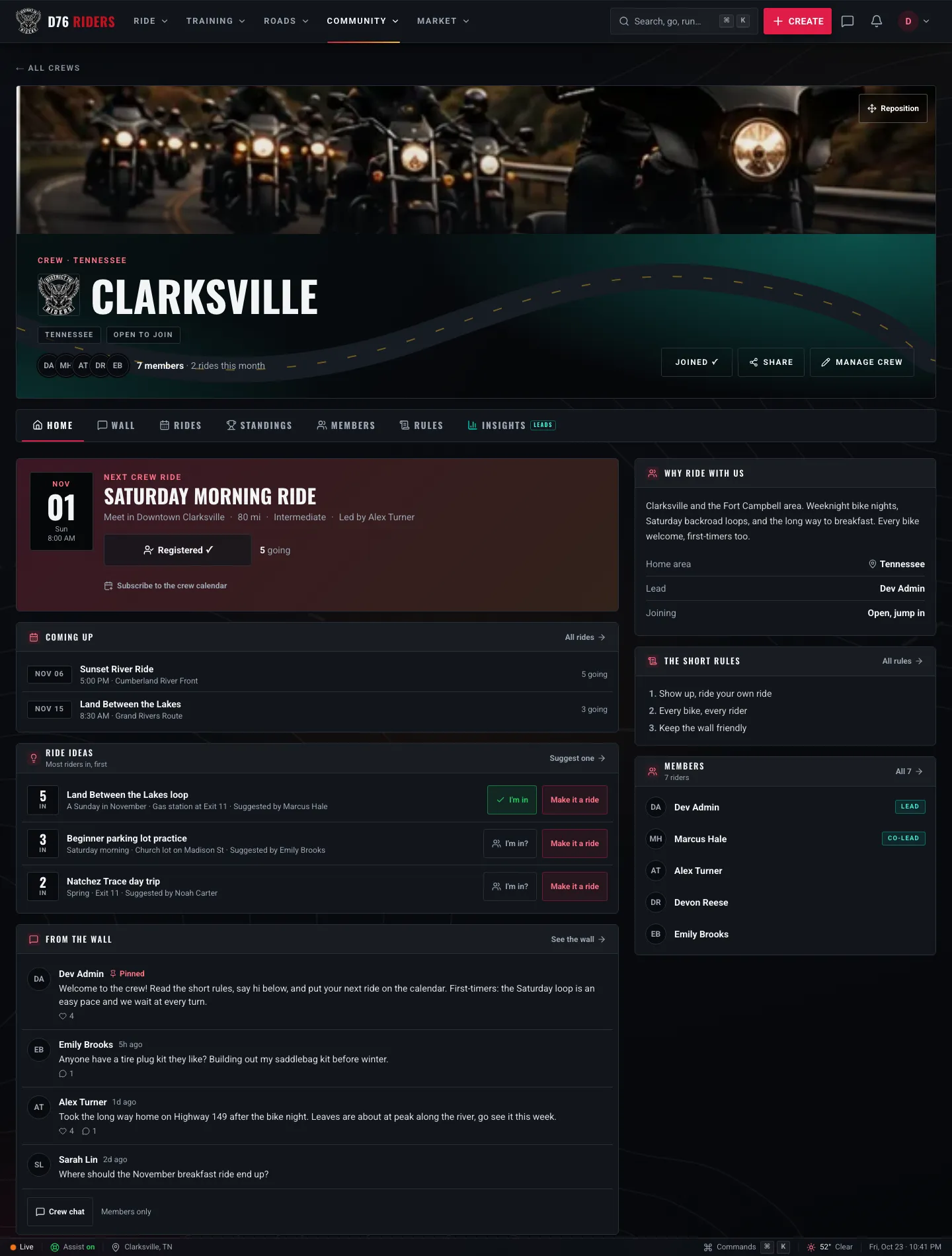
An example crew's Home tab: the next ride front and center, then what is coming up, the best ride ideas, and the latest from the wall.
Home
Home is the crew at a glance. The next crew ride sits at the top with an RSVP button and how many riders are going, followed by the next few rides coming up. There is a link to subscribe to the crew calendar too, so every crew ride lands in the calendar app on your phone and updates when plans change.
Below that are the crew's top ride ideas, ranked by how many riders are in, and the latest posts from the wall. Down the side, new riders get the crew's pitch, its home area, who leads it, how joining works, the short version of the rules, recent ride photos, and who is in the crew.
The Wall
The wall is where the crew talks between rides. Share a photo from Saturday, ask who has a tire plug kit they like, or post a heads up about road work on the usual loop. Members can like and comment, and any member can start a poll when the crew needs to make a call. Breakfast in Dover or Cadiz? Put it to a vote.
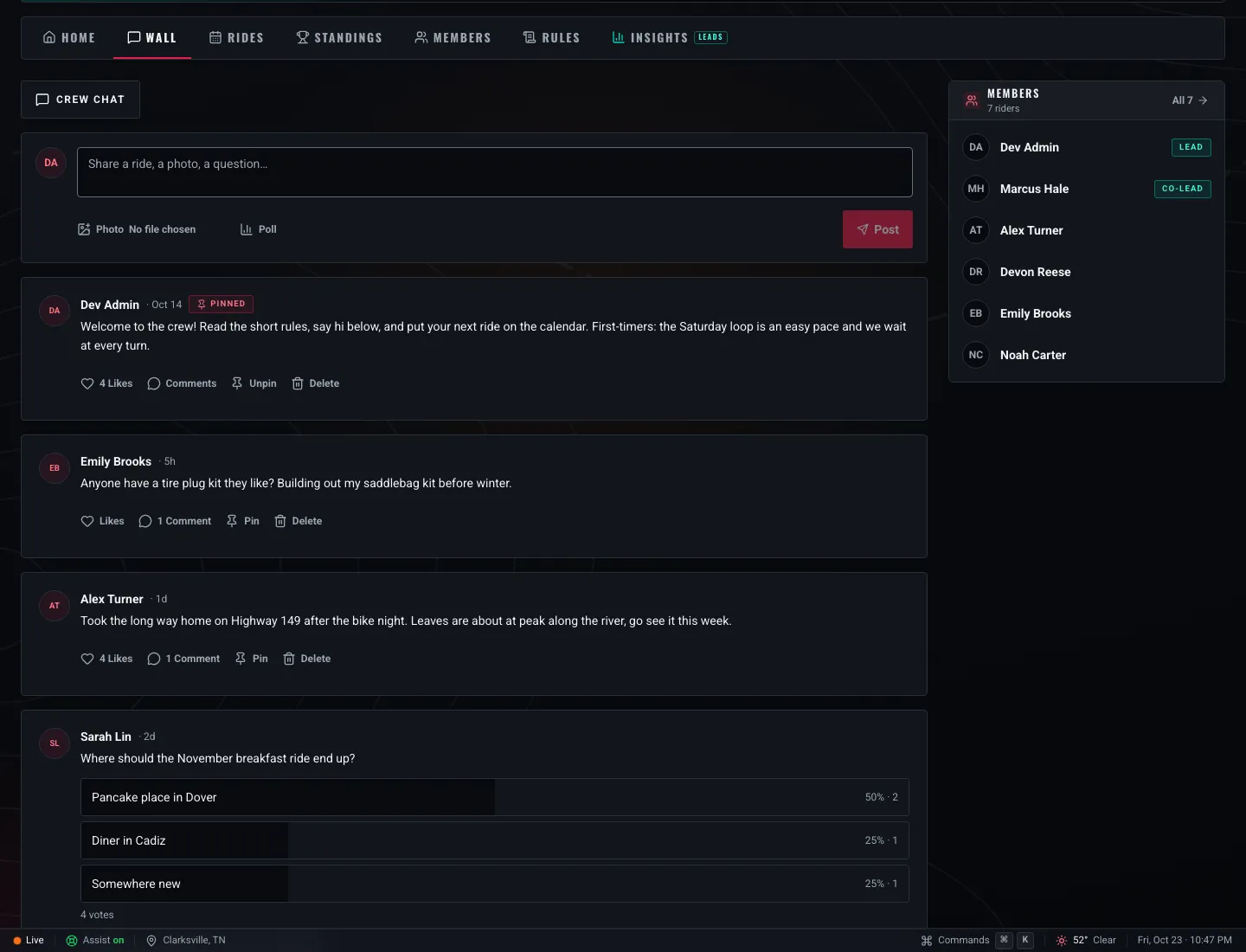
The wall: a pinned welcome post, ride talk, and a poll on where breakfast should be.
Leads and Co-leads can pin a post to the top, which is perfect for a welcome note or this month's plan. You can edit your own posts and comments for 15 minutes after you write them, and delete them any time.
Members also get a crew chat: a members-only group conversation named after the crew, for the "running ten minutes late" and "who is grabbing gas first" messages that do not need to live on the wall.
New wall posts reach members as an in-app notification, bundled so you hear about the crew's wall at most once every four hours instead of every time someone posts.
Rides
Rides is the crew's calendar, and here is the part we like best: any member can put a ride on it, not just the Lead. Tap Create ride and you get the regular D76 ride form, filed under the crew. Every member gets a notification about the new ride. It is a regular D76 ride, with RSVPs and all the details riders expect, just filed under the crew.
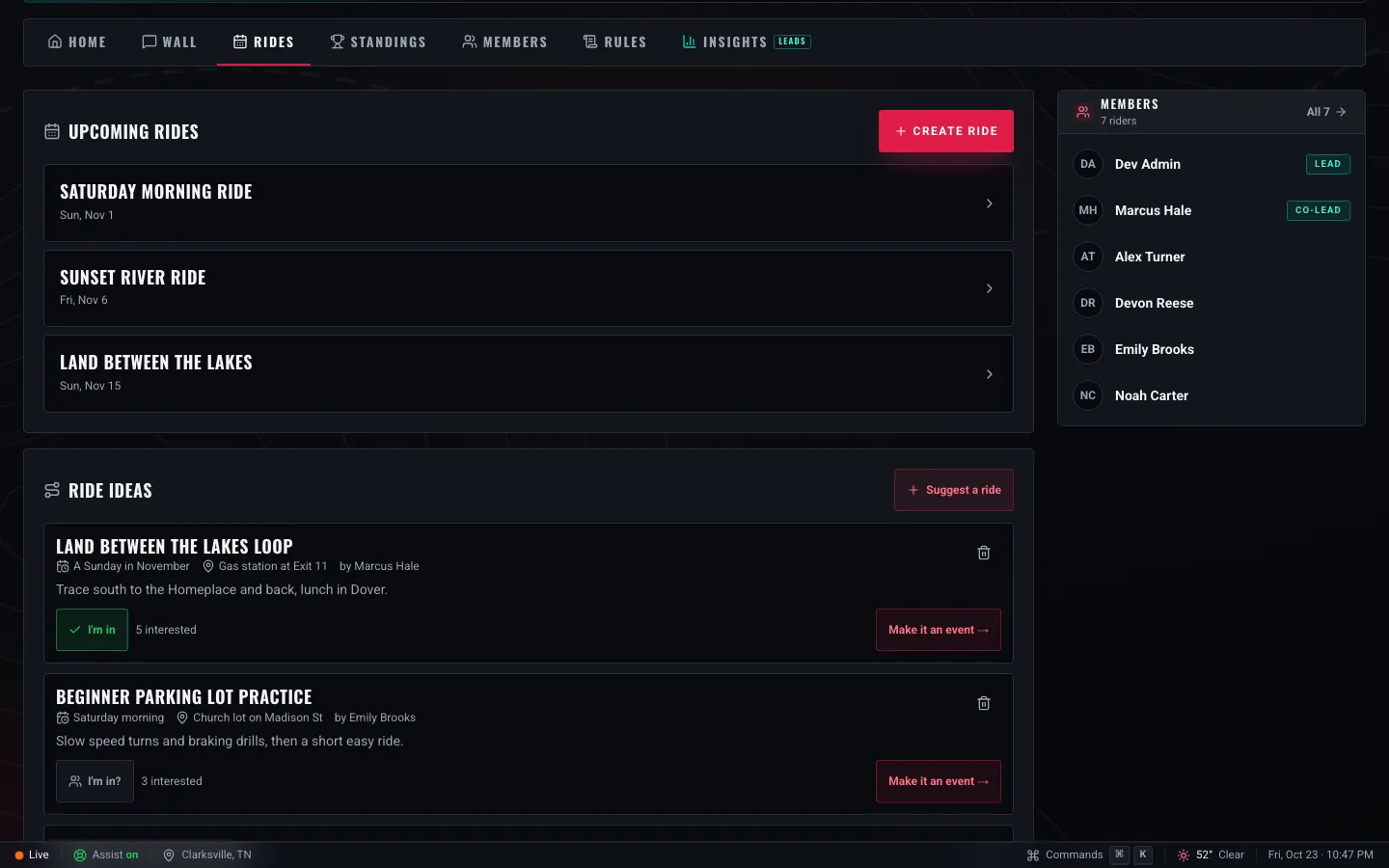
Upcoming crew rides, and the ride ideas board where the crew decides what to ride next.
Not ready to set a date? Pitch it on the ride ideas board instead. Tap Suggest a ride, say where, roughly when and where to meet, and let the crew weigh in. Members tap I'm in on the ideas they would show up for, and the board sorts itself by interest. When an idea has enough riders behind it, a Lead or Co-lead taps Make it an event and the ride form opens already filled in with the idea.
It is a simple way to stop the same three people from planning every ride. The Land Between the Lakes loop that eight people want to do should win over the one only the organizer is excited about.
Standings
Standings is a friendly leaderboard of the crew's members, ranked by rides and then by miles. It counts each member's riding across all of D76, so the rides they host, the rides they RSVP going to, and the rides they log all count, and the miles come from their logged rides.
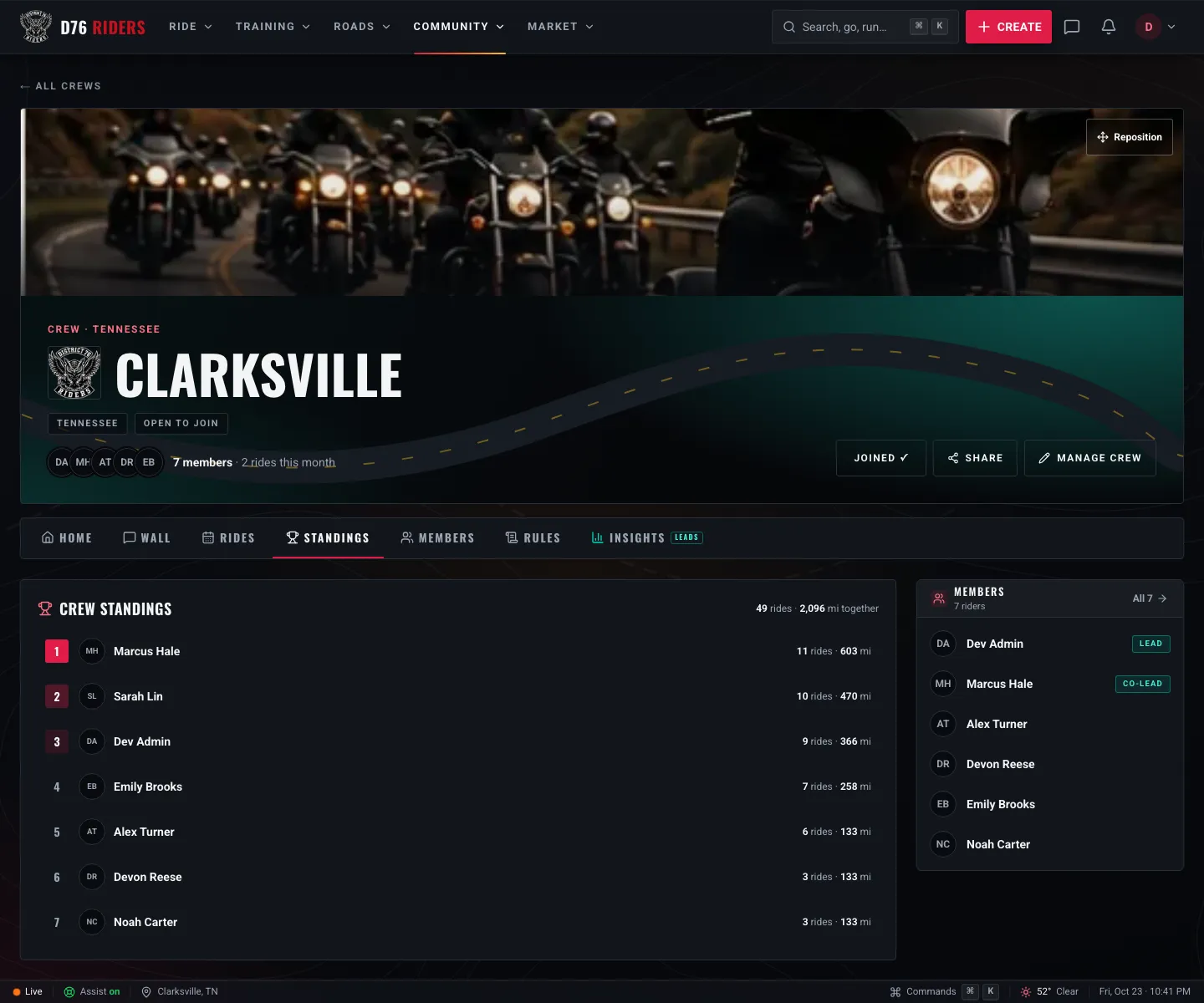
Crew standings: who has been out riding the most, and how many miles the crew has covered together.
It is not a competition anyone has to enter. It is a nudge to log your rides, and a nice way to see the crew's miles add up over a season.
Members and Rules
Members is the full roster, with the Lead and Co-leads marked. For Leads and Co-leads it is also where join requests land, with an approve or deny on each one.
Rules is the crew's own code. Leads write them in Manage crew, and the first few show on the Home tab for every new rider who stops by. Keep them short and keep them real: how you ride, how you treat each other, what the wall is for. "Nobody gets left behind and nobody gets pushed past their pace" says more than a page of fine print.
Running a Crew
Leading a crew mostly means showing up and keeping things friendly. D76 gives you a few tools to help.
Co-leads. The Lead can promote any member to Co-lead, and demote them again. Co-leads can approve join requests, pin posts, remove a post or comment that does not belong, and deal with a member who is causing problems, so the Lead is not doing it all alone.
Keeping the peace. If someone is out of line, a Lead or Co-lead can mute them for a day, a week or 30 days, which stops them posting, commenting, reacting and voting while it lasts. If it is more serious, they can remove them, or ban them so they cannot rejoin. A ban can be lifted later from the Members tab.
Insights. Leads and Co-leads get an Insights tab that nobody else sees. It shows how many members the crew has and how many are new, how many were active, how many riders are showing up per crew ride, how many join requests are waiting, member growth over time, attendance on recent rides, and how busy the wall has been, over the last 30 days, 90 days or year.
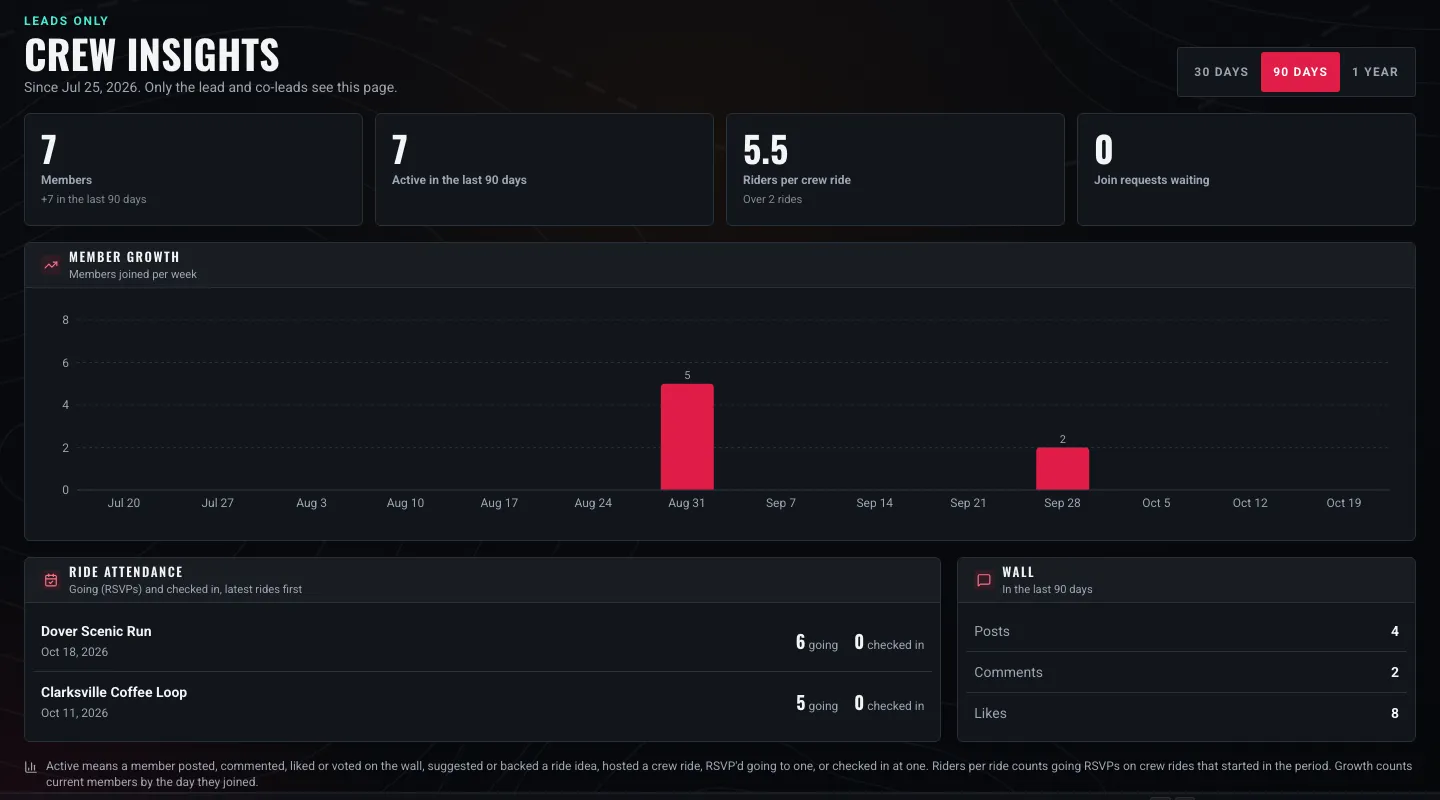
Insights, for Leads and Co-leads only: how the crew is growing and who is showing up.
"Active" has a plain definition right on the page: a member who posted, commented, liked or voted on the wall, suggested or backed a ride idea, hosted a crew ride, RSVP'd going to one, or checked in at one.
Disbanding. If a crew has run its course, the Lead can disband it from Manage crew by typing the crew's name to confirm. Members are told, and the wall, ride ideas and chat go with it. The crew's rides stay on the calendar.
Who Sees What
Public crews are meant to be found. Anyone can read a public crew's Home, Wall, Rides, Standings, Members and Rules, signed in or not, because that is how a new rider decides whether this is their crew. Posting, commenting, liking, voting and getting behind ride ideas are for members.
Private crews are different. They are not in the directory and their pages do not exist for anyone outside the crew. Only members, and the D76 team, can see them.
If a public crew is not living up to the community's standards, signed-in riders can use the Report Crew button on its page, and it goes to the D76 team.
Get Your Crew Rolling
Crews on D76 are just getting started. D76 Riders - Clarksville and Clarksville Night Riders are already up and riding, and there is room for a lot more. If your Tuesday night group, your adventure buddies, or your Saturday breakfast run does not have a crew yet, this is your sign.
Start it, write a description that sounds like you, put the next ride on the calendar, and share the link in your group chat. The riders who belong will find you.
New to D76? Joining is free, crews come with it, and you can join one tonight.
Ride what you ride. Rep who you rep. Respect everyone.
Finish this story. It's free
Create your free District 76 account to read the rest, save articles, and join the discussion.
Already a member? Log in

@worlddrknss
I’m basically a walking collection of expensive hobbies and a complete absence of free time!
Roads worth riding
Community-rated routes from the D76 road guide.
- Old Lock B Boat Rampin TN
- FS141 to Persimmon Pointin KY
- Fort Donelson Ride Outin TN
- Natchez Trace Parkway (TN)in TN
0 Comments
Sign in to join the discussion.
- No comments yet. Be the first to weigh in.