D76 Is Coming to Your Phone
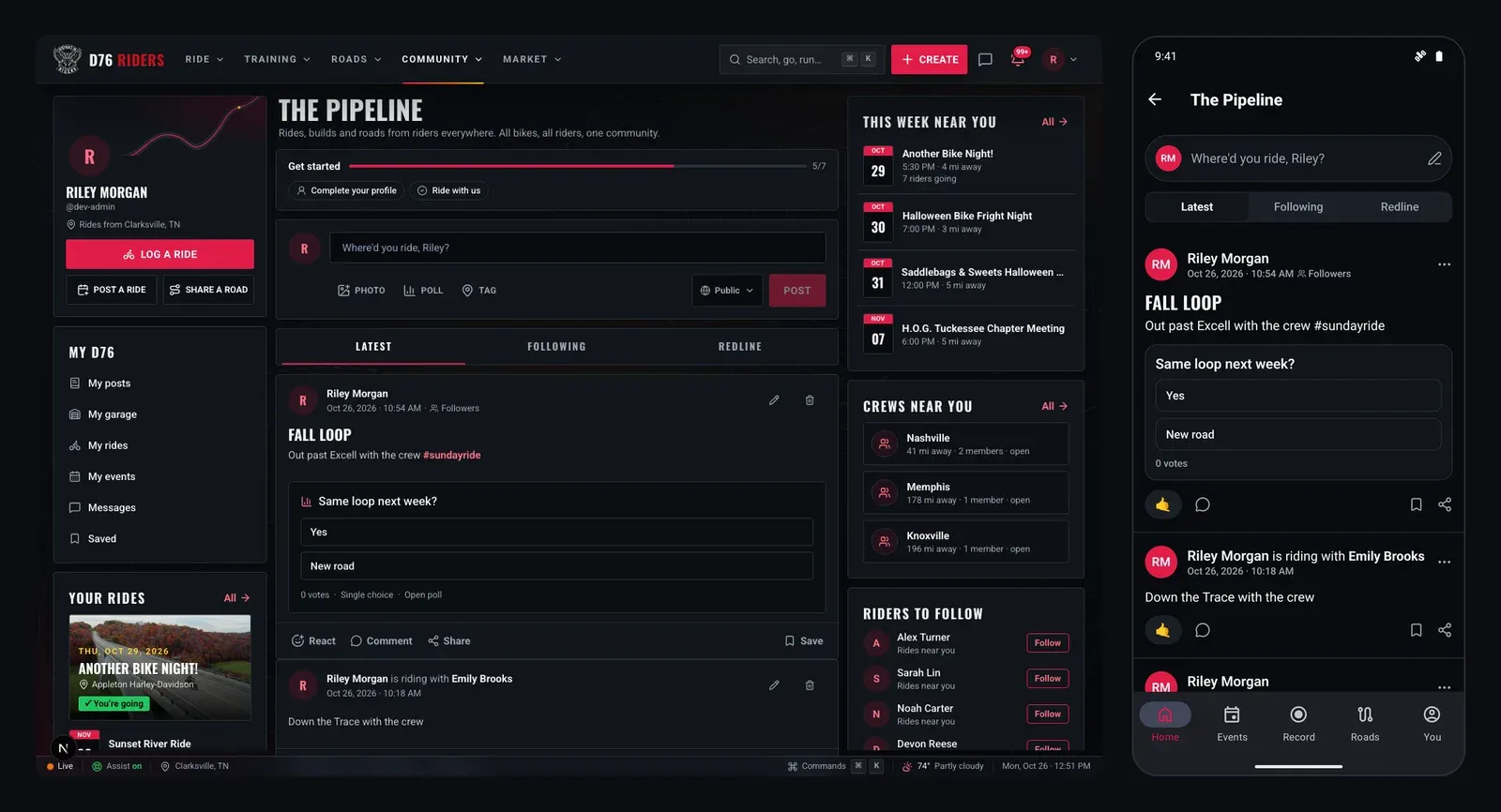
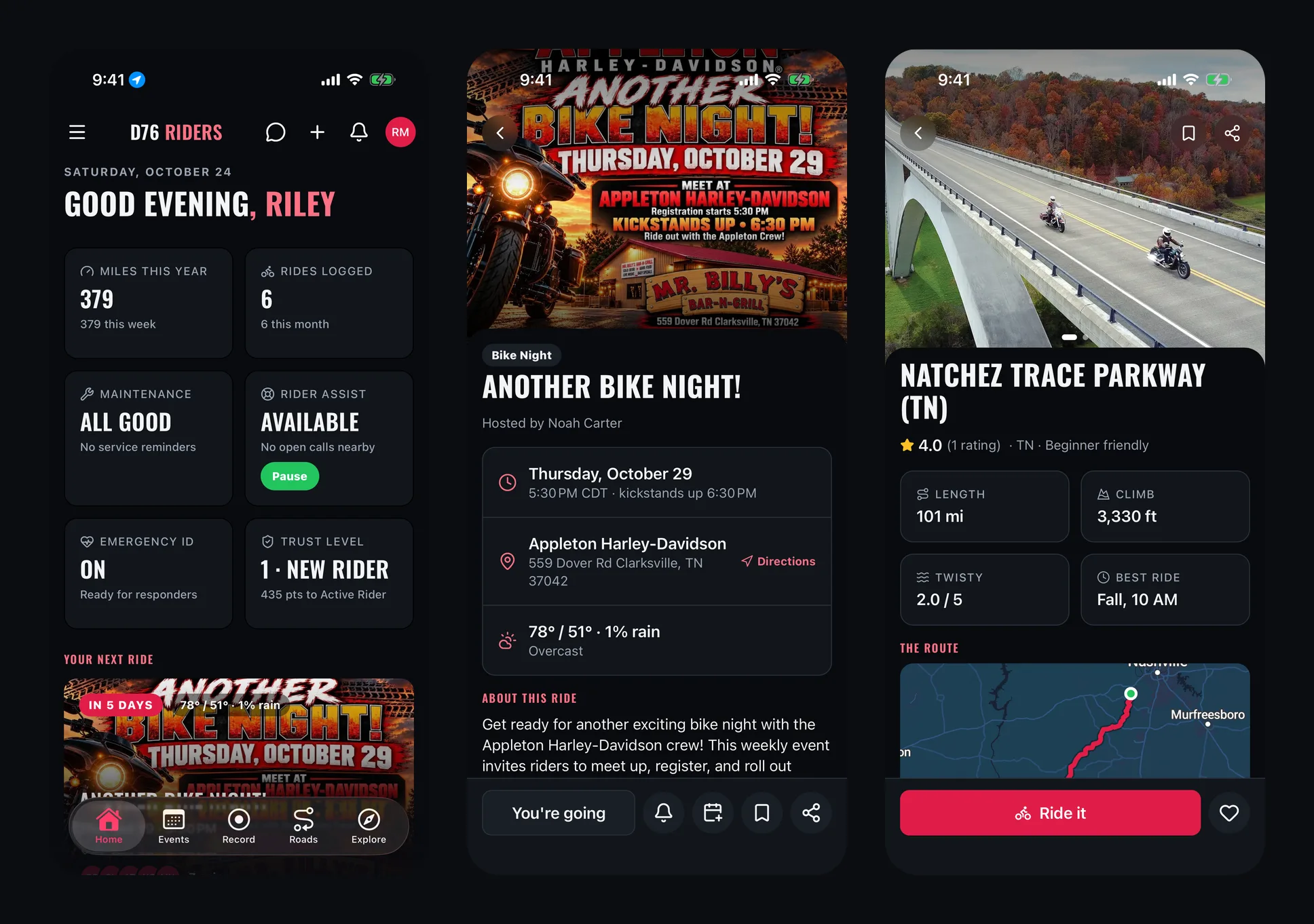
The D76 app is being rebuilt from the ground up, and it is close. Not the website squeezed into a phone: a real app for iPhone and Android, built the way each phone expects. Swipe back, the phone's own tab bar, the native switches and sheets, light and dark mode, and screens that show what they already have while they catch up.
It is the same District 76 you already use. Same account, same events, same roads, same people. Sign in once and everything you have on the site is there.
Here is a first look at the screens that are done, from the dashboard to recording your rides with lean angle.
Your Dashboard
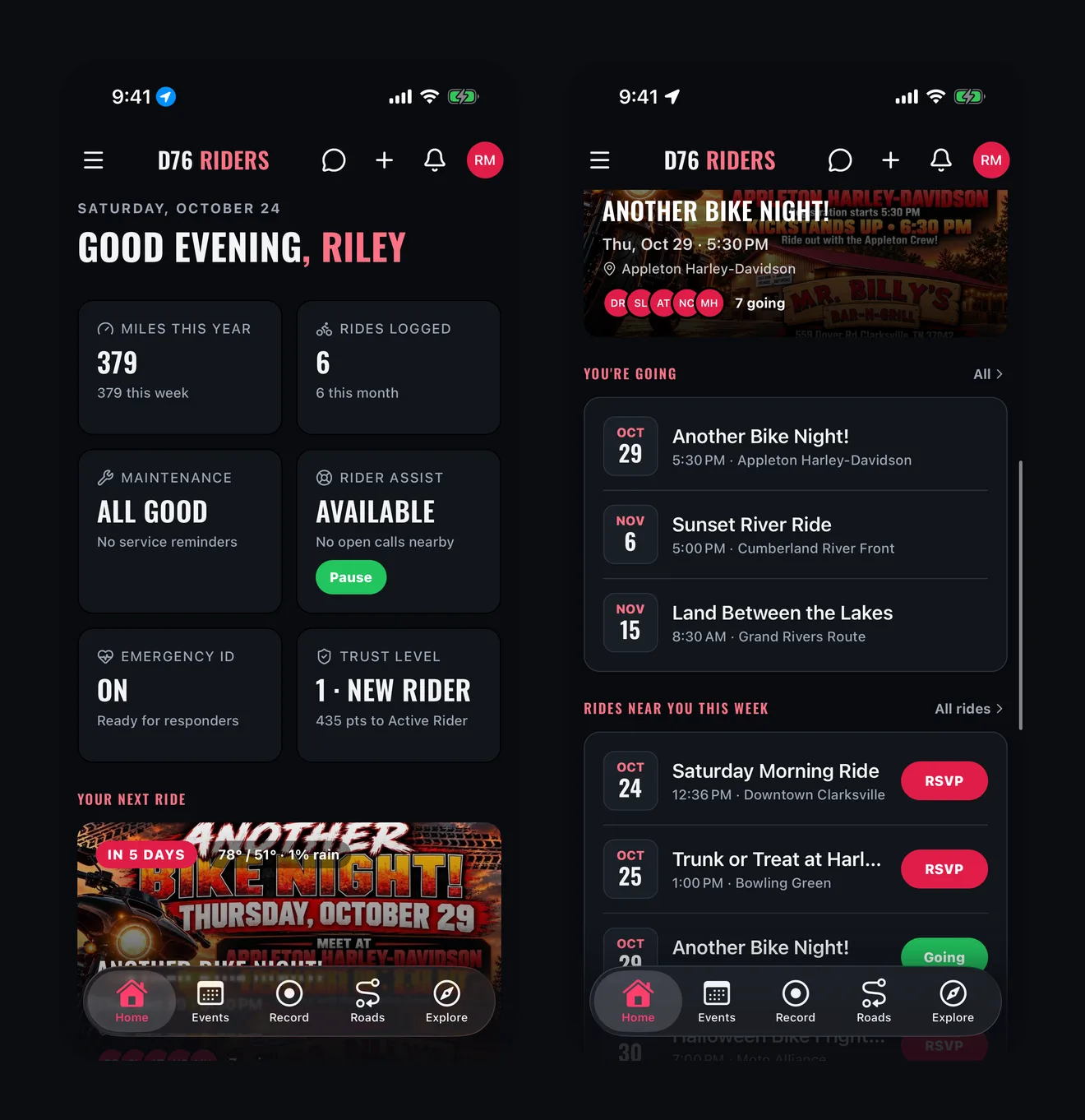
Open the app and you land on your ride, not a feed. Your miles this year, the rides you have logged, whether your bike is due for service, your Rider Assist status, your Emergency ID and your trust level sit right at the top. Under them: the next ride you are going to, with its flyer, the weather for that day and who else is in, then the rest of the rides you have said yes to and what is happening near you this week.
When a ride you are on is underway, it moves to the top, with Rider Down one tap away.
Events
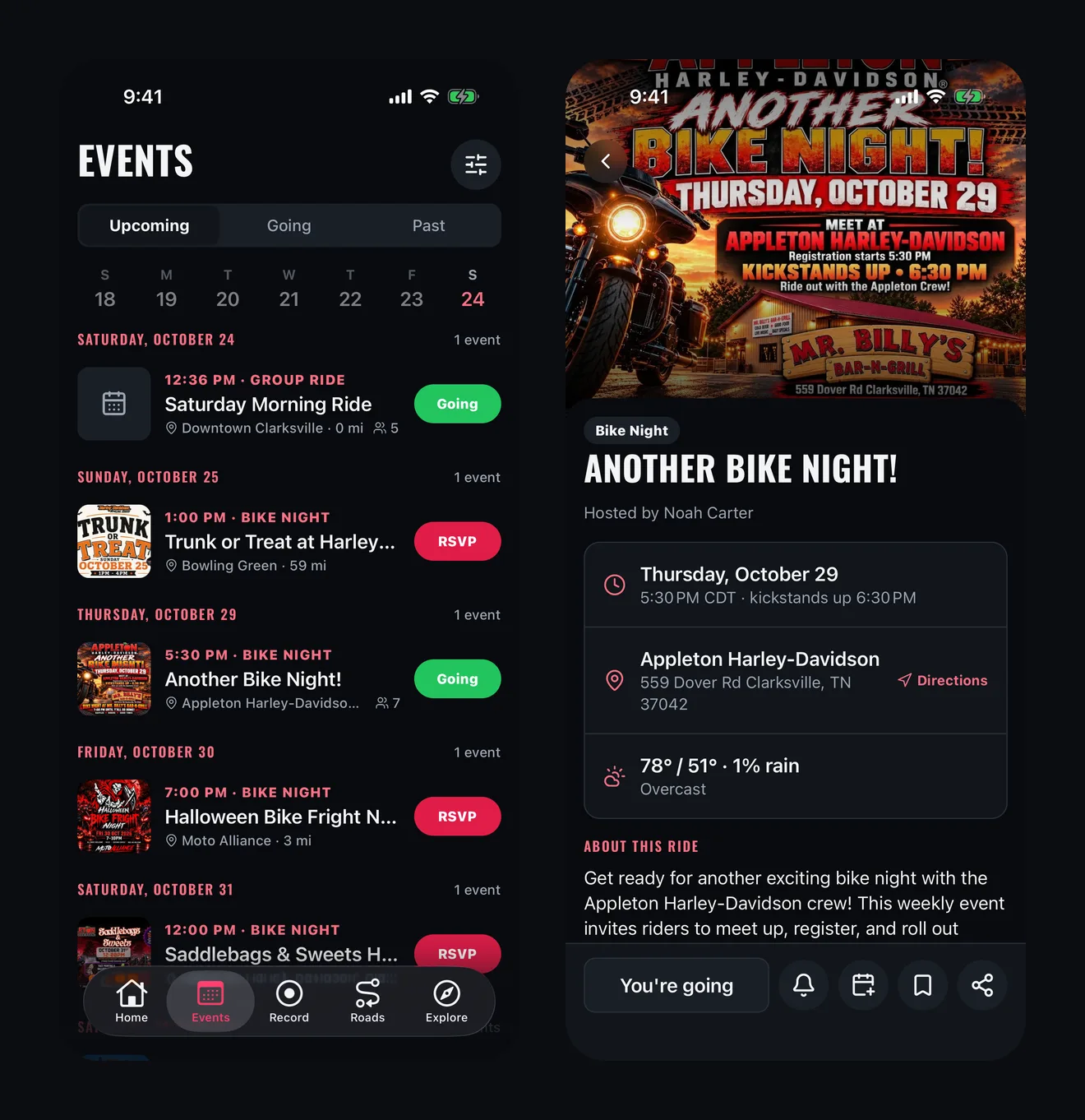
Events are laid out by day, the way you plan a week: a strip of days across the top, then every bike night, group ride, charity run and meet-up in order, each with its flyer. Tap RSVP right from the list. Switch to Going to see only the rides you are in on, or Past for the ones you rode.
An event page carries everything on the site: when kickstands go up, where to meet with directions in your phone's maps app, the forecast for that day, who is going, the route and the comments. Add it to your calendar, set a reminder, save it or share it.
Roads
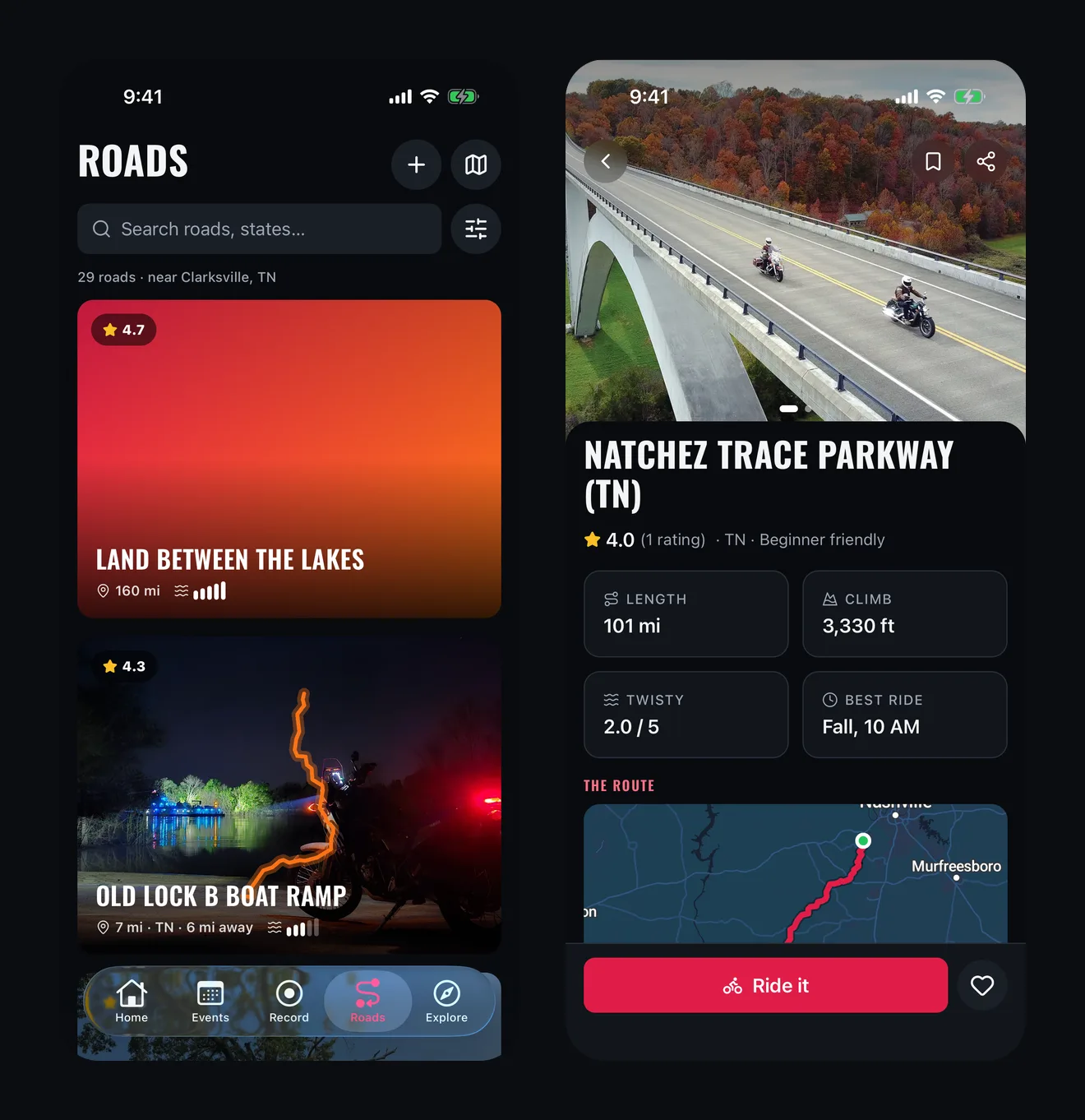
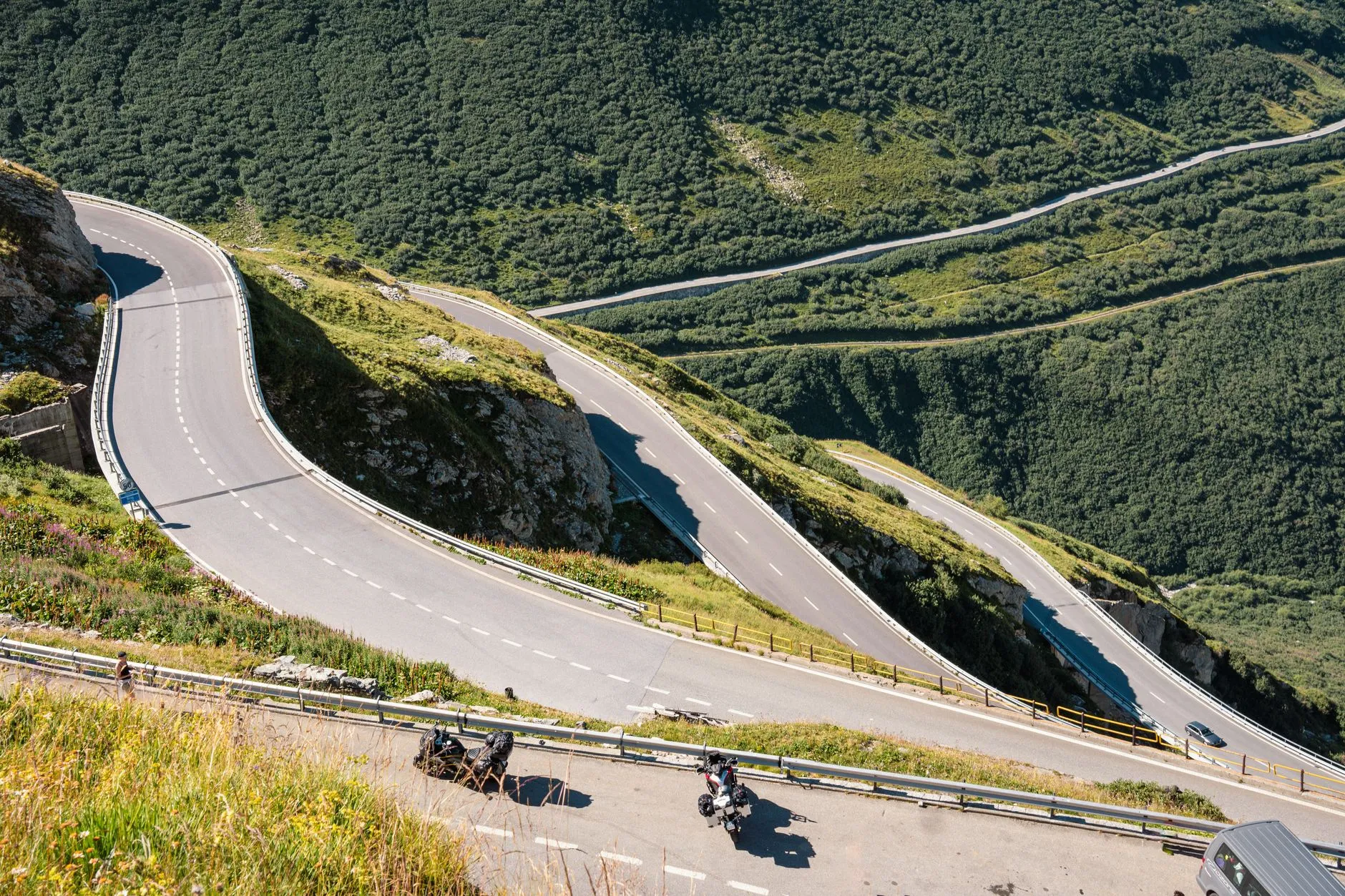
Roads lead with the photo, because that is how you decide whether a road is worth the ride. Each one shows its rating, length and how twisty riders say it is. Open one and you get the route on the map, the climb, the best time to ride it and how riders rate its scenery, condition and twistiness.
See gravel, debris or roadwork? Report it from the road page with Roadwatch so the next rider knows. Rate it, save it, like it, and tap Ride it when you are ready to go.
Rider Down
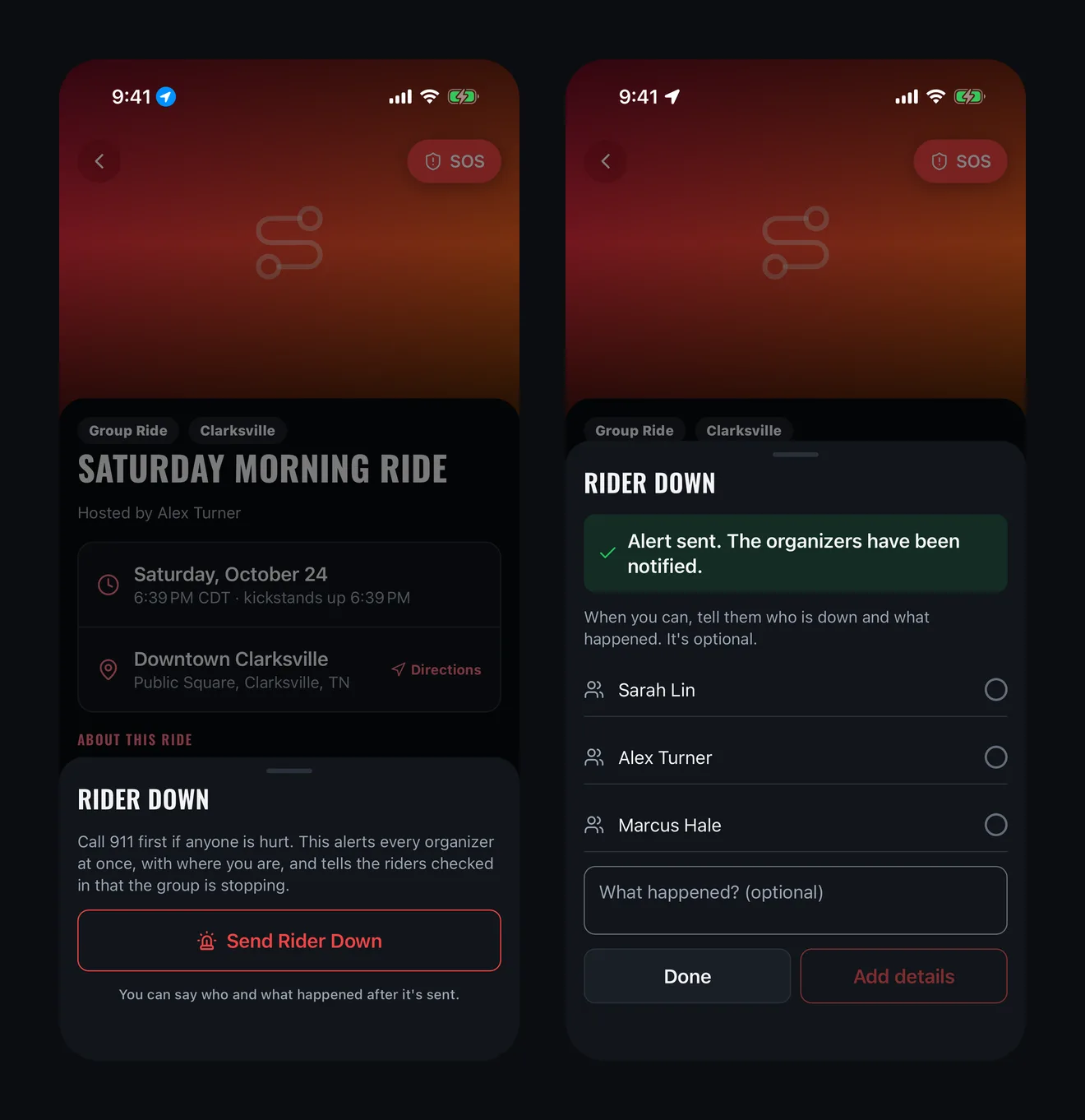
On a group ride, the organizer, the lead and the sweep have a red SOS button at the top of the ride page, level with Back, so it is never a scroll away. It is on the dashboard too while the ride is underway.
Tap it and there is one thing to do: Send Rider Down. No picking names, no typing. One press alerts every organizer at once, with where you are, and tells everyone checked in to the ride, calmly, that the group is stopping. Your phone starts finding its location the moment the sheet opens, so the alert never waits on it.
Once help is moving, you can say who is down and what happened. That part is optional, and an organizer can add it too. They are told who it is as soon as it is added, and everyone who got the alert is told again when it is all clear.
Call 911 first if anyone is hurt. Rider Down gets your ride's organizers moving; it is not emergency response.
Record Your Rides
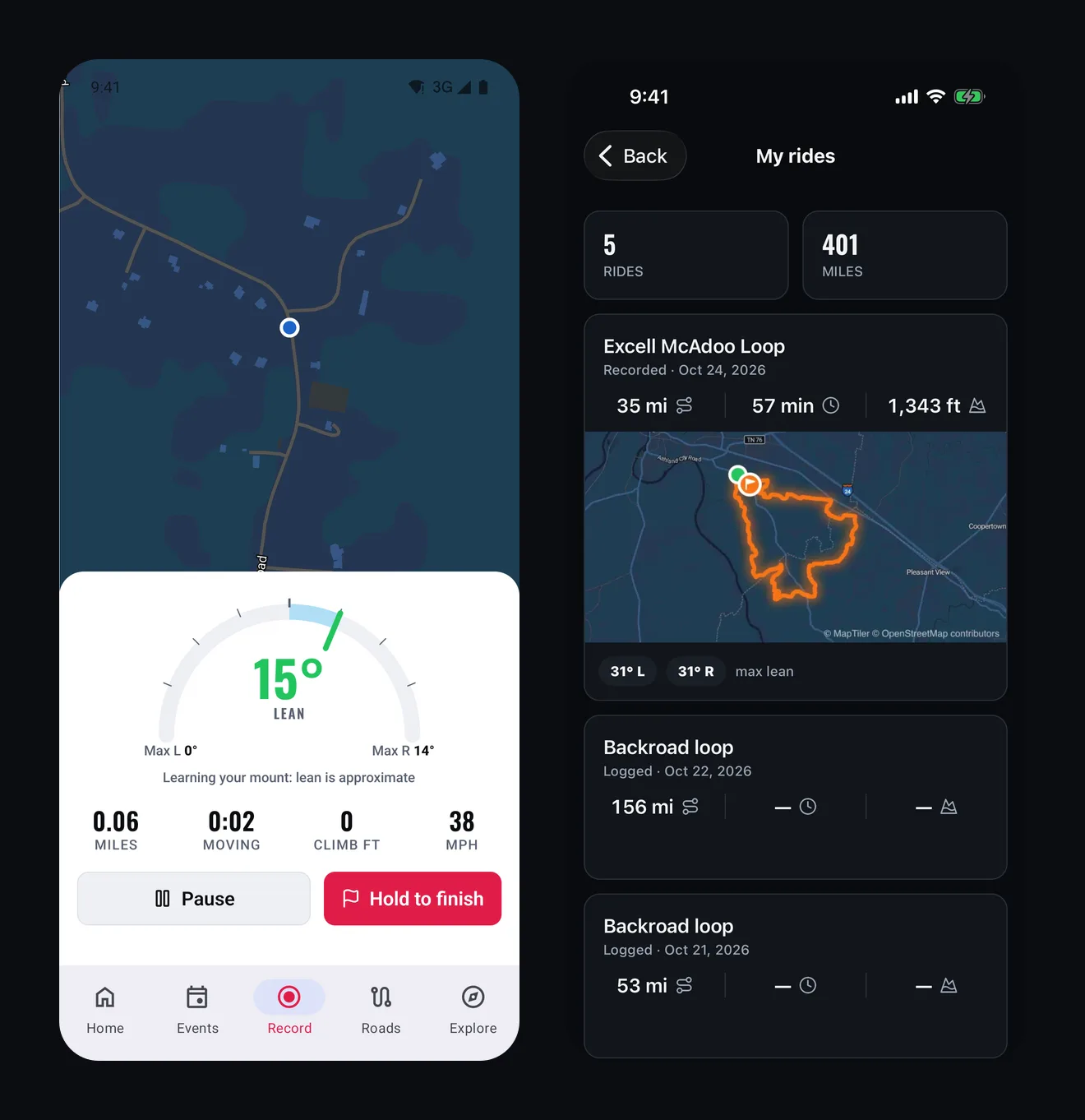
Tap Record, mount your phone and ride. The app tracks your route, your moving time and how much you climbed, and it keeps recording with the screen off and the phone in your pocket or on the bars. It does not need signal: the ride is saved on your phone as you go and uploads when you are back in range. If the app gets closed partway through, it picks the ride back up.
Your speed shows on the screen while you ride, so you can see it at a glance like any GPS. It is never saved and never shows up afterwards on your ride, your profile or anywhere else.
Every ride lands in My rides, on the app and on the site: the route on a map, the miles, the time and the climbing, newest first.
Lean Angle
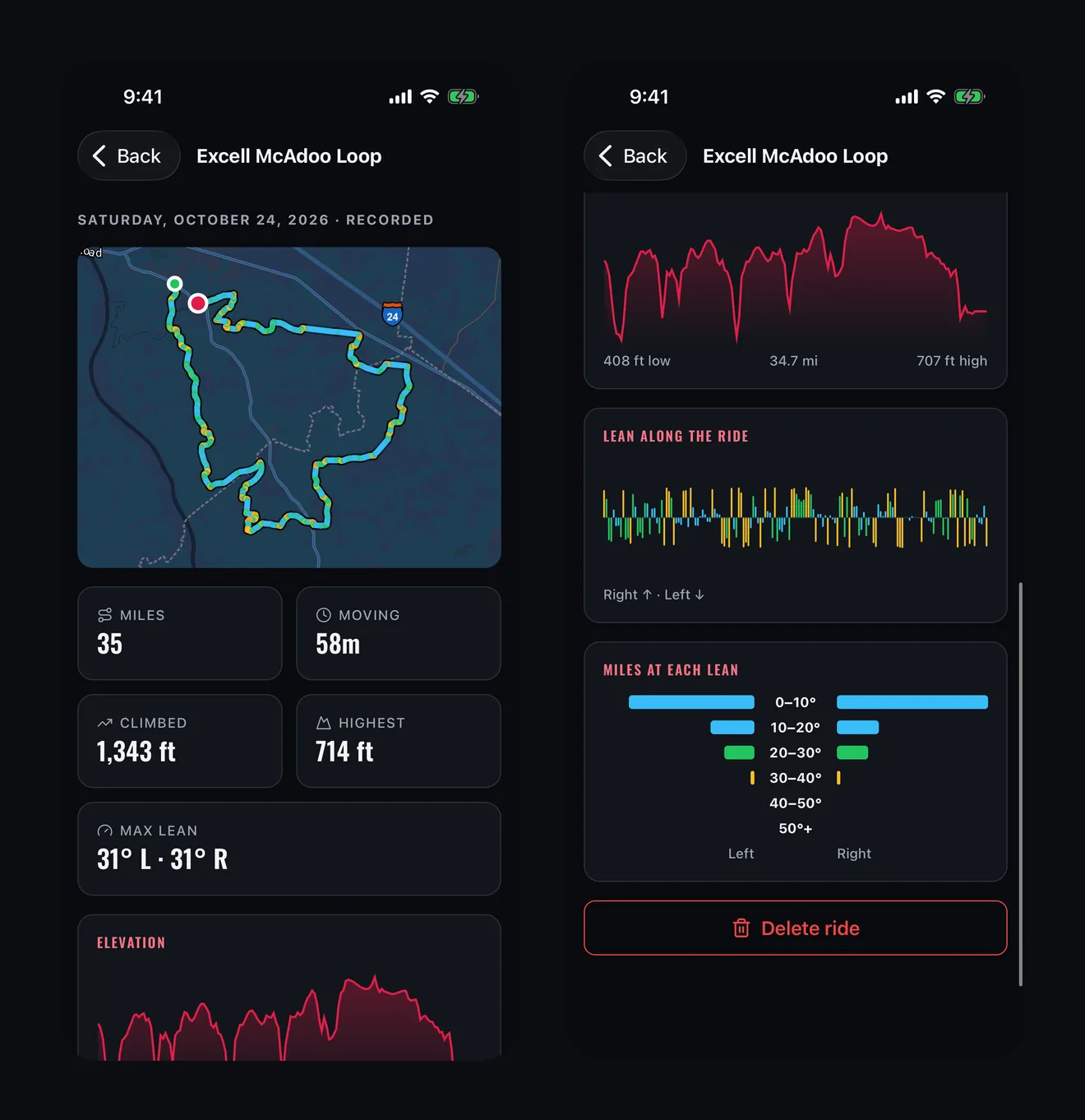
While you record, the app measures how far the bike leans in every corner, using your phone's own motion sensors. Hold the bike upright for a moment when you start; it then learns how your phone is mounted over the first few minutes of the ride, and tells you the lean is approximate until it has. Mount the phone solidly for the best reading: a phone loose in a pocket or a bag moves on its own, so the app tells you lean needs a mount instead of guessing.
After the ride you get the whole picture. The route is coloured by lean, so you can see where the bends were. There is a chart of lean along the ride, your most lean each way, and how many miles you spent at each angle. It is a way to see how you ride, and how a road rides. It is not a score.
Rider Assist
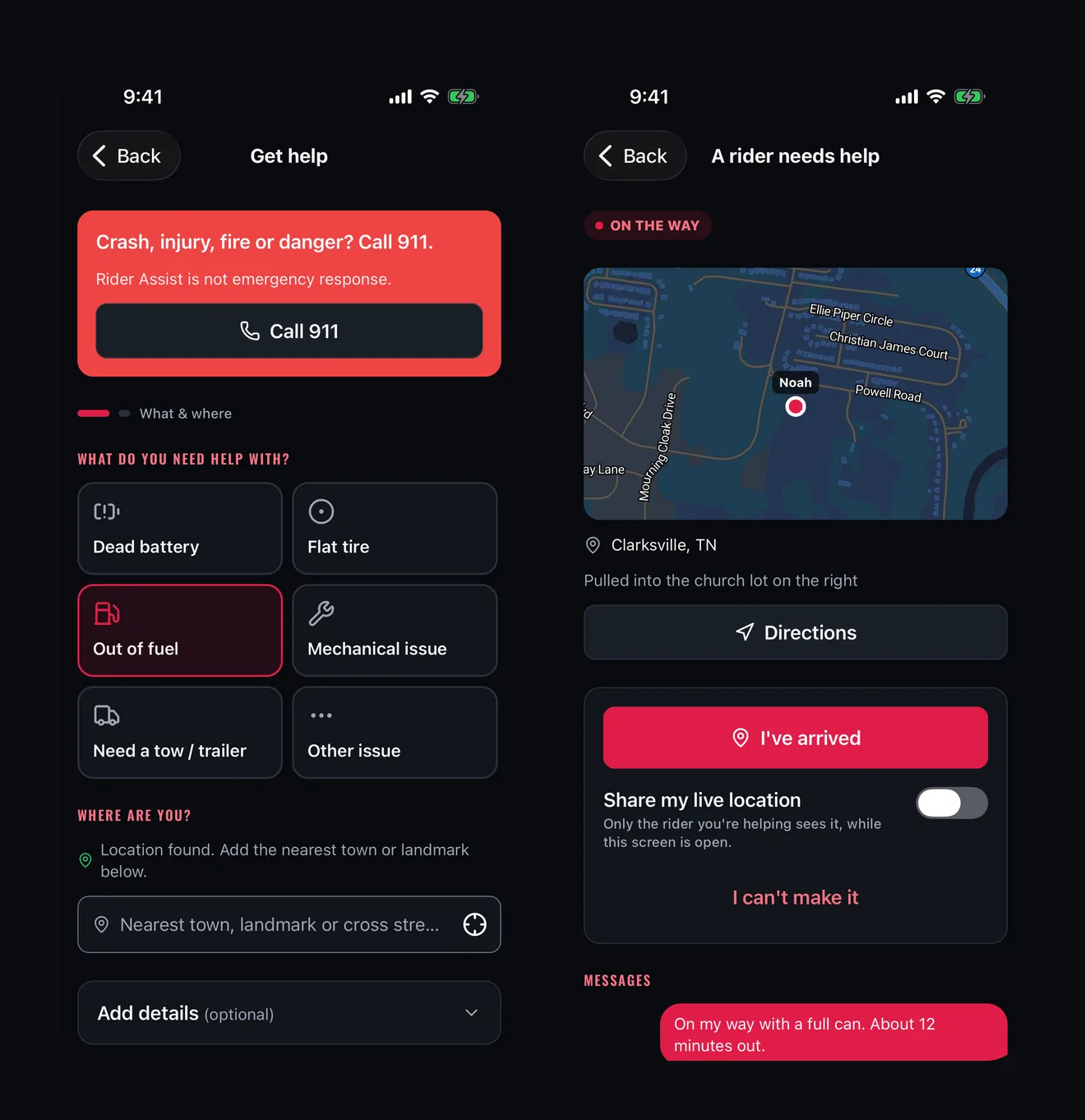
Rider Assist is riders helping riders, for things like a dead battery, a flat tire, running out of fuel or a minor mechanical problem. In the app it starts the way it should: the 911 line first, then two quick steps. Pick what you need help with, and the app finds your location the moment you open it. Add details if you want, check it over and send.
Riders nearby who can help get a notification and offer. You choose who comes. Until you do, nobody sees where you are: invited riders see the problem, your town and a rough distance, and only the rider you choose gets your location. From there you get a message thread, their live position if they share it, and their number if they have added one.
If you help other riders, the app gives you their side: the request, directions in your phone's maps app, I'm on my way and I've arrived, and a switch to share your location with the rider you are helping, only while the screen is open. Your availability is one switch.
Rider Assist is a community service, not an emergency service and not a guarantee. Helpers are volunteers. For crashes, injuries, fire or danger, call 911.
Emergency ID
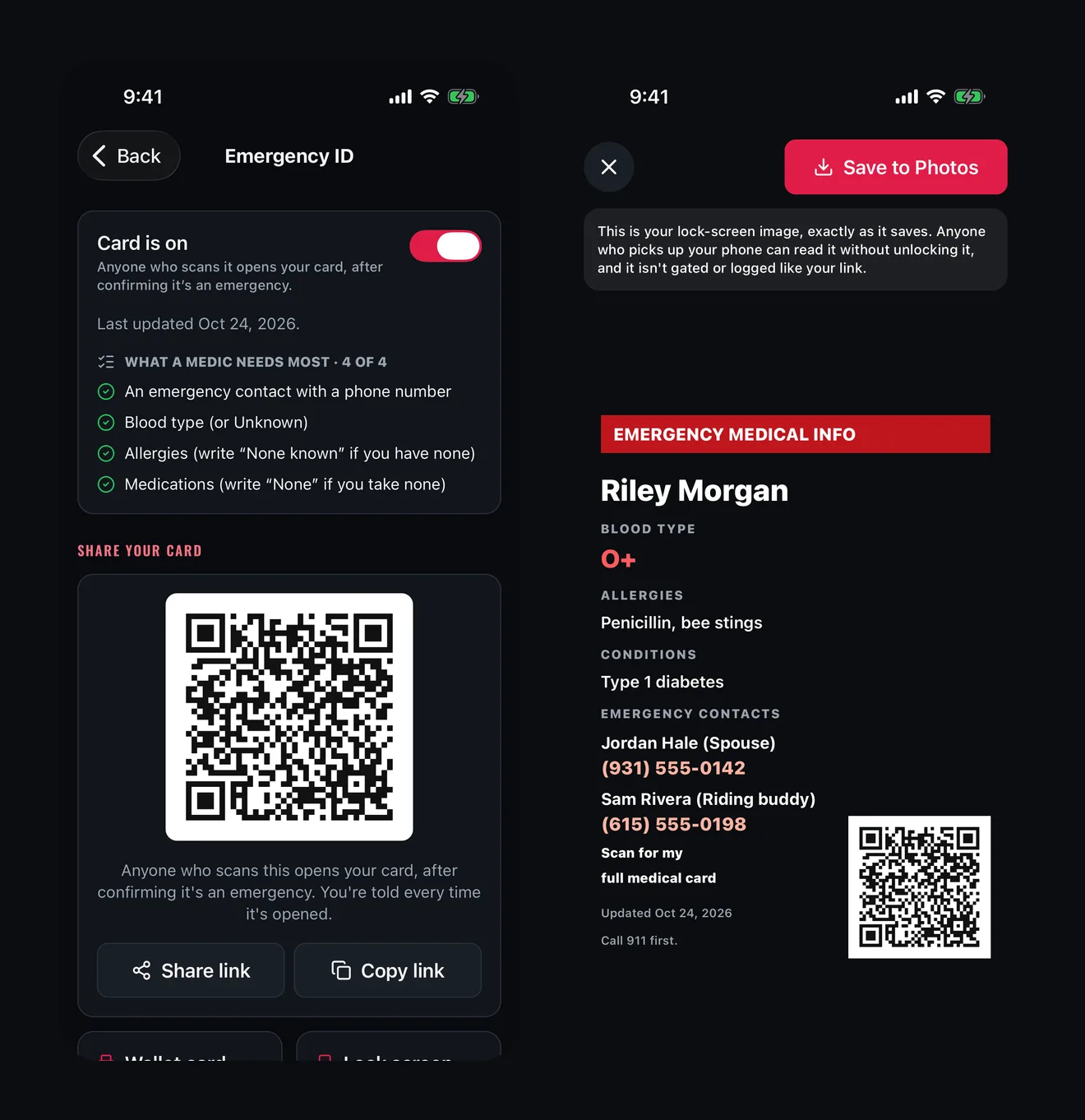
Your Emergency ID is all there: whether your card is on, when you last updated it and a checklist of what a medic needs most. Your QR code is drawn right on the screen. Share or copy your link, print the wallet card from your phone, or make your lock-screen image and save it to Photos. Edit your card, and preview exactly what a responder sees without opening it for real, so previewing never logs anything or alerts your contacts.
The access log shows every time your card was opened, with when, roughly where and on what device. You are told every time it happens.
One thing to remember: the link behind your QR code and NFC tag is gated and logged, but the lock-screen image, the wallet card and the plain text you can put on an NFC tag are not. Anyone who sees them can read them.
Built for Where You Ride
Cell service runs out on the roads worth riding. The app is built for that: screens you have opened before keep showing from your phone with no signal, and the RSVPs, comments, road ratings and Roadwatch reports you make out there wait on your phone and go through when you are back in range. The safety features, Rider Down and Rider Assist, need a connection to reach people, and they tell you plainly when you do not have one.
What Comes Next
The rest of D76 is being rebuilt the same way: crews, messages, your garage and profile, the Swap Meet, the magazine, shops and merch. We will tell you when the app is ready to download. Until then, everything here works on d76riders.com on your phone or computer.
Not a member yet? Join D76. It is free, and your account is ready for the app the day it lands.
Ride what you ride. Rep who you rep. Respect everyone.
Finish this story. It's free
Create your free District 76 account to read the rest, save articles, and join the discussion.
Already a member? Log in

@worlddrknss
I’m basically a walking collection of expensive hobbies and a complete absence of free time!
Roads worth riding
Community-rated routes from the D76 road guide.
- Old Lock B Boat Rampin TN
- FS141 to Persimmon Pointin KY
- Fort Donelson Ride Outin TN
- Natchez Trace Parkway (TN)in TN
0 Comments
Sign in to join the discussion.
- No comments yet. Be the first to weigh in.