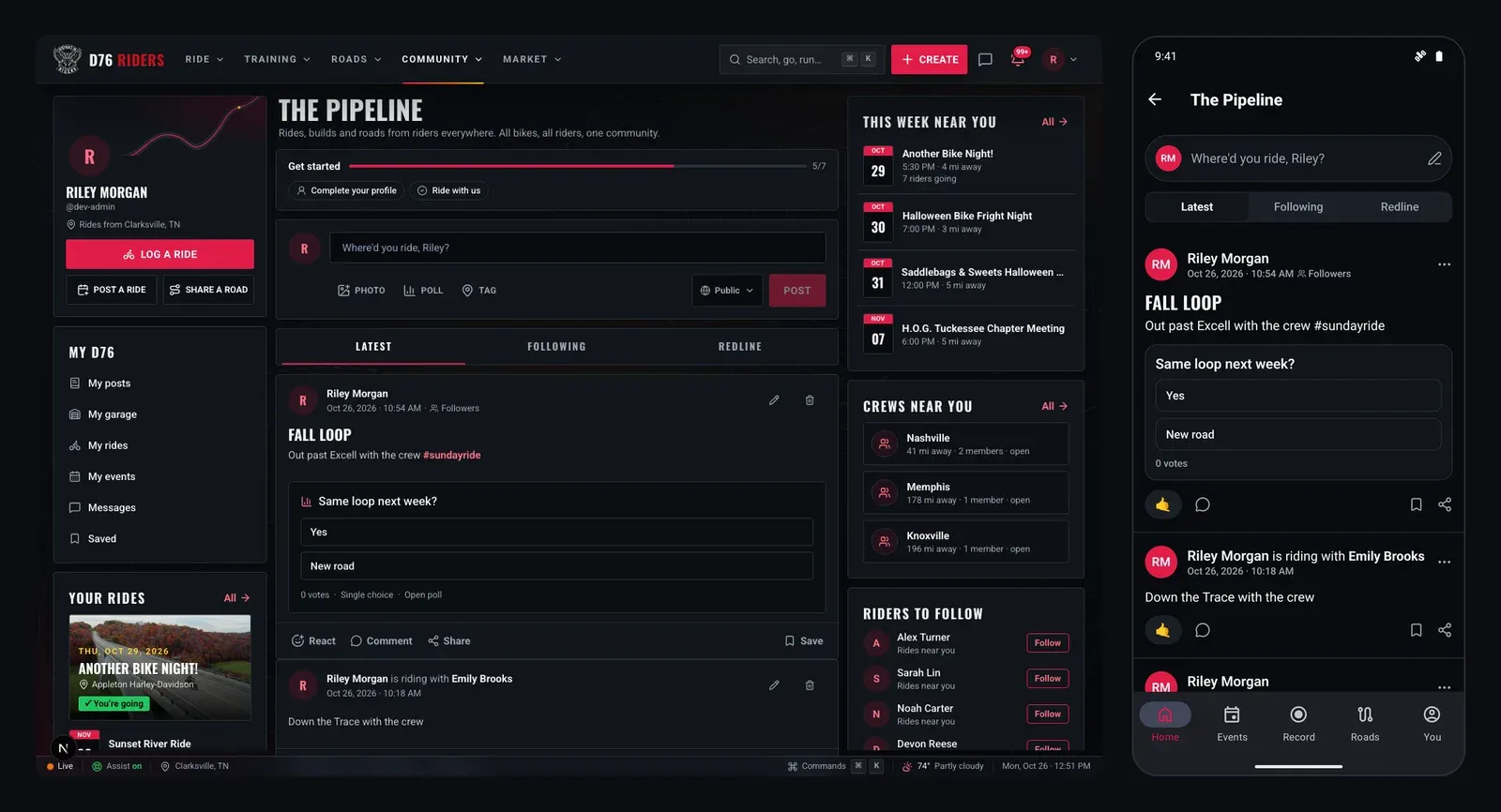
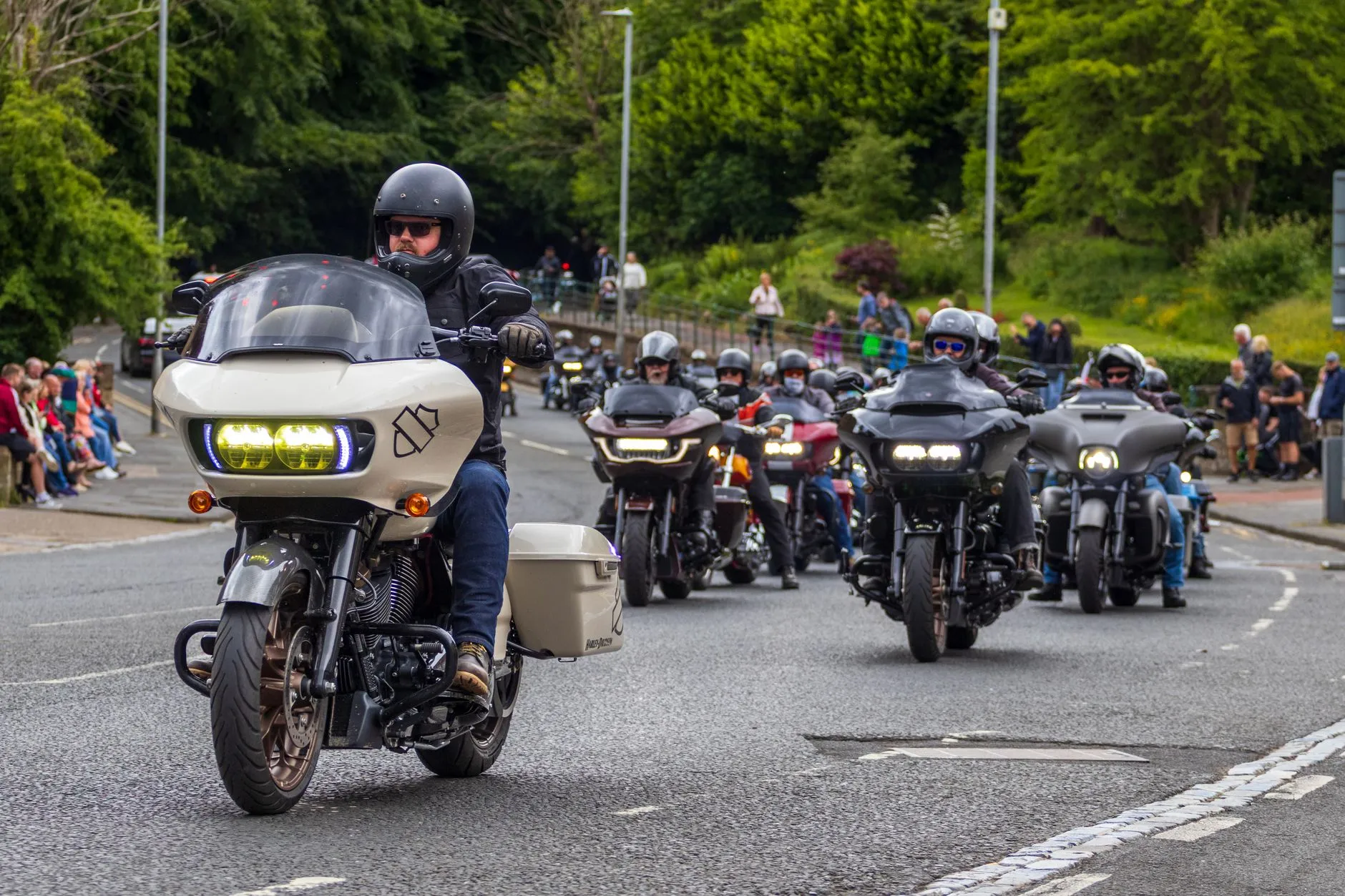
Where's Everybody Riding This Weekend?
It is the question every rider asks on a Thursday night. Is there a bike night worth the ride tomorrow? Is anybody heading out Saturday morning? Is the toy run this weekend or next? The answer used to live in a dozen places: a dealership's Facebook page, a flyer taped to a gas pump, a group chat you were half paying attention to.
Events on District 76 puts it in one place. Bike nights, group rides, rallies, poker runs, charity rides, bike shows and swap meets, posted by riders and organizers and sorted around where you ride. This is the full tour: how to find what is on, what an event page tells you, how group rides work from meet-up to kickstands up, and how to post your own.
Finding What's On
Open Events and the first thing you see is a line telling you whose weekend you are looking at, something like "within 100 mi of Clarksville, TN." That comes from your riding area. Set one, and everything on the page is measured from it, with a distance on every listing. Leave it blank and you see everything, everywhere D76 riders have posted. Not signed in? You can still pick an area so the list makes sense for you.
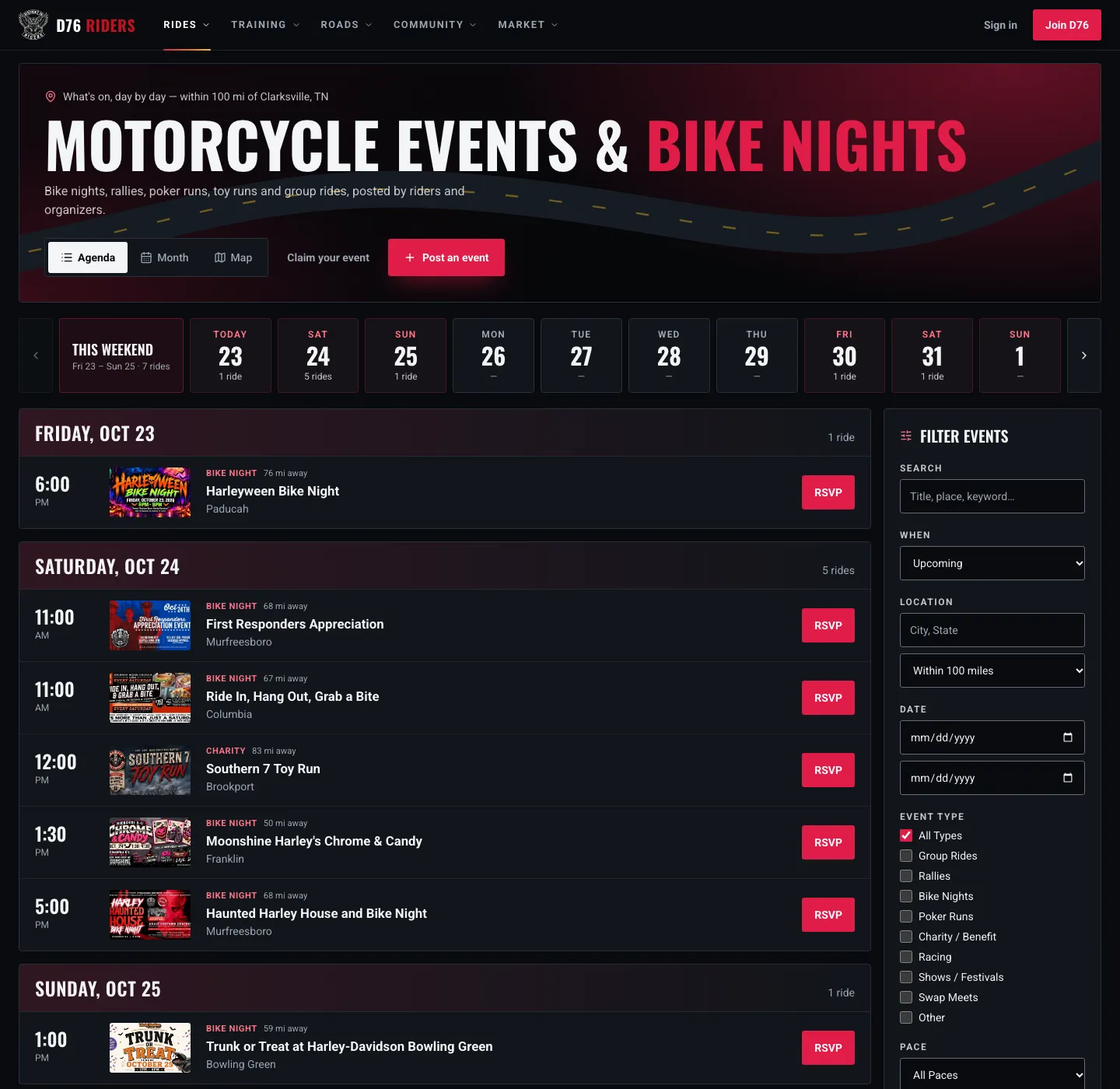
The agenda: every ride by day, with the weekend counted at a glance and the filters on the right.
Under the header is a day strip: the next ten days, each with a count of what is on, and a This weekend chip up front with the whole weekend's tally. Tap a day and the list jumps to it. The arrows move ten days at a time.
There are three ways to look at it:
- Agenda is the default: rides grouped by day, each with its start time, flyer, type, how far away it is, and an RSVP button right there in the row.
- Month is a calendar grid, for planning a few weeks out. Busy days show the first few titles and how many more there are.
- Map drops a pin for every ride in the window, inside a ring showing your range. Pick a day on the strip to narrow it down.
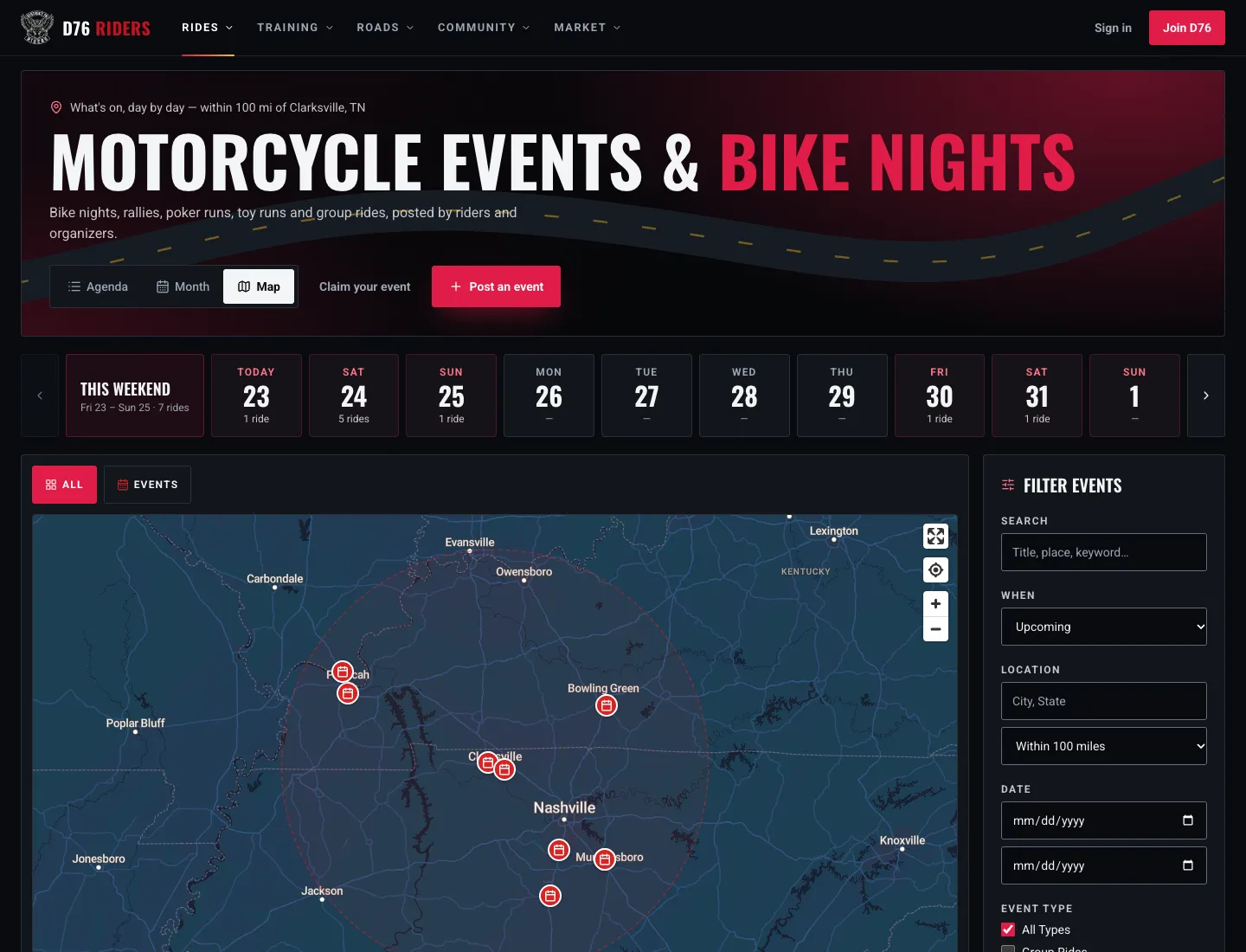
Map view: what is on in the next ten days, inside your range.
The Filters
The Filter Events panel narrows things down further:
- Search looks through titles, places and descriptions.
- When switches between upcoming, past and all dates, and you can set a from and to date.
- Location and distance take a city and a range from 25 to 250 miles, or any distance.
- Event type lets you tick group rides, rallies, bike nights, poker runs, charity and benefit rides, racing, shows and festivals, swap meets, or other.
- Pace picks beginner friendly, intermediate or scenic.
- Cost shows only free events, or only ones with a cover.
A cancelled ride does not just vanish. It stays on the list, marked cancelled with the organizer's reason, so you are not left wondering why the bike night you were planning on disappeared.
Weekends and Towns
Two more pages are worth knowing. This Weekend is exactly what it sounds like: everything happening Friday through Sunday, by state and by day. From Monday to Thursday it shows the coming weekend, and once Friday hits it shows the one you are in.
Events by Area breaks everything down by state and city, which is handy when you are planning a trip or riding somewhere new. Every town page lists what is coming up there and splits it by type, so "Clarksville bike nights" is one tap away.
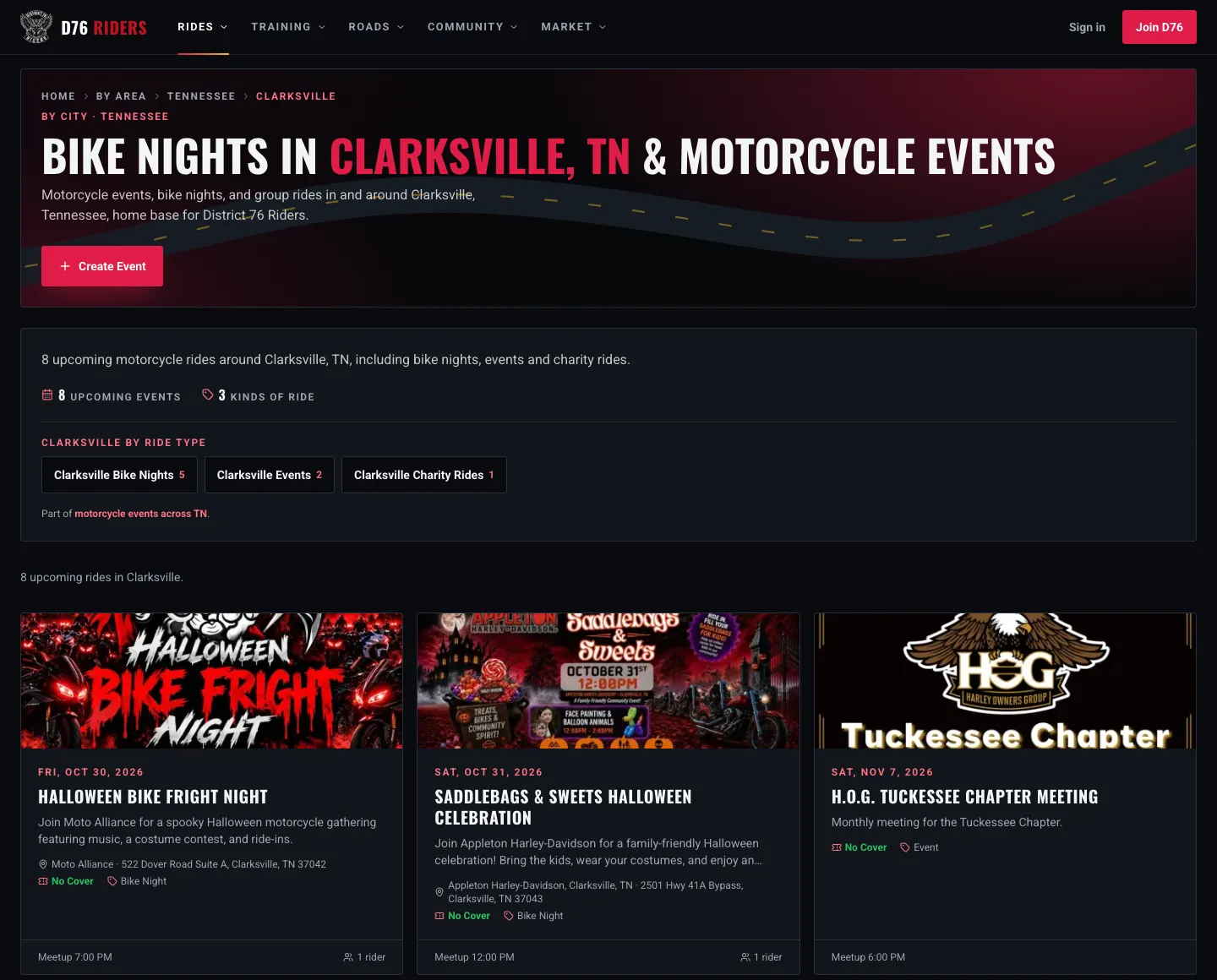
Events by Area: every town gets its own page, broken down by type.
Every Kind of Event
D76 is not just group rides. These are the kinds of events you will find on the calendar, and that you can post:
- Group rides: meet up, kickstands up, ride out together.
- Bike nights: park up, hang out, talk bikes.
- Rallies: a bigger gathering, often over a weekend.
- Poker runs: ride the stops, draw your cards.
- Charity and benefit rides: ride or show up for a good cause. Toy runs live here.
- Shows and festivals: bikes on display, music and food.
- Swap meets: buy, sell and trade parts and gear.
- Racing: track days and closed-course racing.
- Other: anything else on two wheels.
Some events on the calendar were posted by D76 itself, because we would rather riders hear about a good bike night than miss it. If one of those is yours, look for This is my event, claim it on its page, or head to Claim your event. Once a moderator confirms it, the event is yours to run.
What an Event Page Tells You
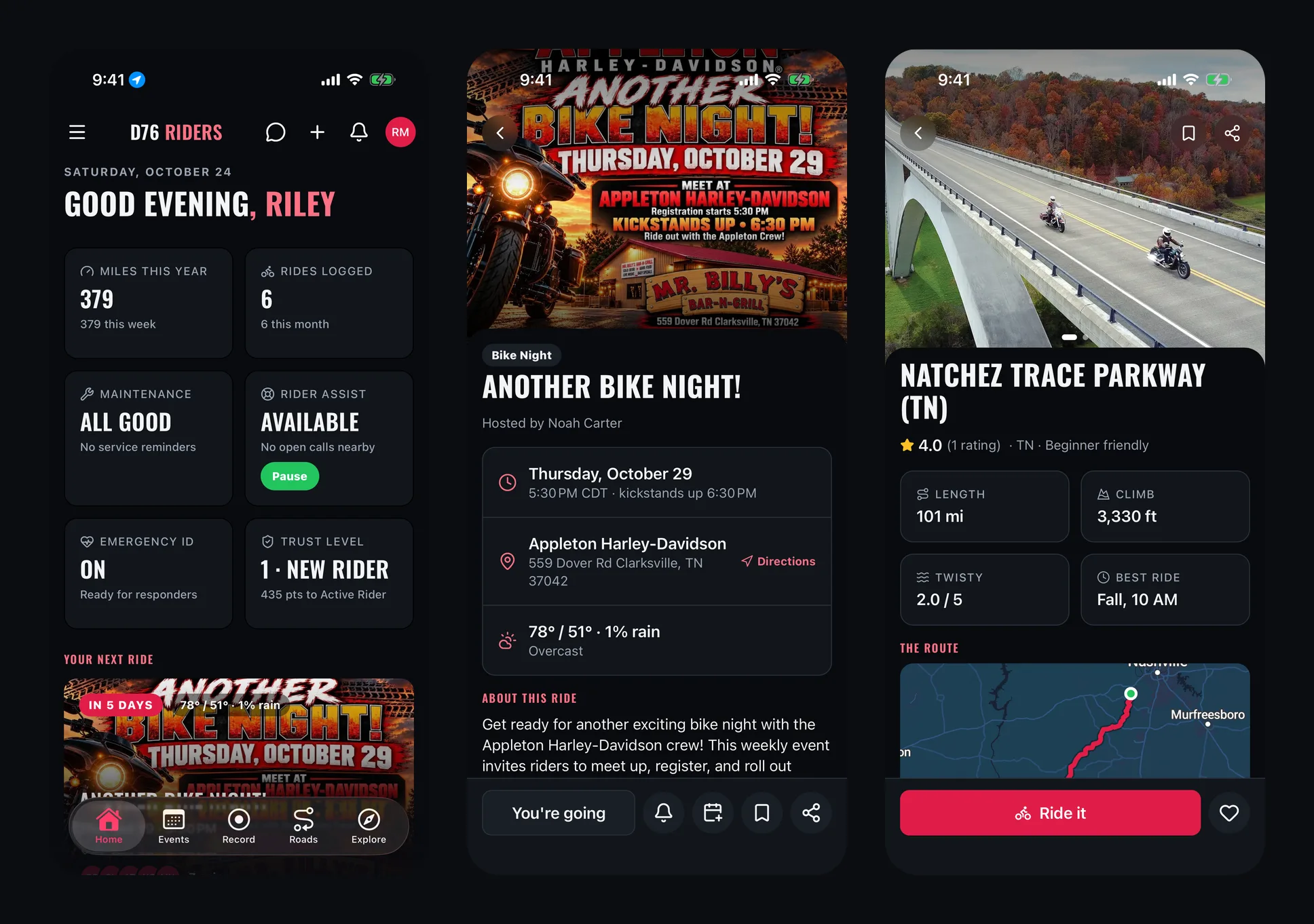
Tap any event and you get everything you need to decide whether you are going, and how to get there.
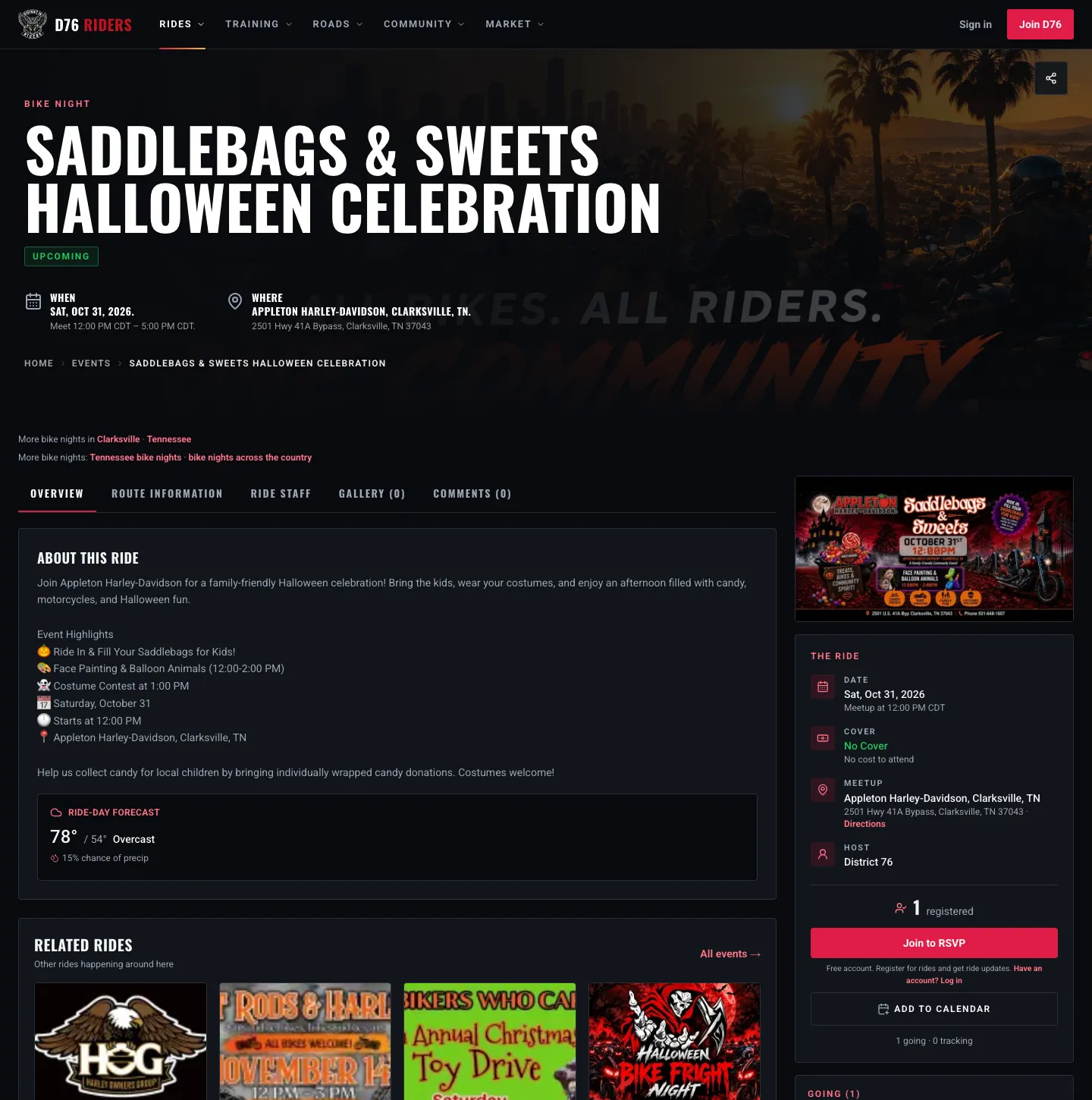
A bike night on the calendar near Clarksville: the essentials up top, the details down the side, and the forecast once the day gets close.
Across the top: when it is, where it is, and for rides, the pace and distance. Down the side, the flyer at full size and a card with the details:
- The date and meet-up time, with a heads up if the event is in a different time zone than you.
- Kickstands up for rides, so you know when the group actually leaves.
- The cover, itemized if there is one, or a plain "No Cover."
- The meet-up spot, with a Directions link, plus the final destination if the ride ends somewhere else.
- The pace and distance for rides.
- The host, with a link to their profile.
Within about two weeks of the date, a ride-day forecast shows up on the page: the high and low, the conditions, and the chance of rain. Further out, it tells you when the forecast will be available.
Below that are tabs for the route, the ride staff, the photo gallery and the comments, plus nearby rides and roads worth riding on the way there.
Registering, Tracking and Waitlists
Tap Register to put yourself down as going. The organizer sees you are coming, you get a confirmation, and the ride lands on your calendar if you have synced it (more on that below). Change your mind? Tap again to withdraw.
Not sure yet? Tap Track this ride instead. It does not hold you a spot, but you will be told if plans change: a new time, a new meeting place, or a cancellation.
Some events have a cap on riders. When it is full, the button becomes Join Waitlist. If someone who registered drops out, the first rider on the waitlist moves up automatically and gets a "You're in" notification. Organizers can also set a date when registration closes.
A few rides are marked high-risk, like track days or long, aggressive runs. Those ask you to read and accept the Safety Waiver for that ride before you register. Most events never need it.
Group Rides, Start to Finish
Group rides get the most tools, because a ride has more moving parts than a bike night.
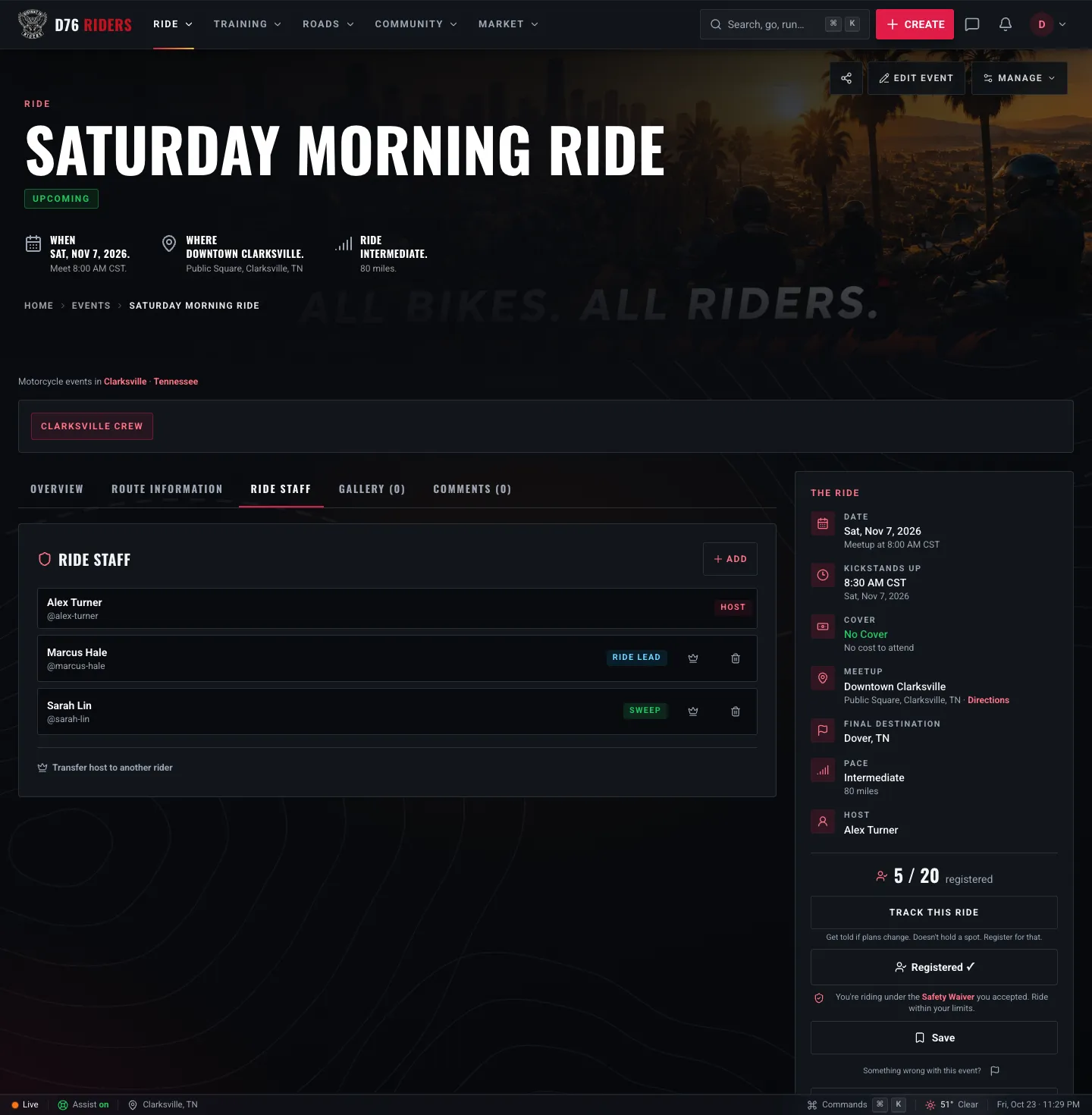
An example group ride: who is leading, who is sweeping, and everything a rider needs before kickstands up.
Kickstands up is required. A group ride has a meet-up time and a separate kickstands-up time, so nobody shows up at 8:30 thinking that is when coffee starts.
Ride staff. Besides the host, organizers can name a Ride Lead, a Sweep and Marshals, and riders can see who is who before they show up. Knowing who the sweep is makes the first group ride a lot less nerve-racking.
The route. Once a ride is posted, the organizer can draw the route on the map or import a GPX file. Riders get the official route with its elevation profile and stops, any hazards other riders have reported along it, and one-tap options to open it in Google Maps, Apple Maps or Waze, or download a GPX file for a Garmin or similar unit.
Check in. On ride day, registered riders can check in from the event page, starting an hour before the meet-up. It tells the organizer who actually made it, and when you check out at the end, your miles, moving time and speeds are added to your logged rides.
Ride with your crew. A ride can be filed under a crew, so it shows on the crew's calendar too and every member hears about it.
Posting Your Own Event
Any D76 member can post an event, and it goes live the moment you post it. Tap Post an event on the Events page, or Post a ride if it is a group ride.
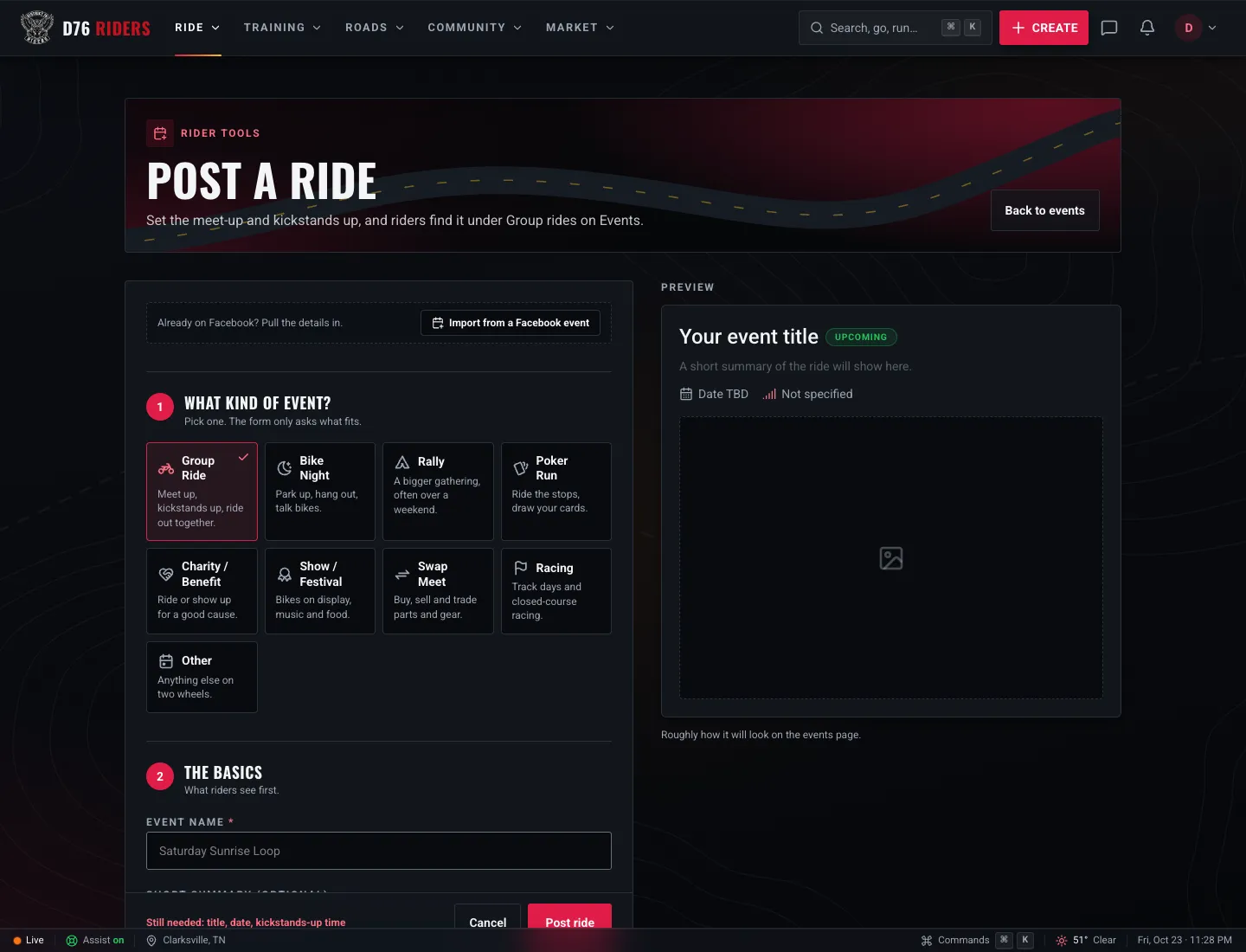
Posting a ride: pick the kind of event, and the form only asks what fits.
Already posted it on Facebook? Import from a Facebook event pulls the details in from Facebook's calendar file so you are not typing it twice. Otherwise, the form walks you through a few steps:
- What kind of event. The form only asks what fits. A bike night is a place and a time, so it skips the ride questions. A group ride asks for kickstands up, a destination, distance and pace.
- The basics: a name, a short summary and a description. If you are posting for someone else, uncheck "I'm the organizer" and D76 posts it so the real organizer can claim it later.
- When, including repeating events. Every Thursday bike night only has to be posted once.
- Where: the meet-up spot, and for rides, where it ends.
- Extras: a flyer, an itemized cover charge, a registration or donation link, a cap on riders, when registration closes, which crew it belongs to, a Facebook event link and up to 12 tags.
The first time you post, you will be asked to accept the Organizer Agreement, since you are taking responsibility for the event you are putting on the calendar.
After it is up, you can add the route, name your ride staff, message the riders who registered (with ready-made templates for updates, delays, weather calls and route changes), and export your attendee list. If you change the time or the meeting place, everyone registered or tracking the ride is told automatically. If the weather turns, Cancel this ride with a reason, and everyone hears about it.
Staying in the Loop
Once you are registered, D76 does the remembering for you:
- A reminder lands within a day of the ride, with the meet-up time and the forecast.
- Ride changes reach you the moment an organizer moves the time, changes the meet-up or calls it off, along with any waitlist spot that opens up for you.
- Your calendar, synced. In Settings, Account, the Sync your rides card gives you a private calendar link. Subscribe once in Google, Apple or Outlook Calendar, and every ride you register for shows up there and stays up to date. Any single event also has an Add to calendar button.
You control all of it in your notification settings, by category and by channel: in-app, push and email.
After the Ride
When a ride is done, the event page becomes its record. Riders can add photos to the gallery, and the page shows a ride recap with how many rode, the miles covered and the photos shared. Riders who checked in get the recap too.
Every month, members vote for Ride of the Month from the month's completed rides, and the winning host gets the word on the first of the next month. Showing up counts in challenges as well, for the ones measured in miles or rides.
Get Out There
The calendar is only as good as the rides on it. If your Thursday bike night, your Saturday breakfast run, or your chapter's toy run is not on D76 yet, post it. It is free, it takes a few minutes, and riders who have never heard of you will find it.
And if you are just looking for something to do this weekend, open This Weekend, pick one, and go. New to D76? Joining is free.
Ride what you ride. Rep who you rep. Respect everyone.
Finish this story. It's free
Create your free District 76 account to read the rest, save articles, and join the discussion.
Already a member? Log in

@worlddrknss
I’m basically a walking collection of expensive hobbies and a complete absence of free time!
Roads worth riding
Community-rated routes from the D76 road guide.
- Old Lock B Boat Rampin TN
- FS141 to Persimmon Pointin KY
- Fort Donelson Ride Outin TN
- Natchez Trace Parkway (TN)in TN
0 Comments
Sign in to join the discussion.
- No comments yet. Be the first to weigh in.