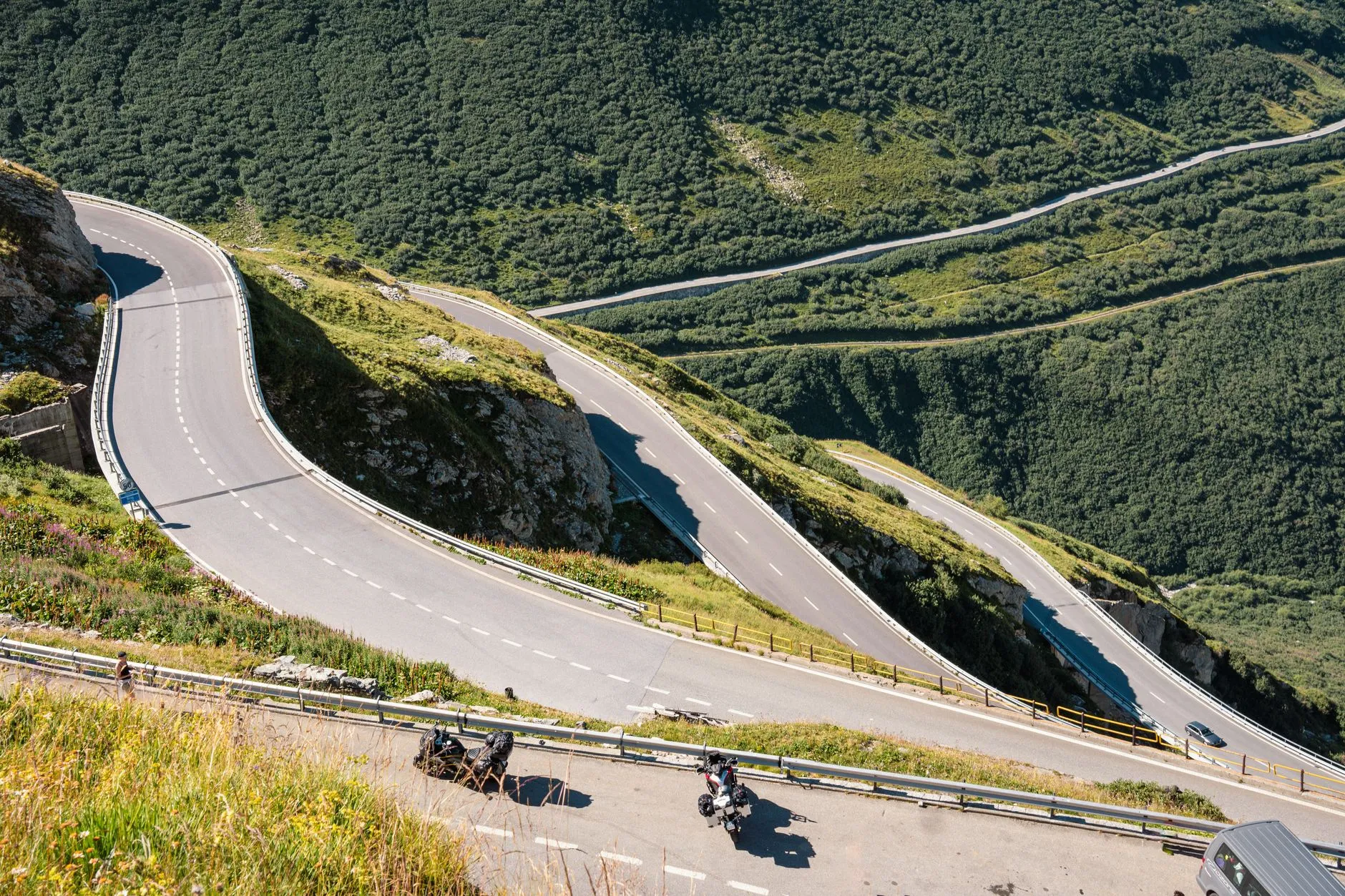
The Roads Worth the Ride
Every rider has a road. The backroad you take home when you do not need to be home yet. The loop you show a new rider to make them fall in love with it. The one with the sweepers along the river that you have ridden a hundred times and would ride a hundred more. Most of those roads never make it into a guidebook. They get passed rider to rider, at bike nights and gas stops, usually with a "you have to ride it, trust me."
Roads on District 76 is where those roads get written down. Riders share them, draw their routes, rate them, and keep them current, so the next rider knows what they are getting into before they turn off the highway. Here is how it works: finding a road, reading a road page, rating and reporting, and adding the ones only you seem to know about.
Finding a Road
Open Roads and you land on the best motorcycle roads riders have shared, rated by the riders who have ridden them.
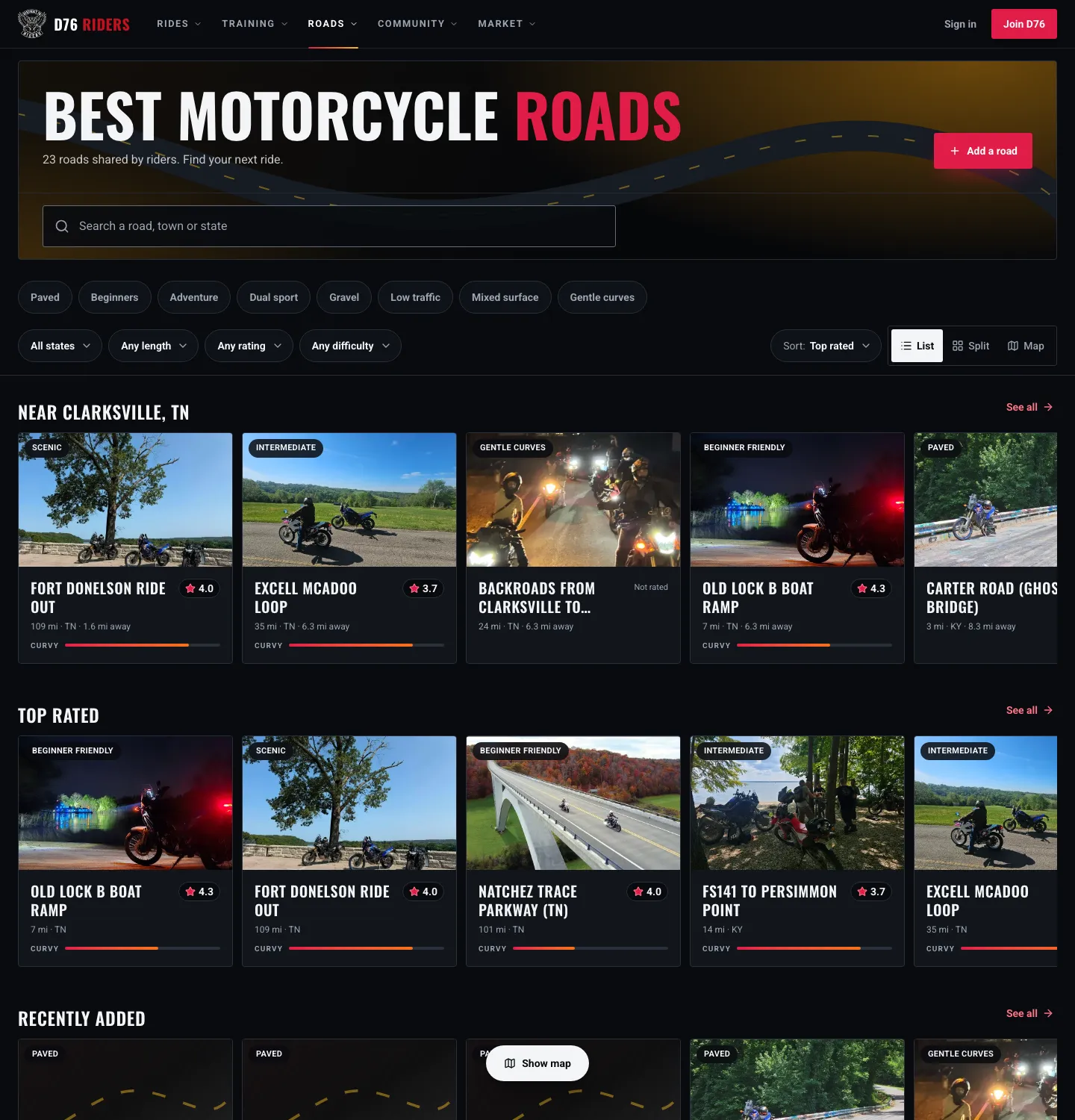
The Roads page: roads near you first, then the top rated, each with a rating, its length and how curvy it is.
If D76 knows where you ride, the first row is Near you, named for your riding area, nearest first. After that come the Top rated roads, the Recently added ones, and Roads by state, so you can jump straight to the state you are riding next.
Every card shows a photo from the road (or a sketch of its route), its rating, its length, its state, how far it is from you, and a bar for how curvy it is.
Narrowing It Down
The search box takes a road's name, a word from its description, or a state. Below it, a row of riding style chips filters by the tags riders actually use, like paved, gravel, gentle curves, low traffic, beginners, adventure or dual sport. Pick more than one and a road has to have all of them.
Then the dropdowns:
- State.
- Length: under 25 miles, 25 to 75, or 75 and up.
- Rating: 3 stars and up, 4 and up, or 4.5 and up.
- Difficulty: beginner friendly, intermediate, or scenic.
- Sort: top rated, most curvy, shortest, longest, newest, or nearest.
On the Map
Switch to Map (or Split for the list and map side by side) and every road with a route is drawn right on it. Pan somewhere new and tap Search this area to see just the roads in view, which is the fastest way to plan around a trip.
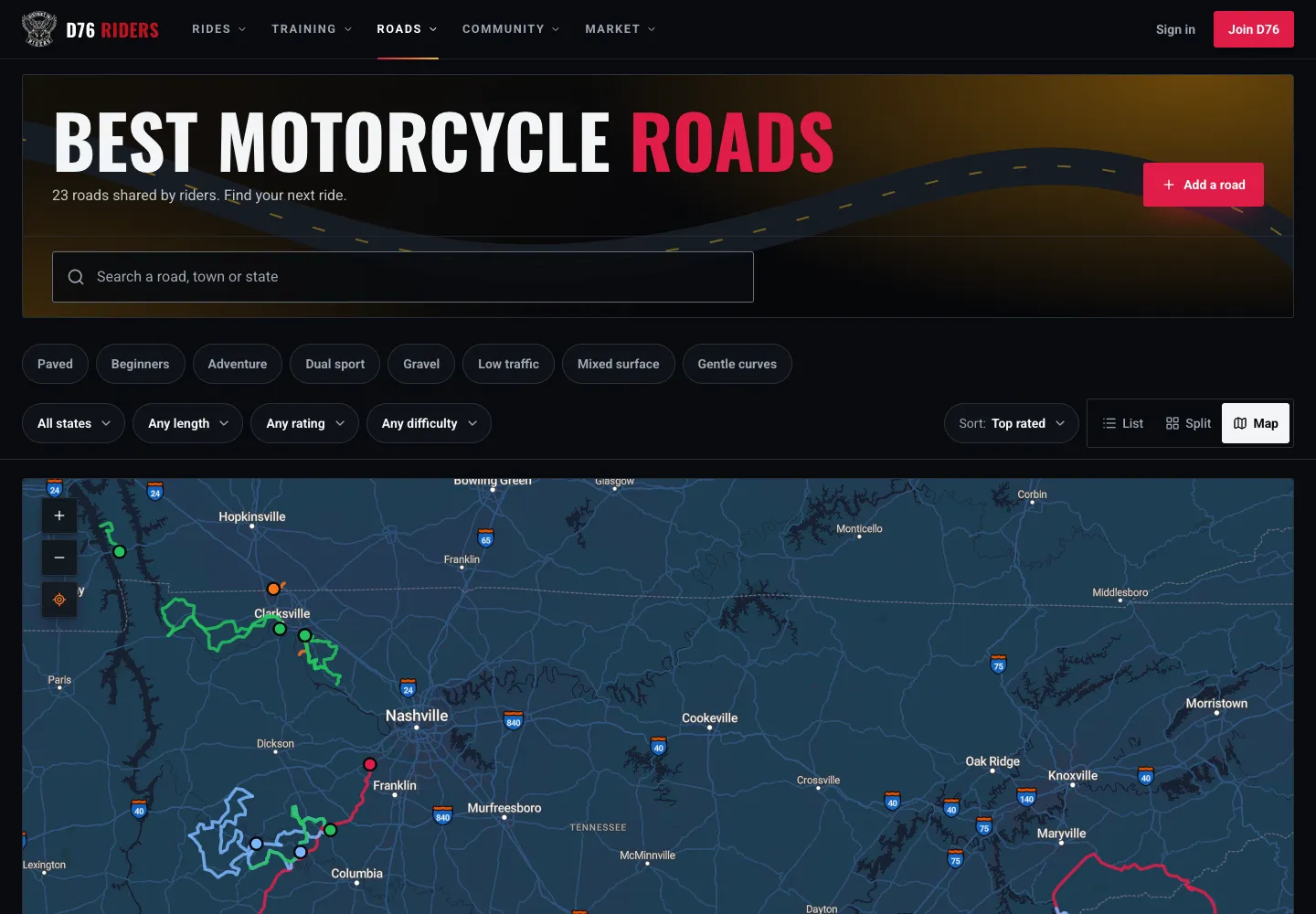
Map view: every route riders have drawn, ready to pan and search.
Every state with roads gets its own page too, like Best Motorcycle Roads in Tennessee, with its best-rated roads, its neighbors, and the motorcycle events happening in that state.
Reading a Road Page
A road page is built to answer one question: should I ride this, and what do I need to know first?
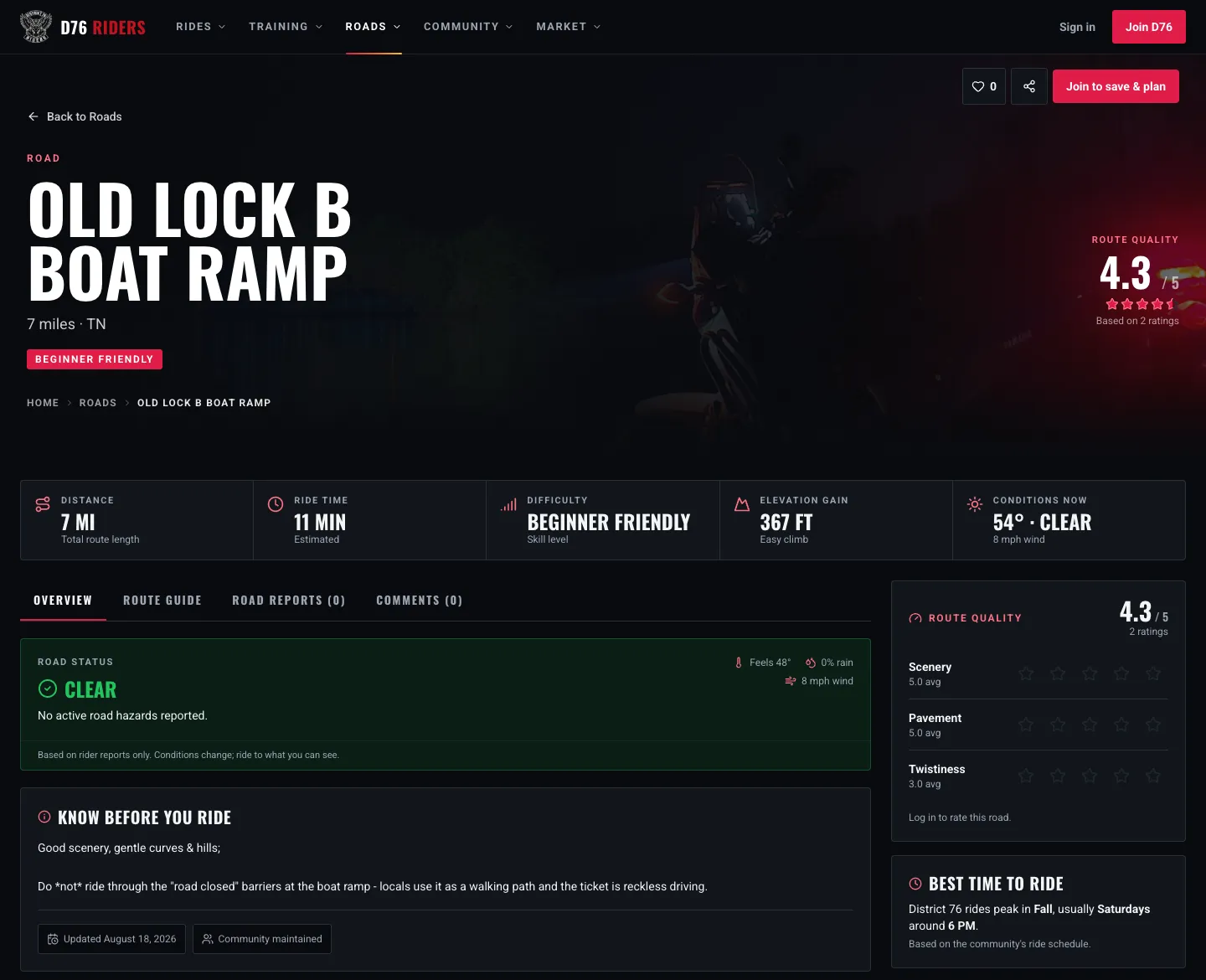
The top of a road page: the score, the numbers, today's conditions, and what riders want you to know.
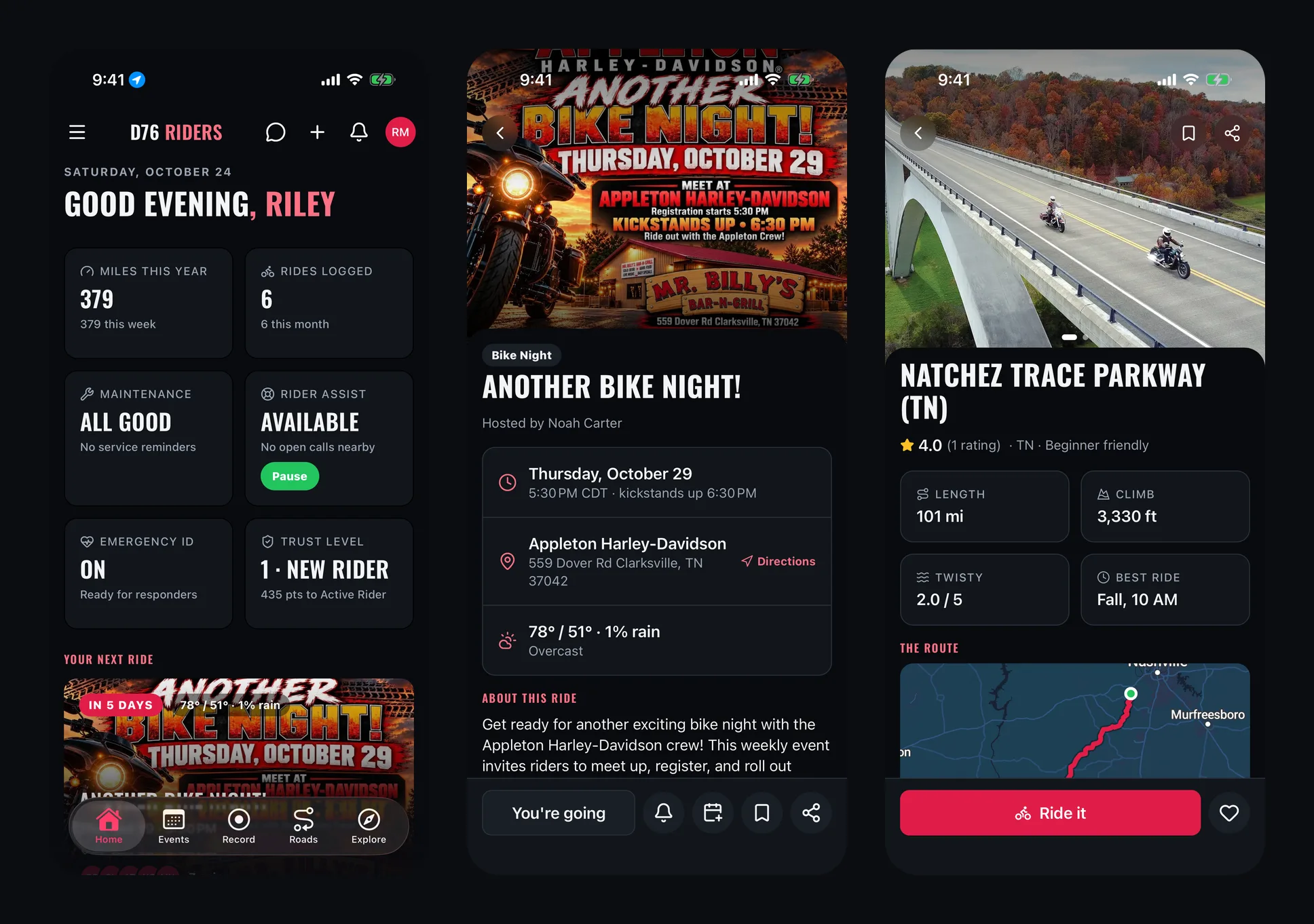
At the top is the road's route quality score out of five and how many riders it is based on. Under it, a strip with the numbers that matter:
- Distance, measured from the drawn route.
- Ride time, a rough estimate at an easy average pace, for planning rather than for beating.
- Difficulty: beginner friendly, intermediate or scenic.
- Elevation gain, with whether it is an easy, moderate or challenging climb for its length.
- Conditions now: the current temperature and weather.
Then the road status, worked out from what riders have reported, and the Know before you ride notes, where riders write up what matters: the gravel in the third corner, the stretch where deer cross at dusk, the gas station that closes at six.
The Route
The Route overview draws the road on a map with its start and end, the total climb and descent, the highest and lowest point, and a full elevation profile so you can see the climbs coming.
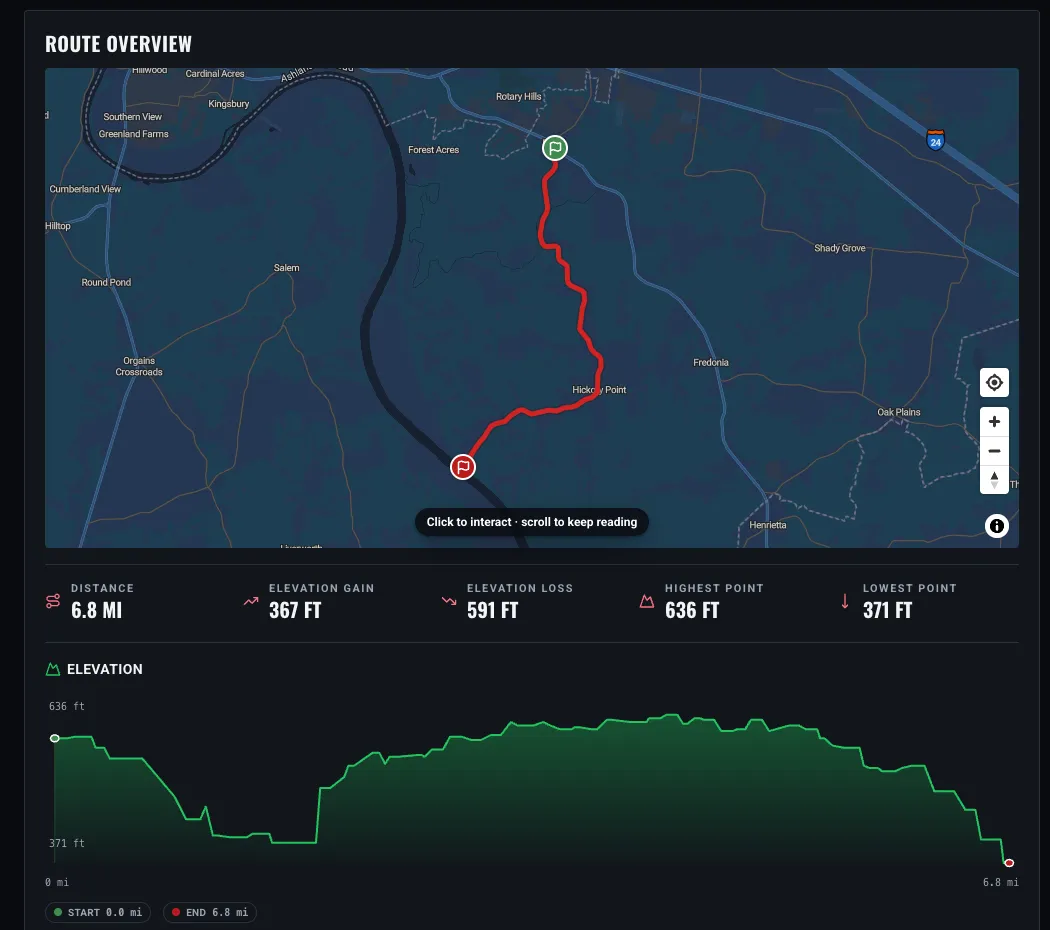
The route overview: where it goes, how much it climbs, and the shape of the ride.
Under that, the road's character: tags for the surface, the curves and the traffic, who it is good for, and its shape (a loop, an out and back, or point to point). Roads with stops along the way get a Route Guide tab listing them, and you can download the route as a GPX file for your GPS.
Down the side you will find the best time to ride based on when the community rides, ride photos other riders have shared, other roads nearby, and upcoming rides in the same state.
Rating a Road
Ridden it? Rate it. Every road is scored on three things, one to five stars each:
- Scenery
- Pavement
- Twistiness
The road's route quality is the average of the three. You get one rating per road, so riding it again and changing your mind just updates yours, and you can withdraw it any time. Tap the heart to like a road, or Save it to your private saved list for later. There is also a comments thread on every road for the things that do not fit in a star rating.
Road Reports
Roads change. Gravel washes across a corner after a storm, a crew tears up a lane for resurfacing, a tree comes down. The Road Reports tab is where riders warn each other.
Signed-in riders can tap Report Hazard, pick what it is (debris, roadwork, weather, an animal, an accident, or something else), drop it on the map where it is, and add a note. It shows up on the road's map and in its reports, and the road's status updates from Clear to Use caution or Multiple hazards depending on what is out there.
Reports do not hang around forever. Each one fades on its own after a while, from half a day for debris or weather up to a month for roadwork. Riders who pass by can keep it honest: Still there keeps it alive, and when enough riders tap Gone, it clears itself.
One thing to keep in mind, and the road page says it too: reports come from riders, and conditions change faster than anyone can post. Ride to what you can see.
Adding a Road
Know a road that belongs here? Any D76 member can add one. Tap Add a road on the Roads page.
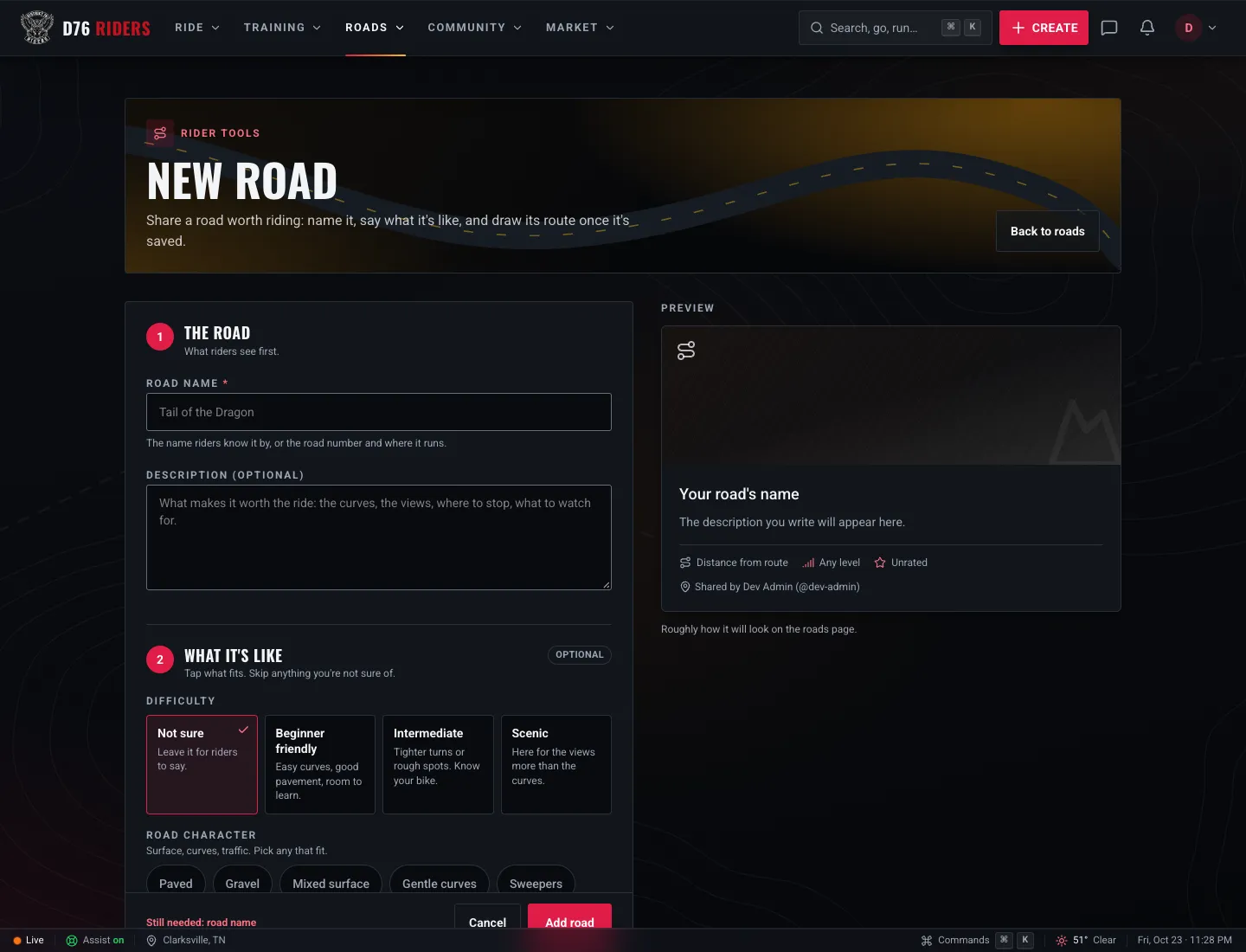
Adding a road: name it, say what it is like, then draw the route.
The form keeps it simple:
- The road: its name (what riders call it, or the road number and where it runs) and a description of what makes it worth the ride.
- What it is like (optional): the difficulty, plus tags for its character (paved, gravel, sweepers, tight and twisty, mountain, scenic, low traffic and more) and who it is good for (beginners, cruisers, sportbikes, touring, adventure, two-up, group rides).
- A cover photo (optional), though a real photo of the road makes a big difference on the card.
Once it is saved, tap Add route on the road's page to put it on the map. You have two ways to do it:
- Waypoints: drop pins along the way and the route fills in the roads between them. The motorcycle setting favors backroads and twisties.
- Trace: draw the exact path yourself, freehand or point by point.
You can also import a GPX file if you already have the route. Either way, the distance and the climb are worked out from the line you draw. And if you recorded a ride with GPS and it turned out to be a great road, you can turn that logged ride straight into a road from your ride history.
Roads Are Community Maintained
Roads on D76 work like a wiki. The rider who added a road does not own it forever. Any rider with a confirmed email can improve it: fix the description, add the notes that matter, swap in a better photo, or redraw the route when it is off.
That only works if a bad edit cannot stick, so every change is saved in the road's History: details, cover photo and route, all of it. The rider who added the road, D76 staff, and riders with Active Rider standing or better can roll a road back to any earlier version. If a road attracts trouble, moderators can lock it.
And if someone edits a road you added, you will get a notification so you can take a look.
Ride It, Then Share It
Some of the best roads in Middle Tennessee and well beyond are already on D76, and every one of them was added by a rider who wanted someone else to ride it. The map gets better every time one more rider adds the road they love, rates the ones they ride, and flags the gravel they find.
So find one near you, ride it like you want to ride it again tomorrow, and come back and tell everyone how it was. If it is not on the map yet, add it.
New to D76? Joining is free, and so is every road on it.
Ride what you ride. Rep who you rep. Respect everyone.
Finish this story. It's free
Create your free District 76 account to read the rest, save articles, and join the discussion.
Already a member? Log in

@worlddrknss
I’m basically a walking collection of expensive hobbies and a complete absence of free time!
Roads worth riding
Community-rated routes from the D76 road guide.
- Old Lock B Boat Rampin TN
- FS141 to Persimmon Pointin KY
- Fort Donelson Ride Outin TN
- Natchez Trace Parkway (TN)in TN
0 Comments
Sign in to join the discussion.
- No comments yet. Be the first to weigh in.