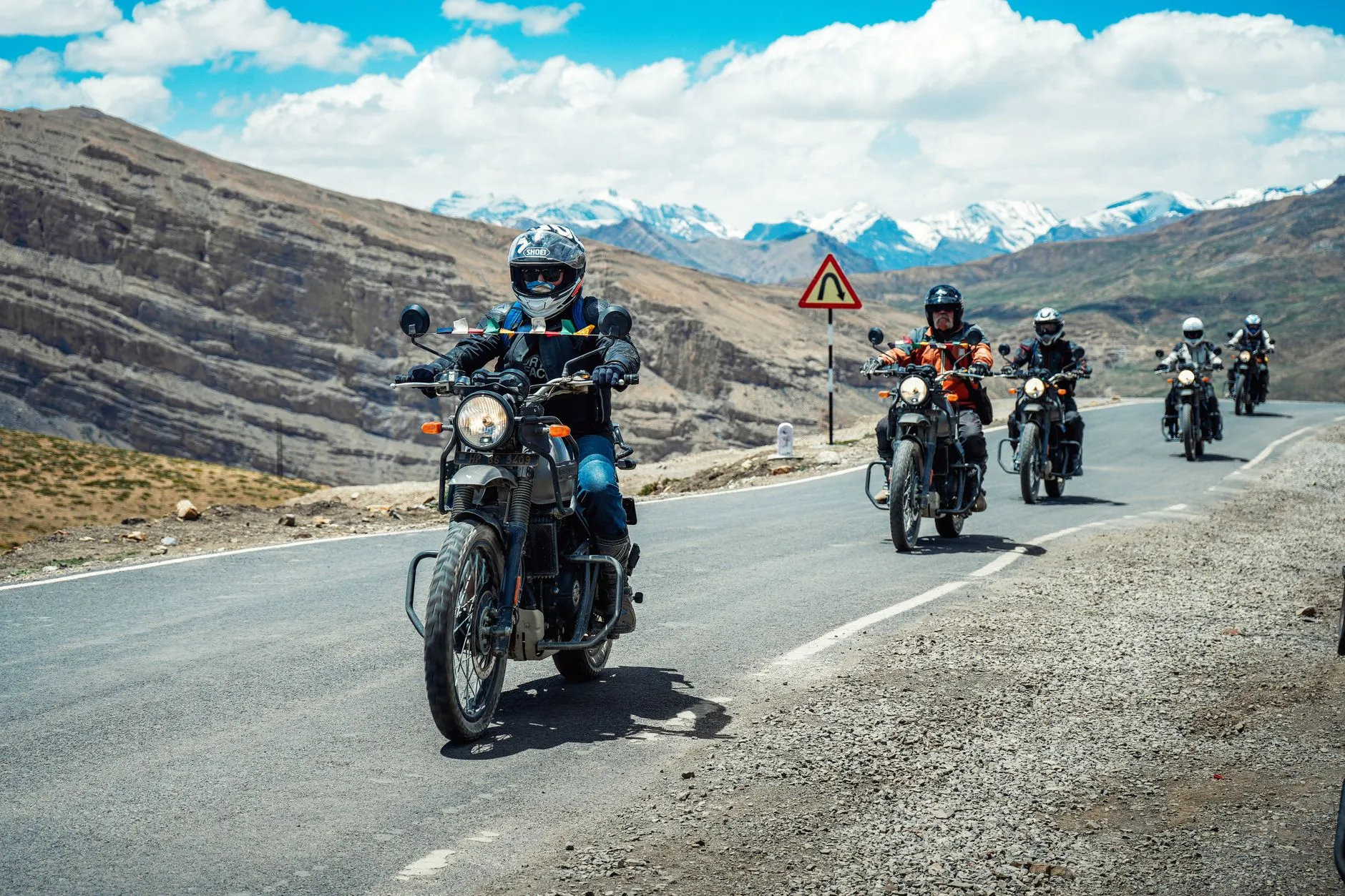
Ride Together. See Each Other.
A good group ride spreads out. Somebody stops for gas, somebody gets caught at a light, and the sweep at the back is left wondering how far ahead everyone is. Now the whole group can see where everyone is on the route, on the ride's own page, on the website and in the D76 app.
How It Works
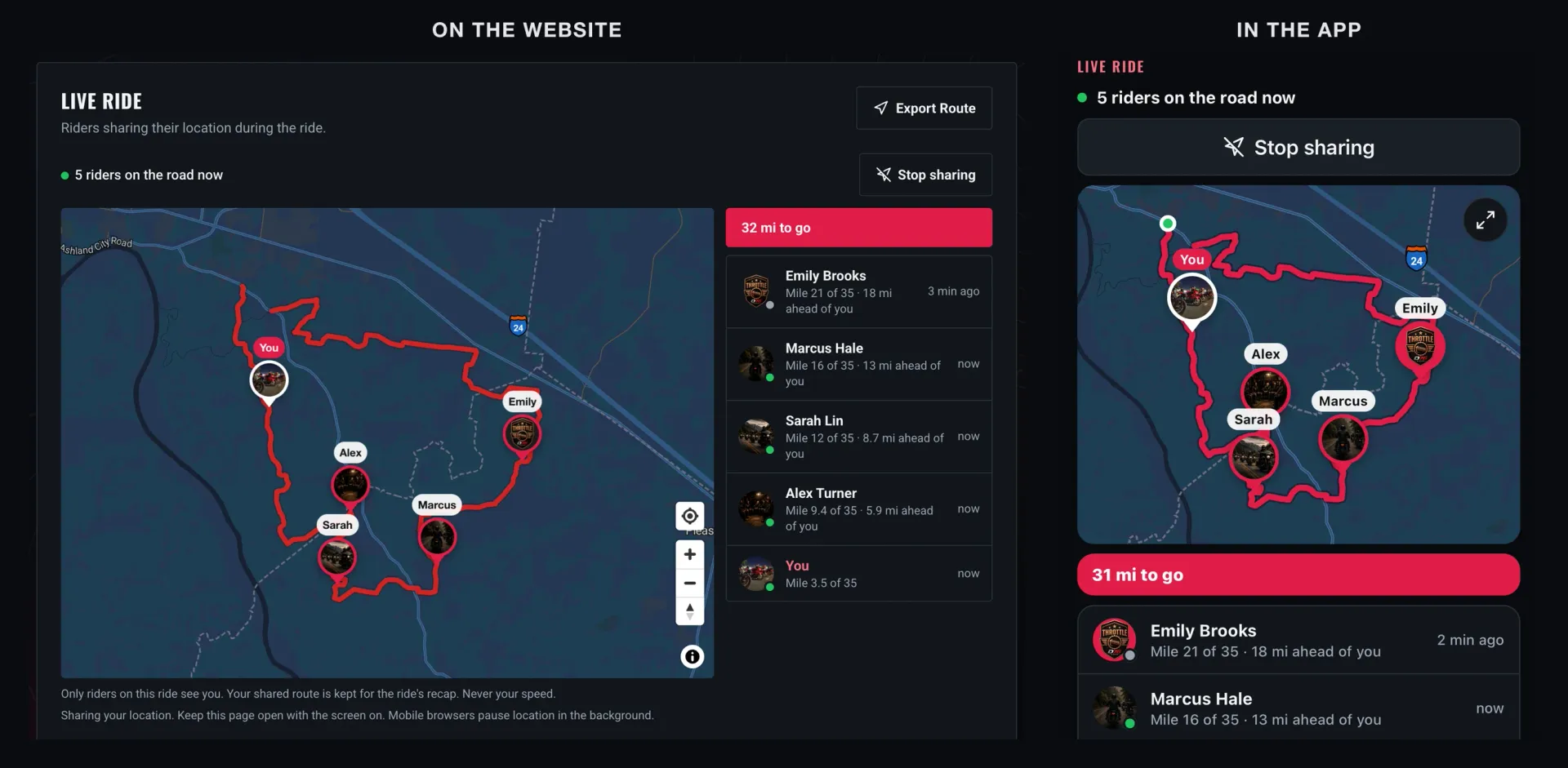
On ride day, check in at the meetup and tap Share my location on the ride's page. Every rider sharing shows up on the route:
- A pin for each rider, with their profile photo and name. Yours says You.
- Who's where, front of the group first: "Mile 16 of 35 · 13 mi ahead of you." No guessing which turn someone is on.
- Your miles to go on the route, right above the list.
- A fresh-or-not dot beside each rider: green when their position just came in, gray when it's a few minutes old.
- Tap a rider in the list and the map moves to them.
It shows where riders are, never how fast anyone is going. D76 doesn't send, store or show anyone's speed.
Made for the Sweep and the Road Captain
Organizers see everyone sharing, so the sweep knows how spread out the group is and who's at the back, and the lead knows when to wait at the next turn. It sits right next to Rider Down on the ride's page, so the organizers have both in one place on ride day.
Your Location, Your Call
Where you are is yours. Here's exactly how sharing works:
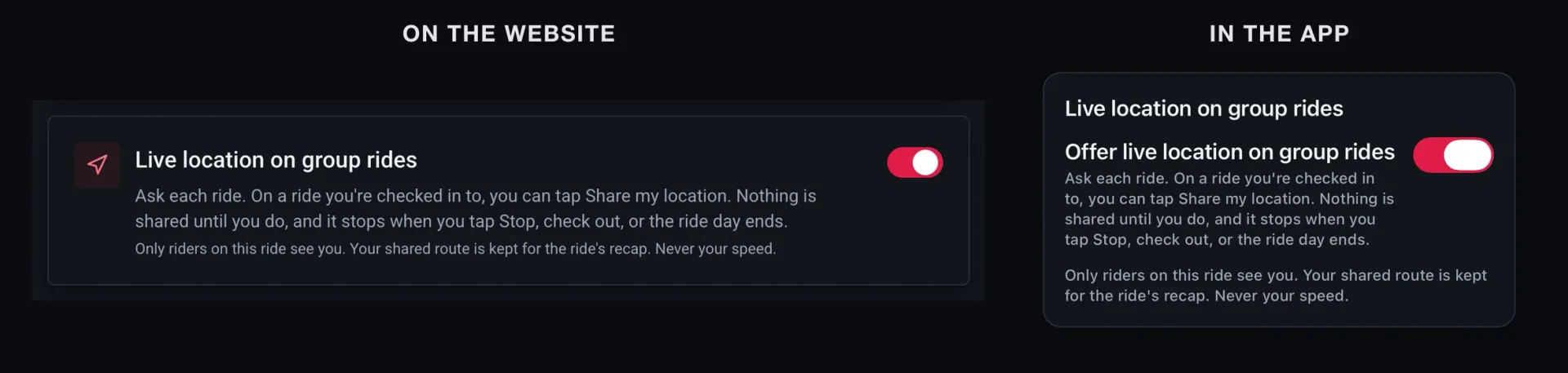
- Nothing is shared until you tap Share, ride by ride. Checking in doesn't turn it on.
- Only riders on this ride see you: the organizers and the riders going or checked in. Never the public, never anyone else.
- It stops when you tap Stop, when you check out, or when the ride day is over.
- Your shared route is kept for the ride's recap. We'd rather say that plainly than have you find out later.
- Don't want it at all? In Privacy settings, set Live location on group rides to off. The Share button disappears from every ride, D76 won't accept your position on a live map, and if you were sharing, you're taken off the map right away.
In the App, Phone in Your Pocket
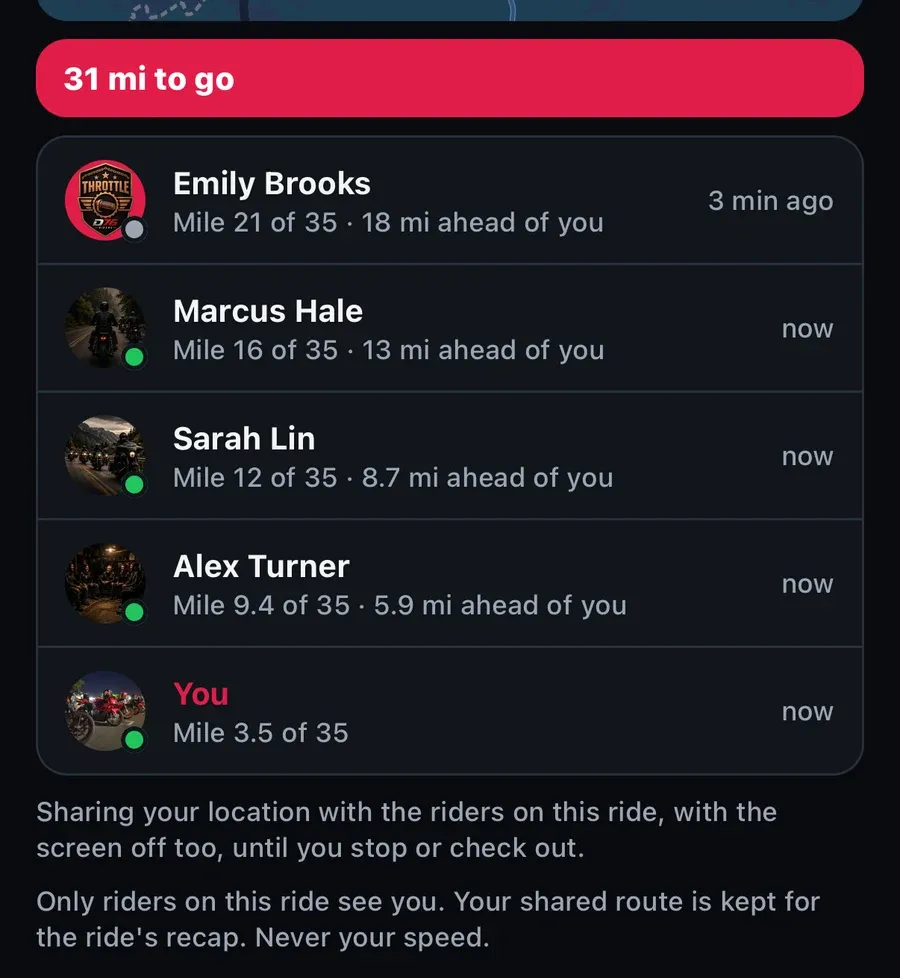
In the D76 app, which is on its way, sharing keeps going with the screen off and the phone in your pocket. Your phone shows that location is in use the whole time (the location indicator on iPhone, an ongoing notification on Android), so it never runs without you knowing, and it stops by itself at the end of the ride. On the website, keep the ride's page open while you ride: phone browsers pause location in the background.
See You on the Road
Find a group ride near you on the rides page, tap Going, and check in when you get there. Ride what you ride. Rep who you rep. Respect everyone. And now, keep an eye on each other the whole way.
Finish this story. It's free
Create your free District 76 account to read the rest, save articles, and join the discussion.
Already a member? Log in

@worlddrknss
I’m basically a walking collection of expensive hobbies and a complete absence of free time!
Roads worth riding
Community-rated routes from the D76 road guide.
- Fort Donelson Ride Outin TN
- Old Lock B Boat Rampin TN
- FS141 to Persimmon Pointin KY
- Natchez Trace Parkway (TN)in TN
0 Comments
Sign in to join the discussion.
- No comments yet. Be the first to weigh in.