Every organizer knows the copy-paste routine. Post the ride on D76, post it again in the Facebook group, then remember your crew's website still lists last month's bike night. Somebody shows up to a ride that moved. Somebody else never hears about the one you added on Thursday.
Your rides shouldn't live in three places that drift apart. There are now two ways to keep everything pointed at one list on D76. The first takes one paste and no code. The second is for the folks who build their own tools.
Option 1: Put your rides on your website (no code)
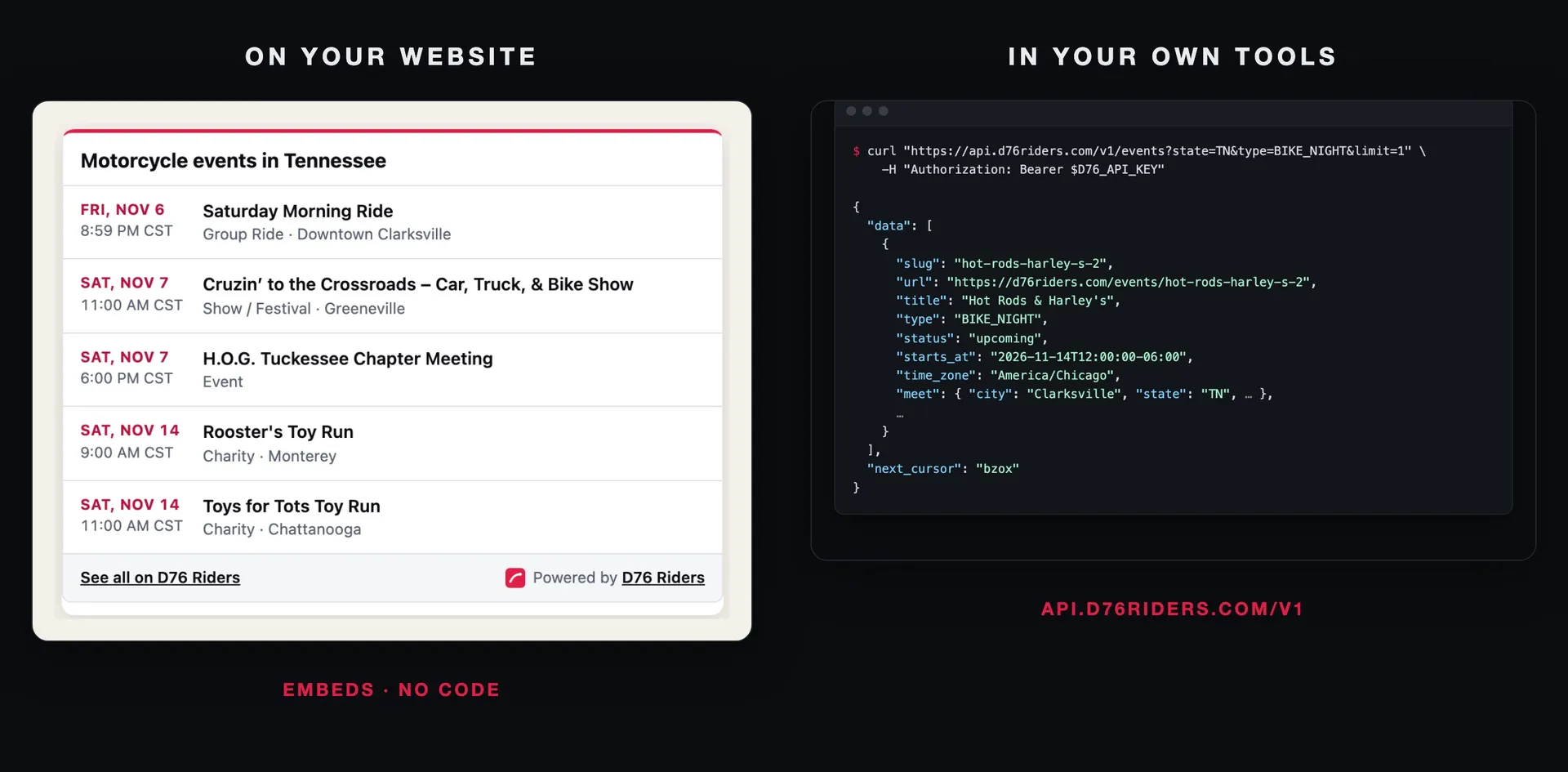
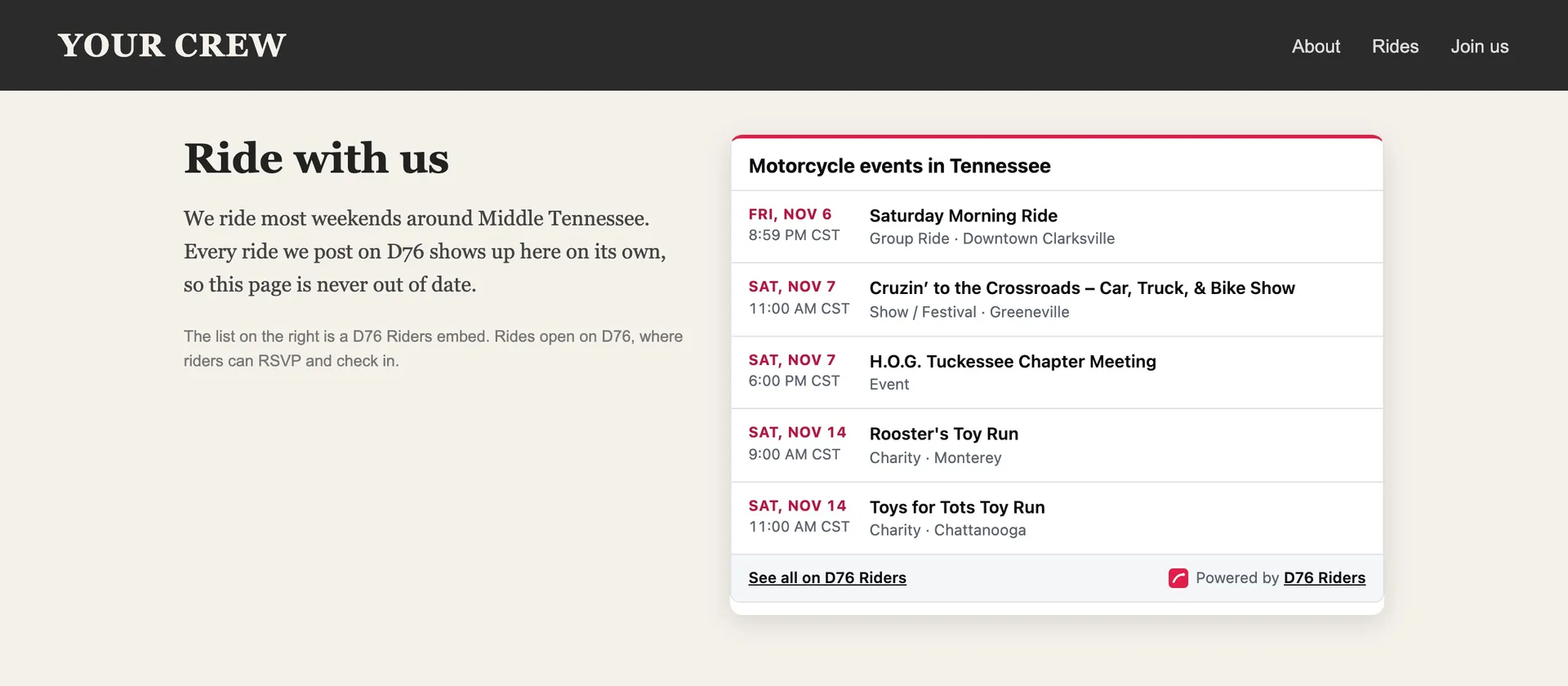
An embed is a small, live list of your upcoming rides that sits on your own website. Post a ride on D76 and it appears there on its own. Cancel one and it's gone. Past rides drop off without you touching anything.
Where to find it
Look for Put this on your website on:
Your crew's page, if you lead a public crew.
Your profile's Events tab, when you host rides.
Your shop's page, if you own the listing.
State and city events pages, and the toy-run pages, for anyone who wants a local calendar on their site.
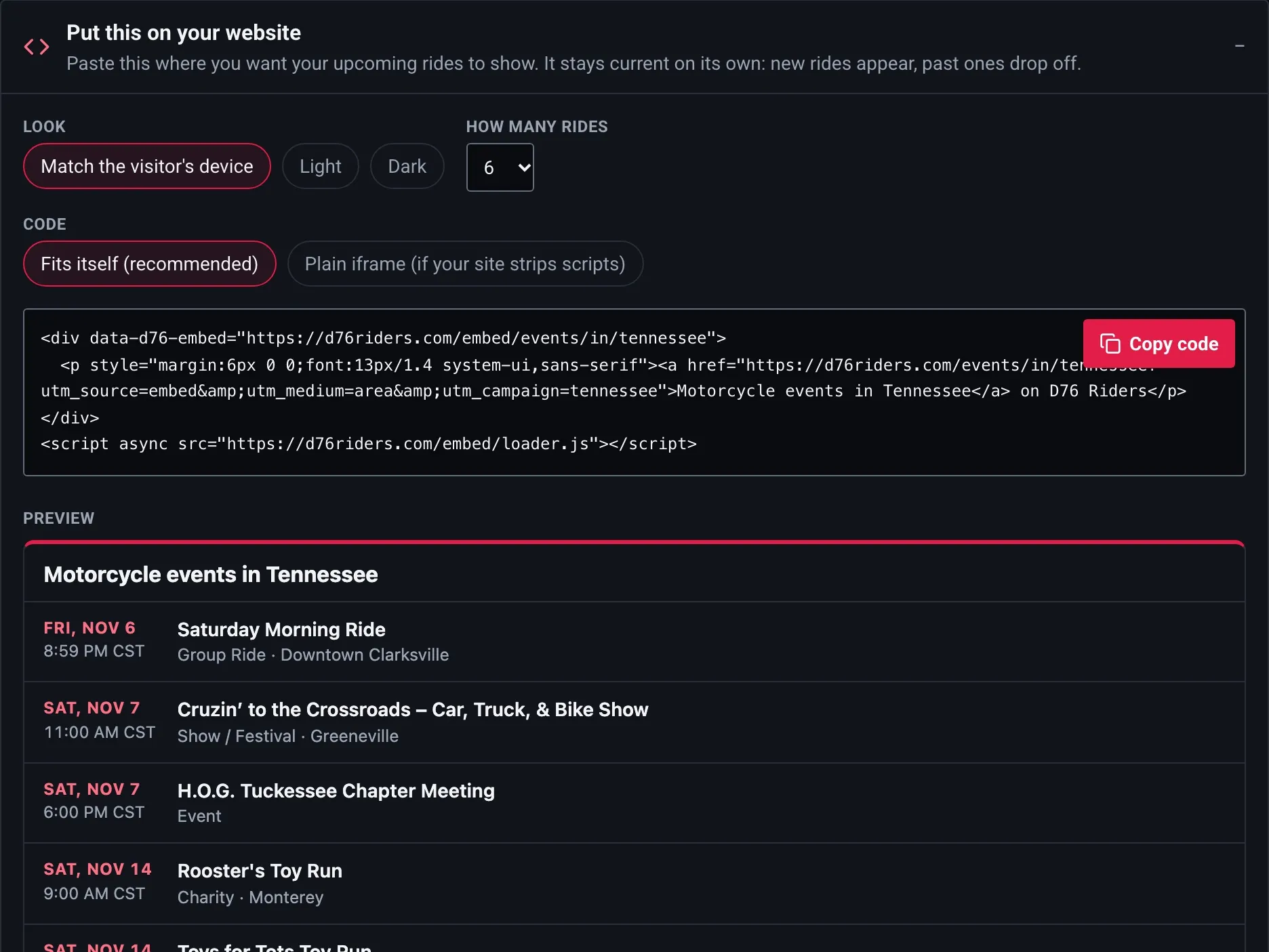
Open it and you get three choices and a live preview:
Look: Match the visitor's device, Light or Dark.
How many rides: from 1 to 20 (6 by default).
Code: Fits itself (recommended), which sizes the list to its content, or Plain iframe (if your site strips scripts) for site builders that don't allow scripts.
Tap Copy code, paste it where you want the list on your site, and you're done.
What it shows, and what it doesn't
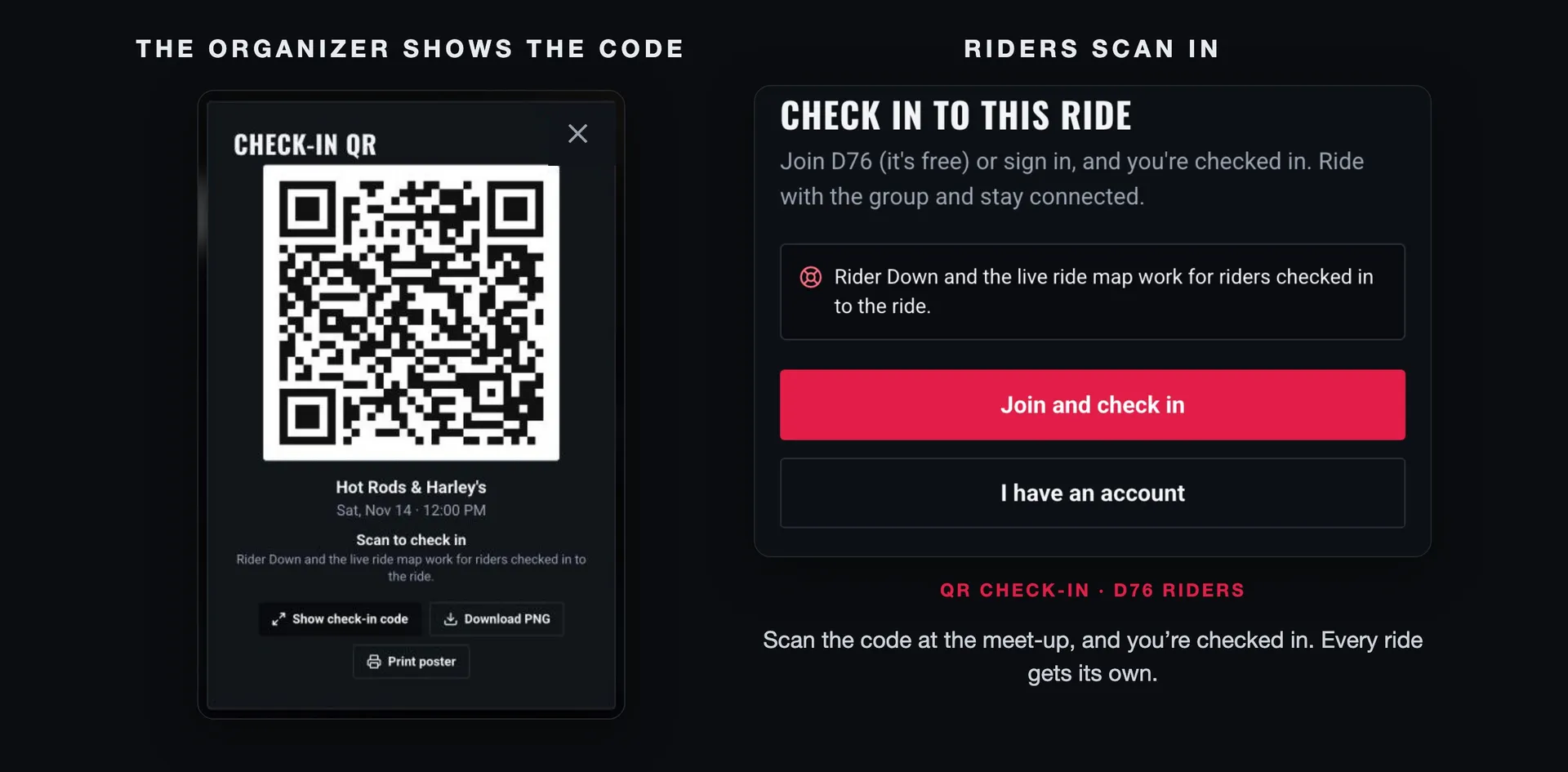
Each ride shows its date, start time with the time zone, title, ride type and where it meets. Tapping a ride opens it on D76 in a new tab, where riders can RSVP, get a reminder and check in on the day.
Embeds only show what anyone could already see on D76. A private crew's embed doesn't work, and nothing about the riders going is shown. The embed sets no cookies and runs no analytics on your visitors. It refreshes every few minutes, so a change on D76 reaches your site shortly after.
There are embeds for a crew's rides, a shop's events, an organizer's rides, the events in a state or city, toy runs nationwide or by state, and a single event as a card. The full list, with every option, is at d76riders.com/developers/embeds.
Option 2: Connect your own tools (the D76 API)
If your club calendar, shop website or event software is something you or a friend built, the D76 API lets it talk to D76 directly. It covers the three things organizers run:
Events: list and search upcoming events by state, city, type, date or distance from a point; get one event; post, edit and cancel events you organize; and see how many riders are going, waitlisted and checked in.
Crews: public crews and their events and public members; edit the details of crews you lead, and post events under crews you belong to.
Shops: listings as the site shows them, with their reviews and the rides they back; update a listing you own (hours and phone change right away, other edits are reviewed, as on the site), back or stop backing a ride, and reply to reviews.
The API never shares riders' personal details. You get counts of who's going, not who.
Getting access, then a key
Every D76 API key needs approval first, read keys included. Go to d76riders.com/developers/keys and tap Ask for API access. Two questions:
What are you building? The events, crews or shop you run, and the website or tool that will use the API.
What will it need? Tick the scopes you expect to use.
Tap Ask for access. While it's waiting, the page says your request is waiting for review, and you'll hear back when it's decided. If it isn't approved, you can ask again with more detail.
Once you're approved, make a key on the same page. Name it, pick its scopes and choose live or test (test is the default). The key is shown once, so copy it then. D76 keeps only a fingerprint of it. You can have up to 10 active keys, and revoking one stops anything using it right away.
Scopes decide what a key can do:
Reading (
events:read,crews:read,shops:read): any approved account.Managing (
events:write,crews:write,shops:write): an approved account that also has two-step sign-in turned on. Shop writes also need you to be the shop's verified owner.
Approval and two-step sign-in are checked on every call, so if access is withdrawn, every key on that account stops at once. A key can never do more than your account can do on the site.
Keys belong on your server. Never put one in a web page or an app.
Test keys
A test key (it starts d76_test_) works the same way as a live key, but nothing it does reaches real riders. An event it creates is a draft only you can see, and it can only change drafts. Crew and shop changes made with a test key are checked without being saved, and the answer says dry_run: true. Build against a test key, then swap in a live one.
Your first request
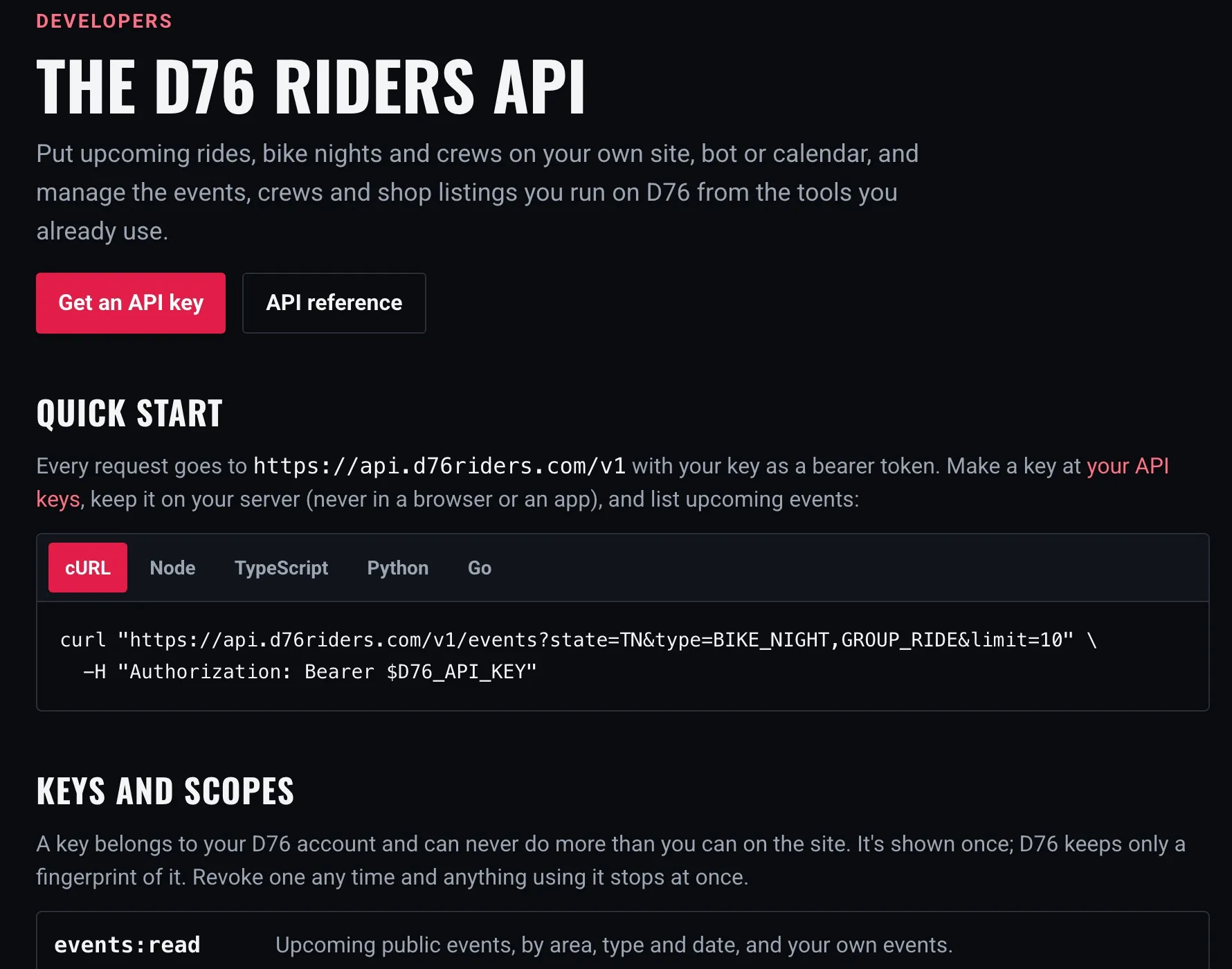
Every request goes to https://api.d76riders.com/v1 with your key as a bearer token:
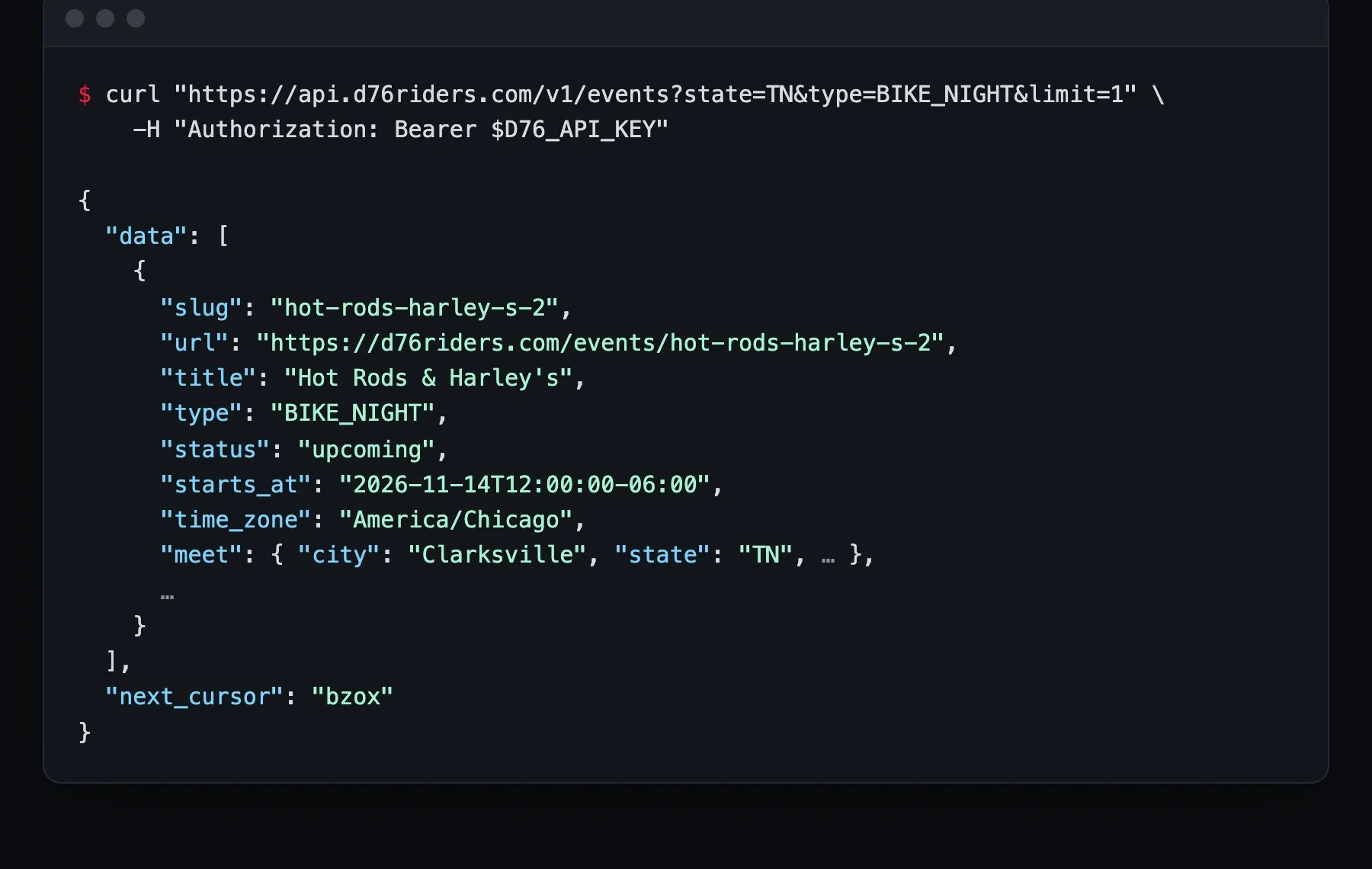
curl "https://api.d76riders.com/v1/events?state=TN&type=BIKE_NIGHT&limit=10" \
  -H "Authorization: Bearer $D76_API_KEY"
The same call in TypeScript, walking every page:
const base = "https://api.d76riders.com/v1";
const headers = { Authorization: `Bearer ${process.env.D76_API_KEY}` };

let cursor: string | null = null;
do {
  const url = new URL(`${base}/events`);
  url.searchParams.set("state", "TN");
  url.searchParams.set("type", "BIKE_NIGHT,GROUP_RIDE");
  url.searchParams.set("limit", "100");
  if (cursor) url.searchParams.set("cursor", cursor);

  const res = await fetch(url, { headers });
  if (!res.ok) throw new Error((await res.json()).error.message);
  const page = await res.json();
  for (const event of page.data) console.log(event.starts_at, event.title, event.url);
  cursor = page.next_cursor;
} while (cursor);
A few things are true of every call:
Times come with the event's own offset (
2026-11-14T12:00:00-06:00) and its time zone (America/Chicago), so a ride shows at the right hour wherever your server is.Lists take
limit(1 to 100, 25 by default) andcursor, and answer{ "data": [...], "next_cursor": ... }. Whennext_cursoris null, you've reached the end.Errors always look like
{ "error": { "code", "status", "message" } }, with a message you can show a person.Limits are 600 reads and 60 writes a minute per key. Every answer carries
RateLimit-Limit,RateLimit-RemainingandRateLimit-Reset, so your code can slow down before it hits the wall.Retries are safe. Send an
Idempotency-Keyheader with a write. If you retry with the same key within 7 days, you get the first answer back (markedIdempotent-Replayed: true), not a second event.
The interactive reference, with every endpoint and field, is at d76riders.com/developers/api.
Who it's for
Crews with their own website: an embed on your Rides page, and you never update it by hand again.
Shops: an embed of the rides your shop hosts or backs, on your own events page. If you run your listing from your own system, the API keeps hours and contact details in step.
Rally and charity organizers with event software: post and update the ride on D76 from the tool you already use, and let D76 handle RSVPs, reminders and check-in.
Anyone building a local calendar: a state or city embed, or the events endpoint filtered by area and type.
Getting the most out of it
Start with an embed. Most crews and shops never need the API. One paste covers it.
Use a test key until it works. Drafts and dry runs cost nothing and reach no one.
Say exactly what you're building when you ask for access, and only tick the scopes you'll use. It makes the review quick.
Keep keys server-side and give each tool its own key, so you can revoke one without breaking the others.
Respect the rate-limit headers. Reading 100 events a page is far kinder than 100 single requests.
A simple routine
Post your rides on D76 like you do now.
Add an embed to your crew, shop or event site: copy once, paste once.
If you build your own tools, ask for API access at /developers/keys, make a test key once you're approved, follow the quick start at /developers, and switch to a live key when you're ready.
One list of rides on D76, showing up everywhere your riders look.
Finish this story. It's free
Create your free District 76 account to read the rest, save articles, and join the discussion.
Already a member? Log in

@worlddrknss
I’m basically a walking collection of expensive hobbies and a complete absence of free time!
Roads worth riding
Community-rated routes from the D76 road guide.
- Fort Donelson Ride Outin TN
- Old Lock B Boat Rampin TN
- FS141 to Persimmon Pointin KY
- Natchez Trace Parkway (TN)in TN
0 Comments
Sign in to join the discussion.
- No comments yet. Be the first to weigh in.