Why Where You Ride Matters
Every rider knows the Saturday morning routine. Coffee in one hand, phone in the other, scrolling to figure out what is going on this weekend. Is there a bike night worth the ride tonight? Is anybody heading out for a group ride tomorrow? Did somebody finally post that backroad everyone keeps talking about? District 76 was built to answer those questions in one place, and the single thing that makes it work is knowing where you ride.
That is what your riding area does. It is not a profile field you fill in to look complete. It is the anchor every list on the site measures from. Set it, and the rides, roads, riders and crews closest to you come first. Leave it blank, and the site still works, but it is guessing, and it is usually guessing about somebody else's weekend instead of yours.
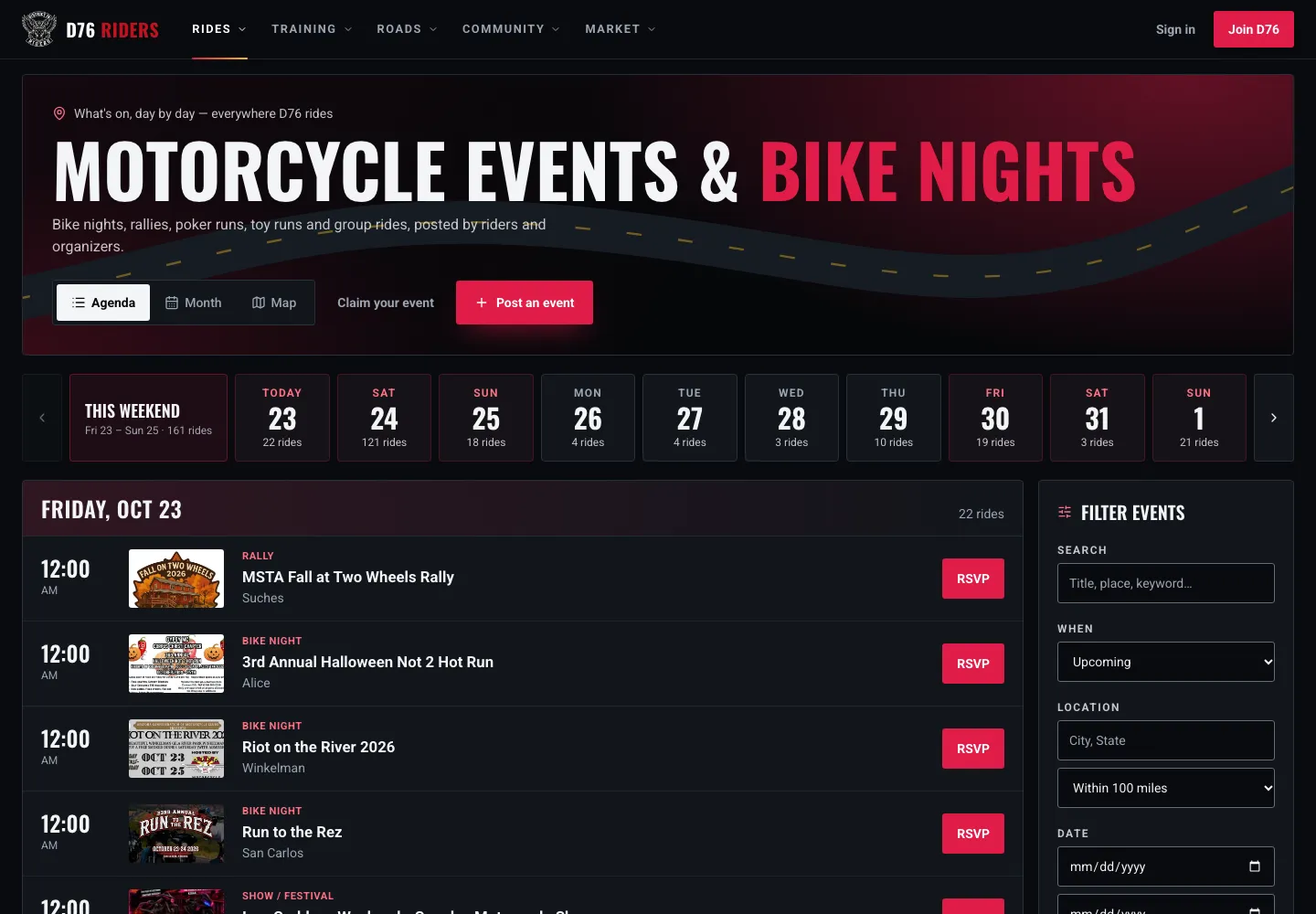
Without a riding area, Events shows everything, everywhere. A full weekend across the whole country, and none of it sorted for you.
We noticed a lot of members skip it when they join, so we rebuilt how we ask for it, tightened up who can see it, and gave Settings a full overhaul while we were in there. Here is the full rundown of what your riding area actually does, how to dial it in for the way you ride, and exactly who sees what.
What Changes the Moment You Set It
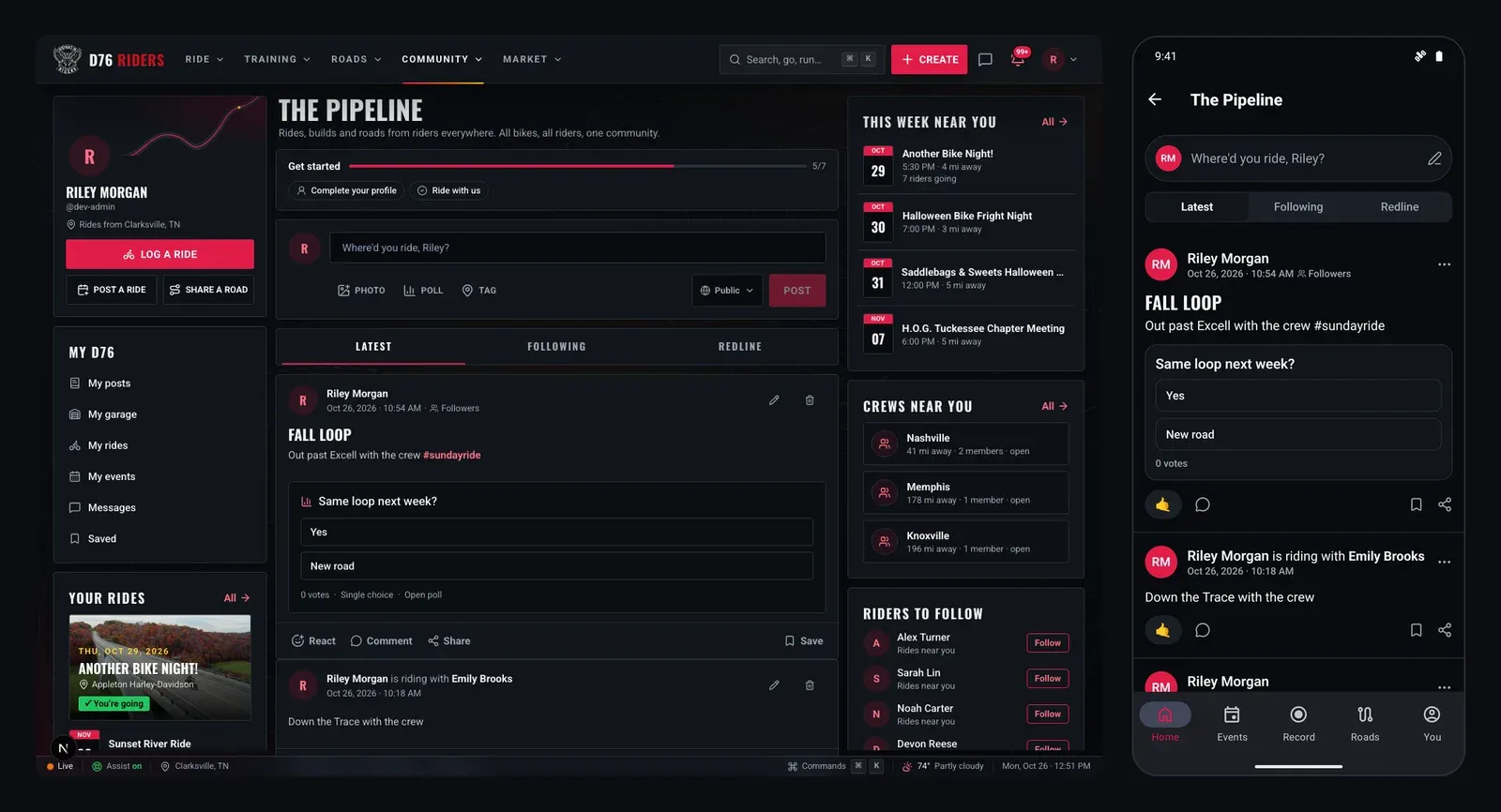
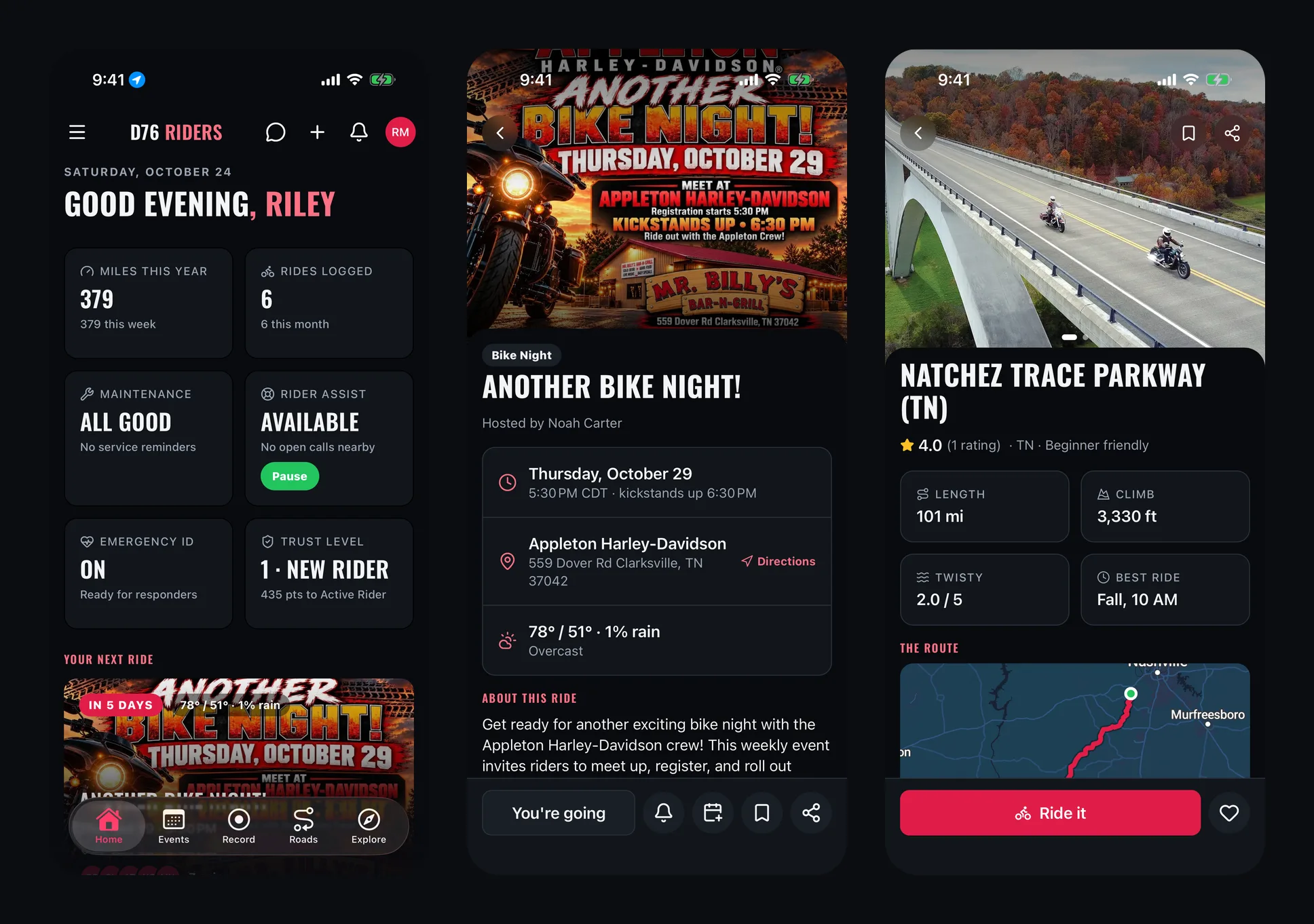
Start with Events. Bike nights, group rides, poker runs, toy runs and rallies all sort by distance from you, nearest first, and each listing tells you how far away it is. The strip across the top counts what is happening this weekend and every day after it, so you can see at a glance whether Saturday is packed or quiet. Flip between the agenda, a month view, or the map, and everything stays measured from you.
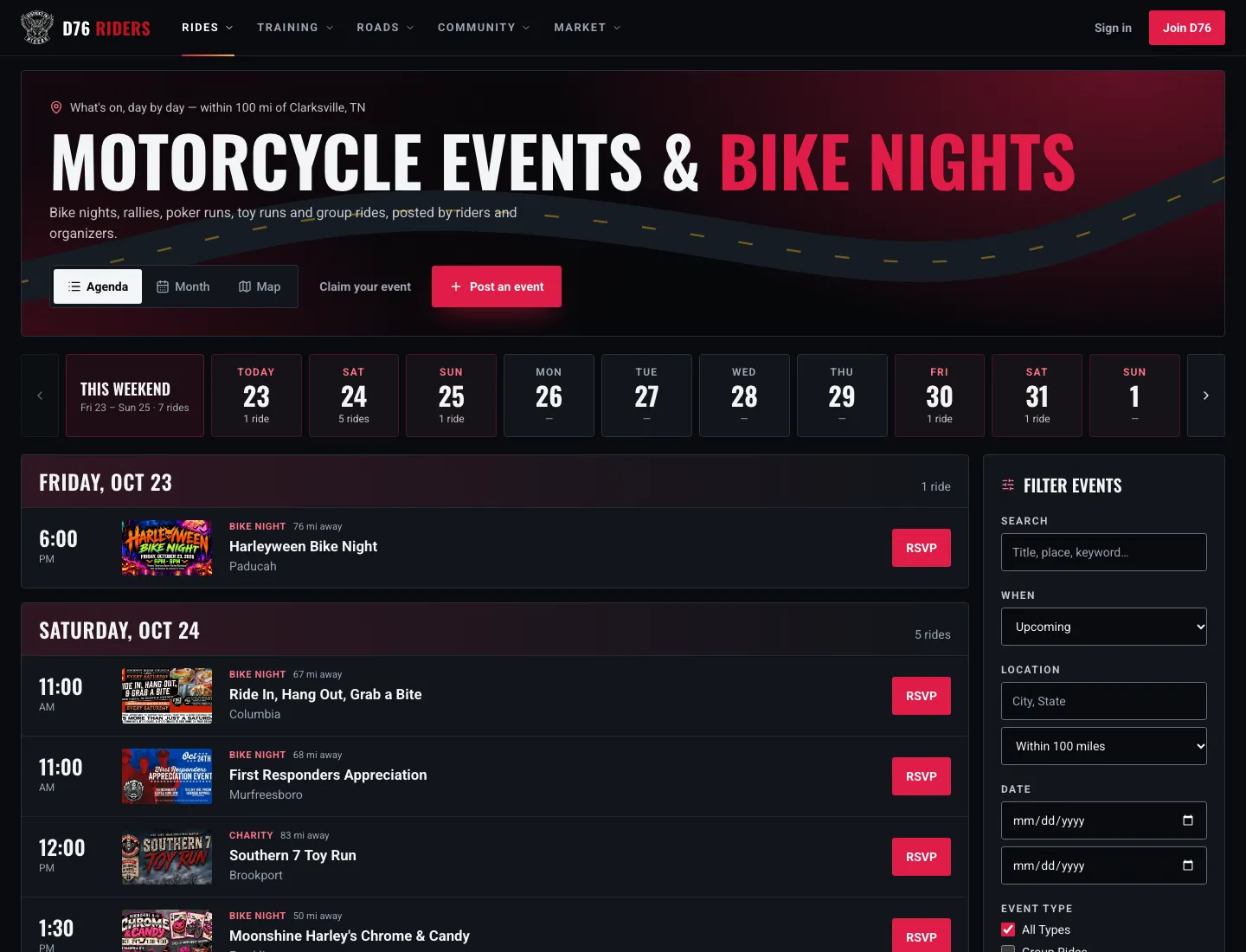
The same page with a riding area. Within 100 miles of Clarksville, nearest first, with the distance on every ride.
Roads work the same way. The roads members have shared show up with a row of the ones near you right at the top, ahead of the top-rated list, so the twisties twenty minutes from the house do not get buried under a famous road three states away. From there, filter by paved, beginner friendly, gentle curves, adventure or gravel, or switch to the map to see what is around you.
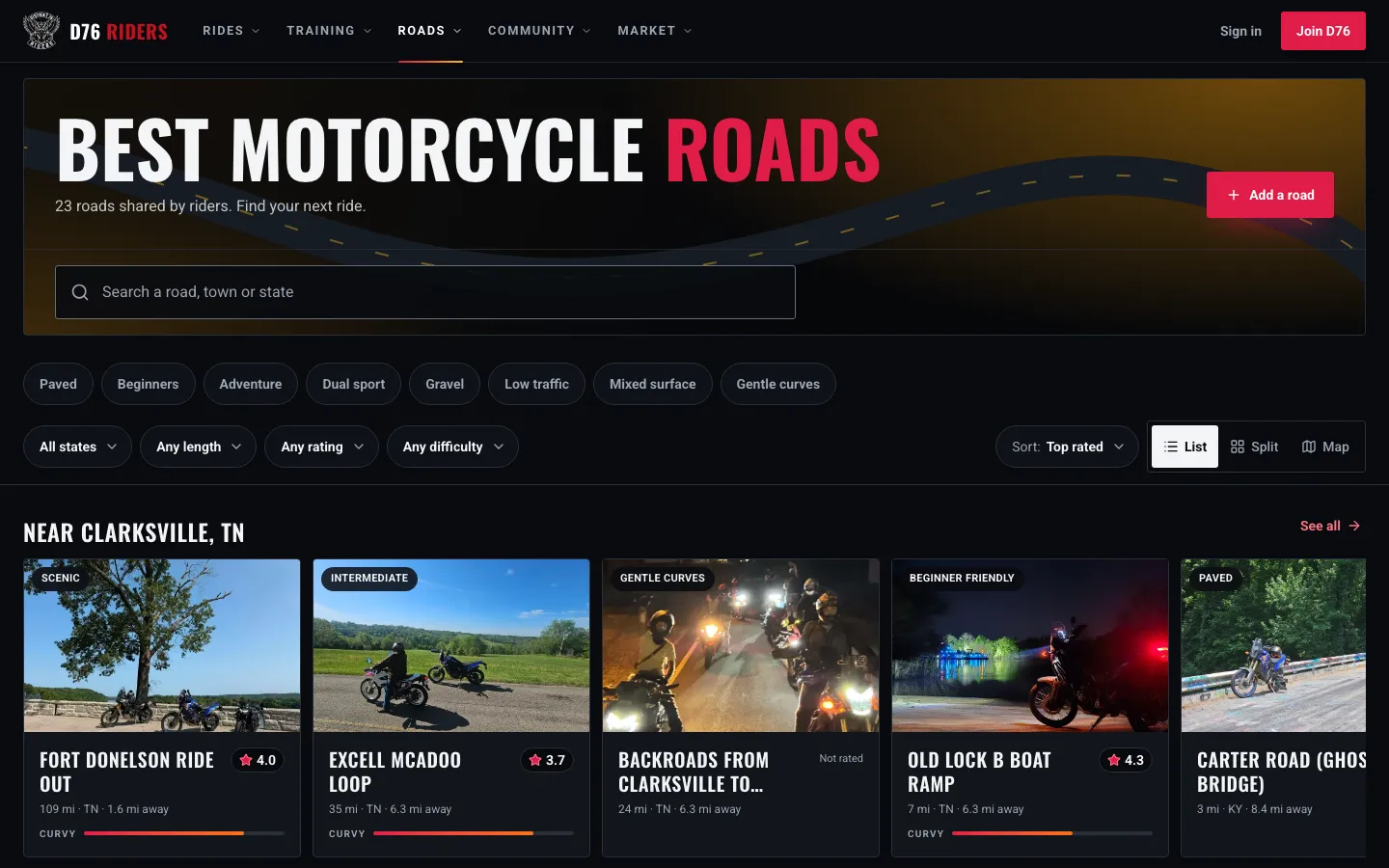
Roads near you get their own row at the top, ahead of the top-rated list.
Crews get a Crews near me tab that sorts crews by how close they ride to you, which is the fastest way to find people who meet up somewhere you can actually get to on a weeknight. And when D76 suggests riders to follow, being near you is one of the reasons it gives, right alongside the crews you share, the rides you have both been on, and who the riders you follow ride with.
None of that is possible without a starting point. Your riding area is that starting point.
Picking the Right Range
Your riding area has a second half that most members never touch: how far out to look. In Settings, Riding area you can choose 25, 50, 100 or 250 miles, or anywhere. Lists always show the nearest first. The range only decides how far they reach before you tap "Show all." New riding areas start at 100 miles.
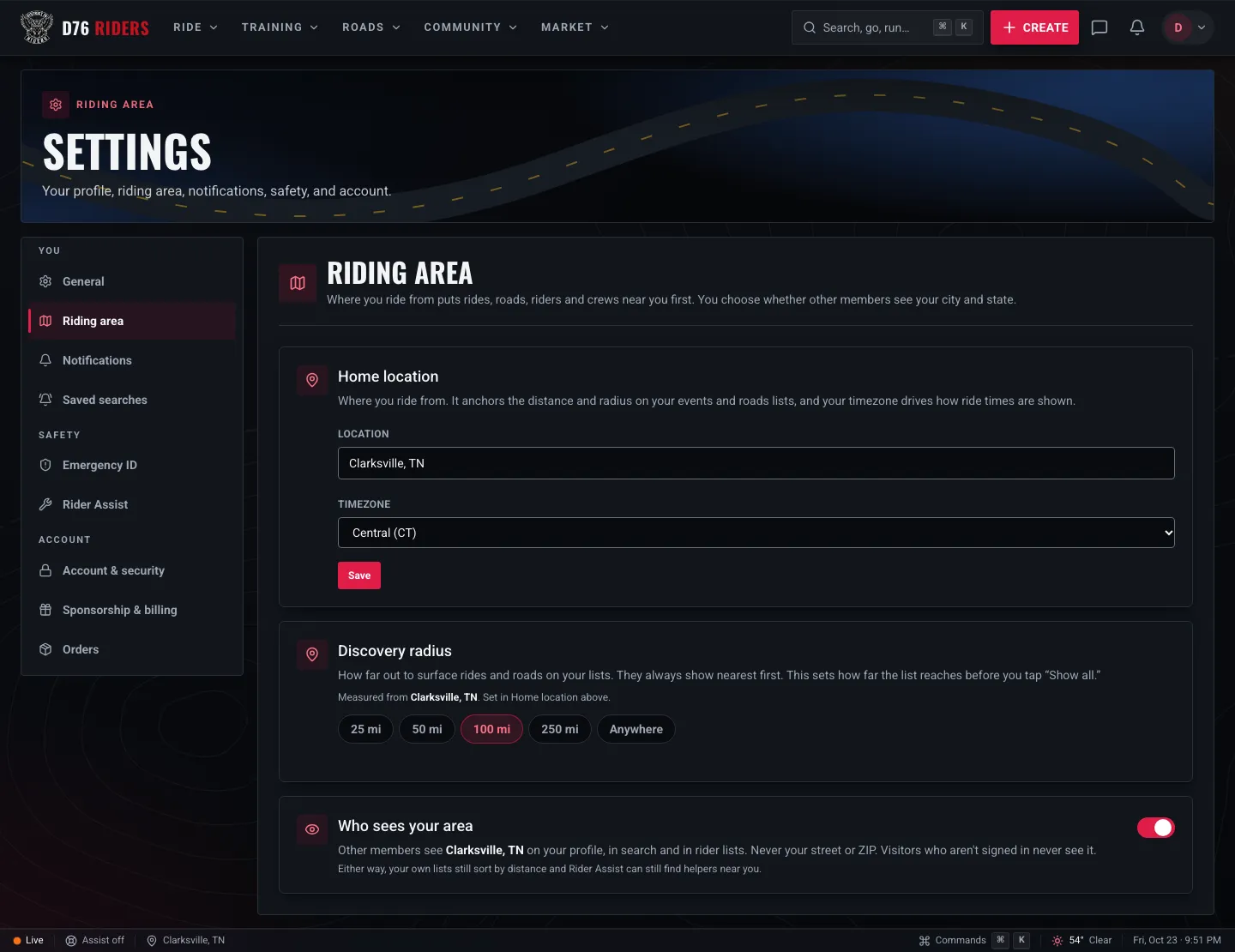
Settings, Riding area. Your home location on top, how far out to look in the middle, and who sees your area at the bottom.
There is no right answer, only the right answer for how you ride:
- 25 miles fits the after-work rider. If your riding mostly happens on weeknights, keep the list to the bike nights and meetups you can reach before dark.
- 50 miles covers a solid local loop. Good for riders who will happily head to the next town over for a Saturday ride but are home by dinner.
- 100 miles is day trip territory, and it is where most riders land. A full Saturday out and back, with room for lunch somewhere new.
- 250 miles is for the rally chasers and the weekend tourers, the riders who will pack a bag for the right event.
- Anywhere drops the limit entirely and simply sorts the whole country by distance from you.
Change it whenever your riding changes. A tight range in the dead of winter and a wide one when rally season opens up is a perfectly good way to use it.
Riding Away From Home
Your riding area is home base, but you will not always be home. If you are spending a long weekend in the mountains or riding through for a rally, you can turn on Use my current location from the menu under your profile picture. Lists then measure from where you are right now instead of where you live, and your range still applies.
A few details we were careful about. The site never pops up a location request on its own. It only asks when you flip that switch, so you know exactly why it wants to know. The position it keeps is rounded to about 110 meters, which is plenty for sorting rides and roads and nowhere near precise enough to point at a house. And once you are more than 25 miles from home, the site stops labeling your lists with your home town, because calling it "near Clarksville" while you are standing in Knoxville would just be wrong.
Planning a trip before you leave? Events by Area lets you browse rides by state and city anywhere riders have posted them, no location switch required.
Rider Assist Runs on Distance
This is the one where your riding area matters most. Rider Assist is non-emergency roadside help from D76 members nearby: a dead battery, a flat, an empty tank, the kind of problem where you are safe but stuck. It only works if the site knows which members are actually close enough to help.
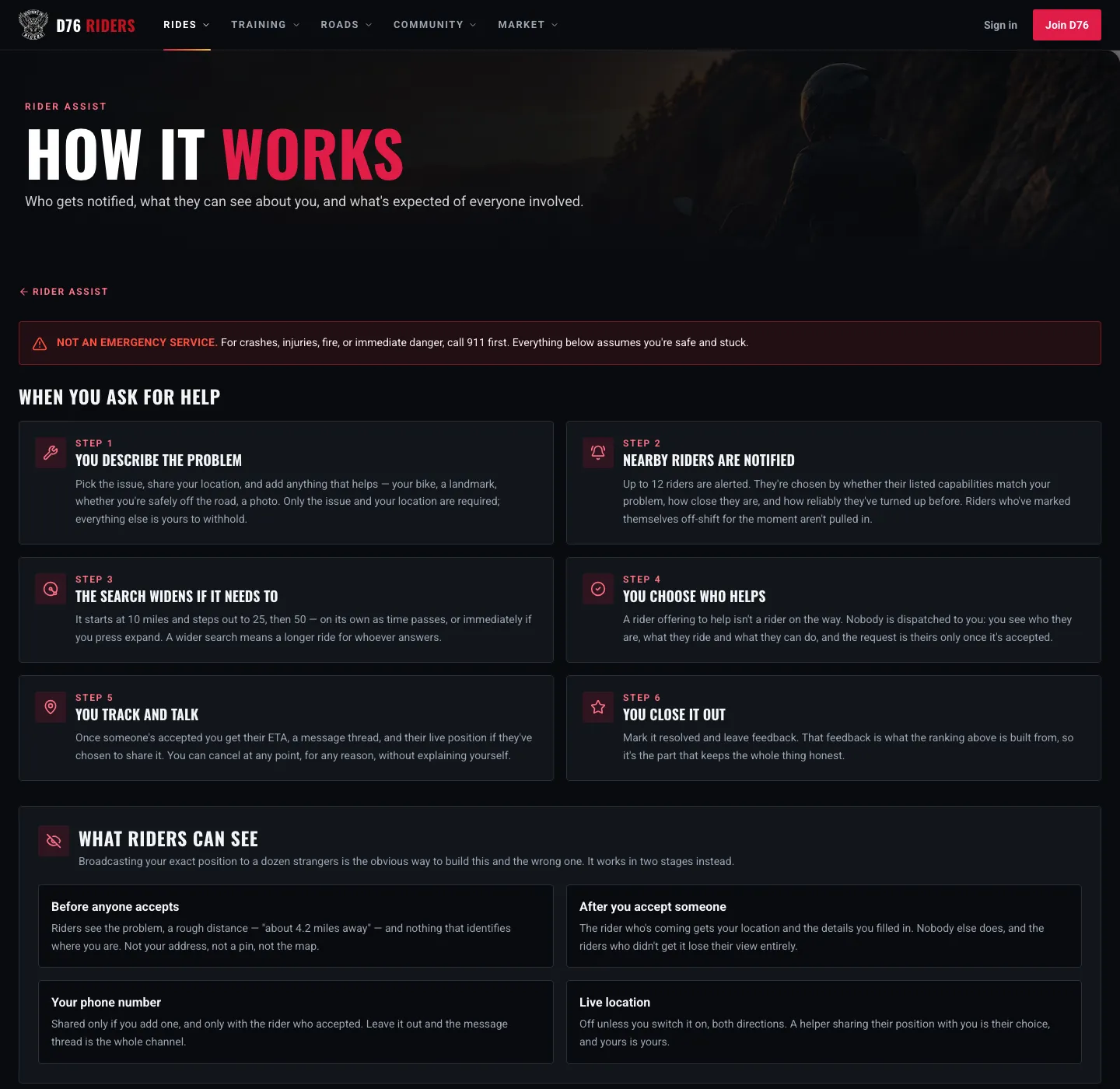
Rider Assist is for safe-and-stuck roadside help. For crashes, injuries, fire or danger, call 911 first.
When you ask for help, up to 12 nearby riders are alerted, chosen by whether they can handle your kind of problem, how close they are, and how reliably they have shown up before. The search starts at 10 miles and steps out to 25, then 50, on its own as time passes or right away if you choose to widen it. Nobody is dispatched to you. You see who offered, what they ride and what they can do, and you pick who comes.
Your exact position stays out of it until you choose. Before you accept anyone, riders only see the problem and a rough distance, something like "about 4.2 miles away," with no pin, no map and no address. Only the rider you accept gets your location, and everyone else loses their view of the request.
If you want to be the rider who shows up, helping is off until you turn it on. In Rider Assist settings you set how far you are willing to ride, the hours you are actually available, and what you can genuinely do, from jump starts and tire plugs to fuel delivery or a trailer. You are only notified for problems you said you can solve, inside your radius, during your hours. All of it starts with knowing where you ride.
Who Sees What, and Who Does Not
We get asked this a lot, and it deserves a straight answer. Here is exactly who sees your riding area:
- You see exactly what you saved.
- Other D76 members see your city and state, and nothing finer. Not your street and not your ZIP code. Unless you turn it off.
- Visitors who are not signed in see nothing at all.
- Want to keep it to yourself? Open Settings, Riding area and switch off Who sees your area. Other members then see no location for you either, and you are left off the nearby riders map. Your own lists still sort by distance, and Rider Assist can still find helpers near you, because the site keeps using your area for you without showing it to anyone else.
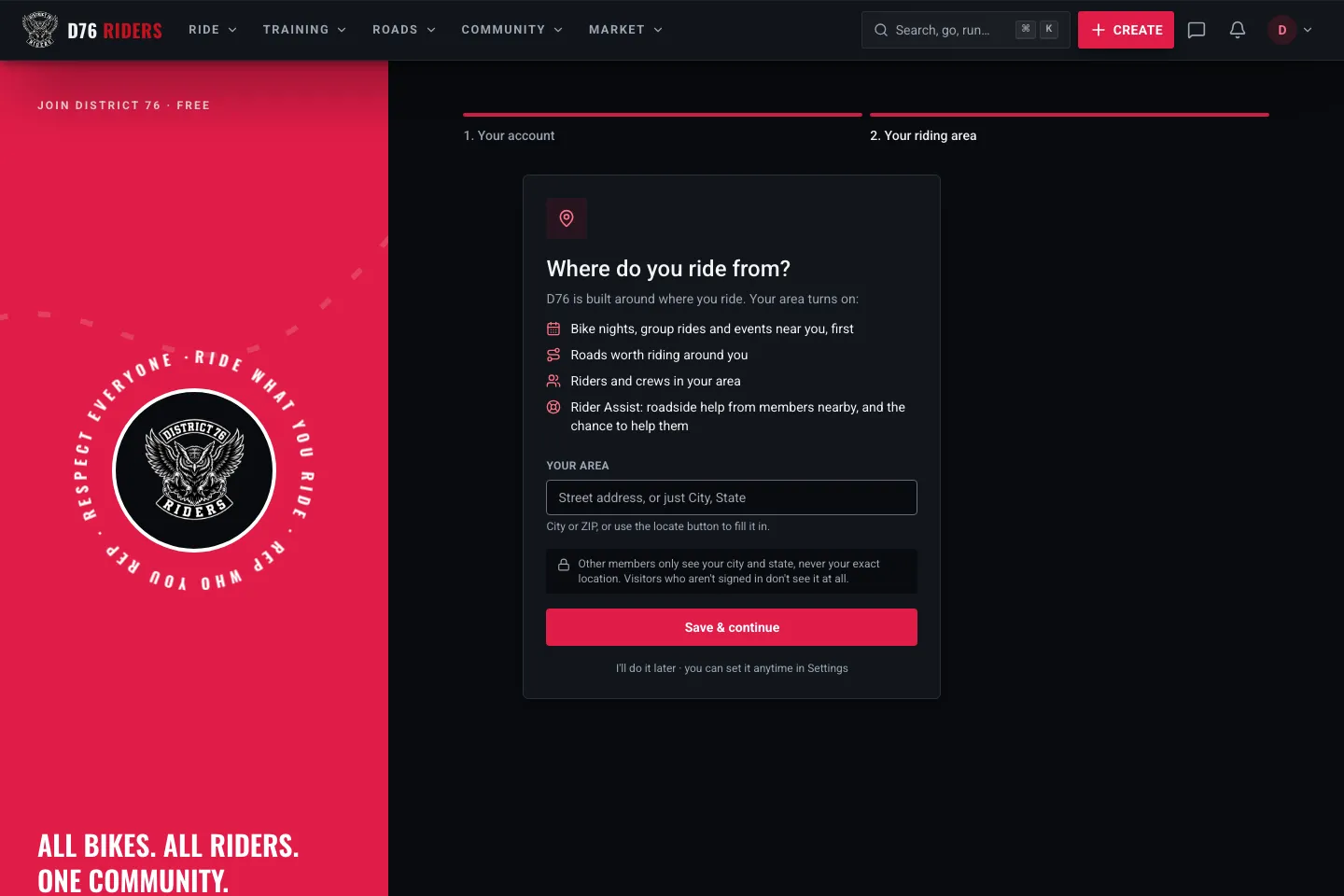
The riding-area step new members see right after joining, with the privacy promise spelled out before they type anything.
That last one is new this week. Until now, someone browsing the site without an account could see a member's city on their profile, their follower lists and the Discover page. That made no sense to us. Knowing who rides near you is the whole point of a local riding community, but that is a benefit for members, not for anyone passing through. Now only signed-in members see it, and only if you let them.
Search follows the same rules. A visitor can no longer search a town or a ZIP code and get back the riders who live there, and when a member searches, a rider's place only ever shows as a city and state, and only for riders who share it.
You also get to choose how much you give us in the first place. A city or a ZIP code works perfectly well. If you would rather enter a street address so distances are as accurate as possible, it is stored encrypted, it is only used to measure distances for you, and it is never shown to anyone, members included. When what you type is more than members will see, the Riding area page says so right under the box, so there is no guessing.
Settings, Rebuilt From the Ground Up
Settings had grown the way most things grow, one page at a time, until it felt like a scatter of pages instead of one place. Account and security even lived in a different part of the site entirely. We rebuilt it so everything lives together.
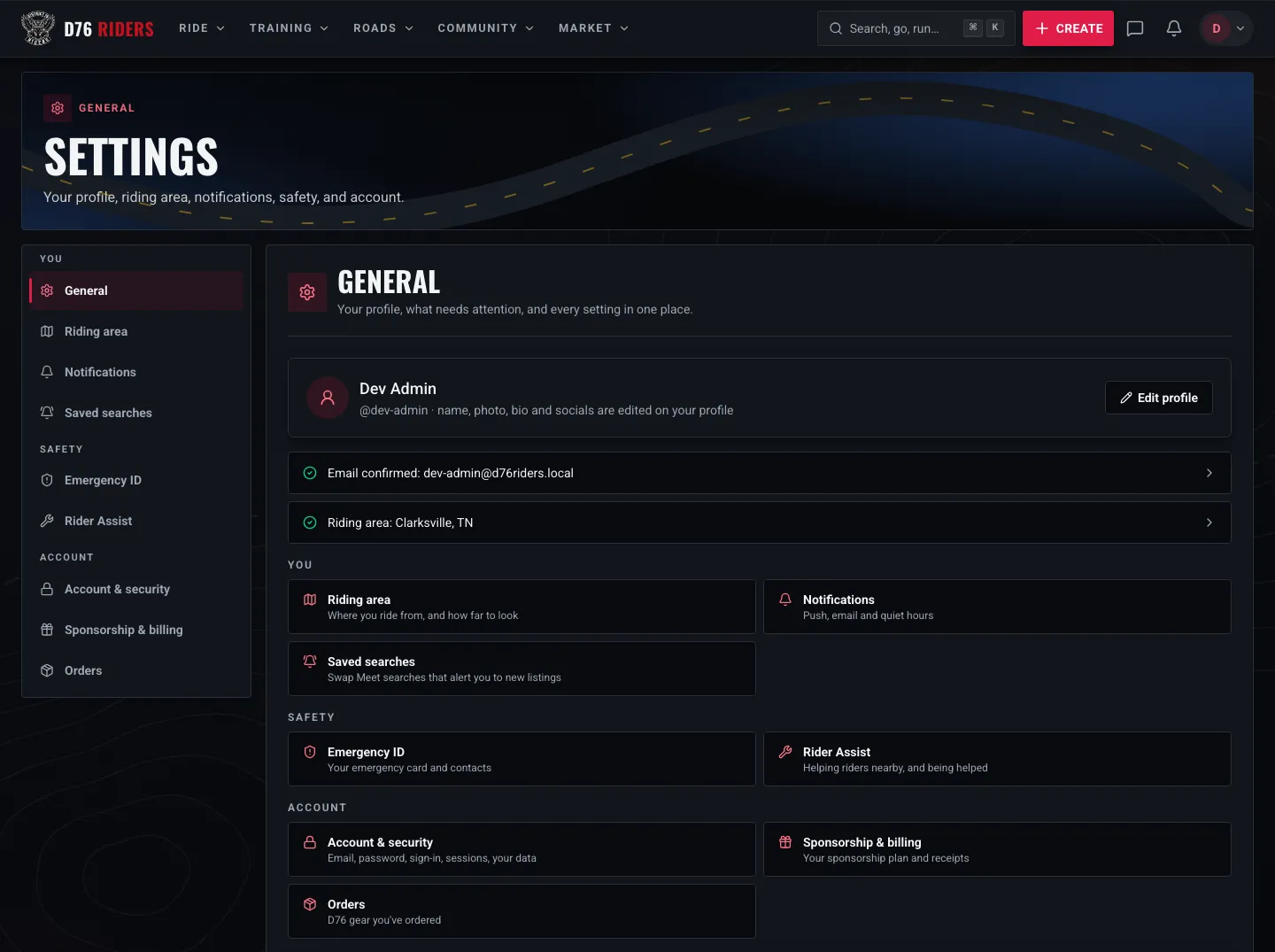
Settings, General. Your profile, the two checks that matter, and every section grouped with a line on what it does.
General is now the front door. It shows your profile with a shortcut to edit it, then two quick checks that matter more than anything else on the page: whether your email is confirmed, and whether your riding area is set. If either one needs attention, it says so and takes you straight to the fix. Below that, every section is listed with a single line on what it is for, so you never have to open five pages to find the one setting you wanted.
Sections are grouped by what they are about. You holds your riding area, notifications and saved searches. Safety holds your Emergency ID and Rider Assist. Account holds account and security, sponsorship and billing, and your D76 Merch orders. Account and security moved into Settings with everything else, and any old link to it still lands you in the right spot. On a phone, the sections are a row of tabs across the top instead of a long list you have to scroll past before you reach anything.
If You Skipped It When You Joined
Plenty of you did, and we get it. Sign-up flows tend to ask for a lot, and "where do you ride from?" right after creating an account can feel like one question too many. So we changed how we ask. New members now see exactly what a riding area turns on and exactly who will see it before they decide, and skipping it is a simple "I'll do it later."
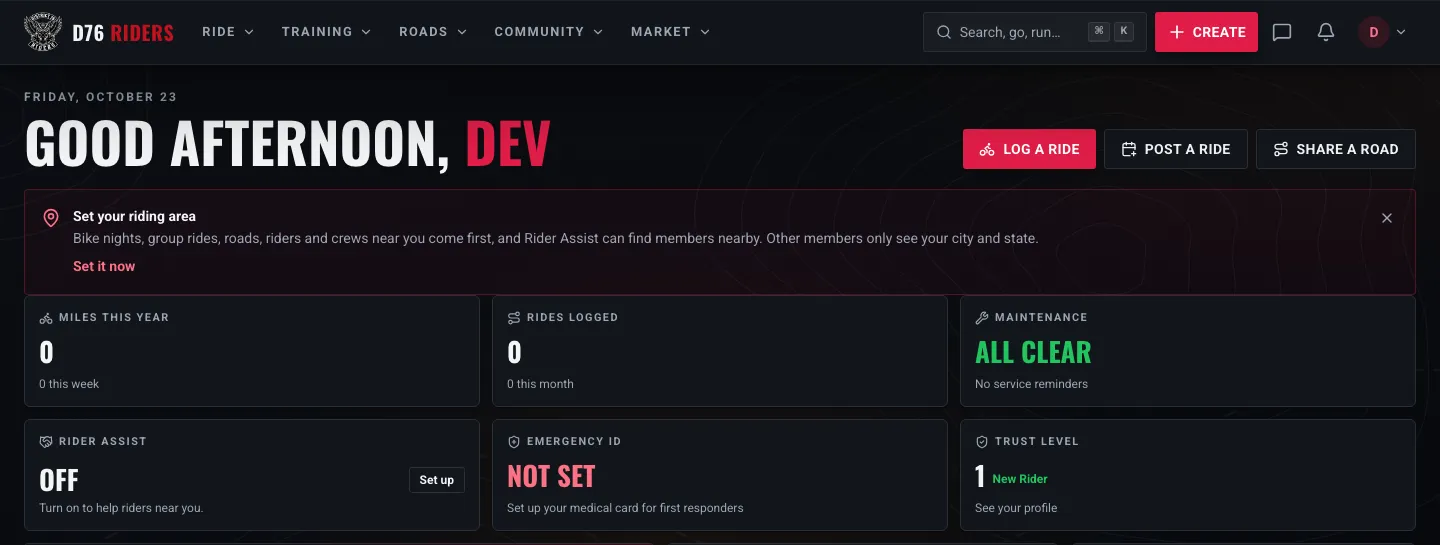
The reminder members without a riding area see on their home page. Dismiss it and it stays away for two weeks.
If you already skipped it, you will see a small card on your home page reminding you, with one link to set it. Not ready? Dismiss it and it stays out of your way for two weeks. Setting it takes a few seconds: open Settings, Riding area, type your city or ZIP or tap the locate button, pick your range, and save.
Final Thoughts
District 76 started in Clarksville because riding is local before it is anything else. The bike night you can make on a Tuesday, the crew that meets ten minutes from your house, the member who lives close enough to bring a jump pack when your battery quits on a backroad. A riding area is how the site finds those things for you, and now you know exactly how it works and exactly who can see it.
If yours is blank, take a minute and set it. We will see you on the road.
Ride what you ride. Rep who you rep. Respect everyone.
Finish this story. It's free
Create your free District 76 account to read the rest, save articles, and join the discussion.
Already a member? Log in

@worlddrknss
I’m basically a walking collection of expensive hobbies and a complete absence of free time!
Roads worth riding
Community-rated routes from the D76 road guide.
- Old Lock B Boat Rampin TN
- FS141 to Persimmon Pointin KY
- Fort Donelson Ride Outin TN
- Natchez Trace Parkway (TN)in TN
0 Comments
Sign in to join the discussion.
- No comments yet. Be the first to weigh in.